If you’ve been running an affiliate program on WordPress and started hitting walls with AffiliateWP, you’re not alone. Many store owners reach a point where the base plugin stops being enough, and every new feature they need comes with an extra purchase. The real cost of an affiliate plugin isn’t just the annual license fee — it’s the total price of every add-on you need to make it actually work for your business.
This article covers the most common reasons site owners look for an AffiliateWP alternative, what you should compare before switching, and which plugins hold up best for real-world setups involving subscriptions, memberships, and multi-tier commissions.
Why Site Owners Start Looking Elsewhere
Frustration with AffiliateWP rarely starts on day one. It usually builds after a few months, once you need features that weren’t in the base price. The core plugin is functional, but several critical capabilities sit behind paid add-ons.
Missing Advanced Features Without Extra Purchases
AffiliateWP’s base plan gives you referral tracking and basic commission management. But features like recurring commissions, multi-tier structures, and advanced coupon tracking each require separate paid add-ons. As noted in a breakdown of common AffiliateWP pain points, the core plugin is surprisingly bare-bones once you start scaling a high-volume store.
You end up paying for functionality that many competing plugins include by default. That gap grows quickly when you need three or four add-ons to match a competitor’s standard feature set.
Limits For Recurring Revenue Setups
If you sell subscriptions or memberships, recurring commission tracking is essential. With AffiliateWP, that requires an add-on. Out of the box, the plugin credits affiliates for the first sale but doesn’t automatically handle ongoing payments.
For WooCommerce Subscriptions users or anyone running a membership site, this is a significant gap. You want your affiliates rewarded every time a referred member renews, not just at signup.
Friction For Multi-Step Commission Models
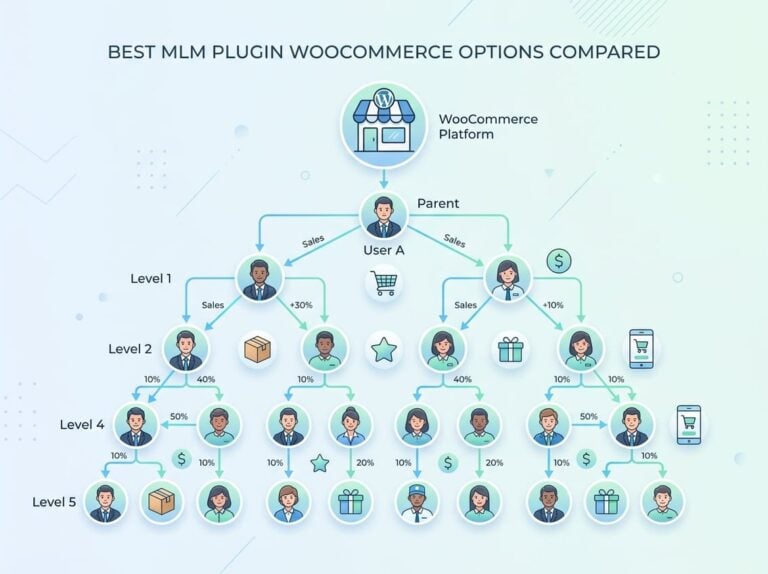
Multi-level marketing (MLM) structures, where affiliates earn on their direct referrals and on referrals made by people they recruited, require a specific setup in AffiliateWP. Native MLM support isn’t included in the standard package. You’ll need to add it separately or work around the limitation with a custom approach, which adds both cost and admin time.
What To Compare Before You Switch
Switching affiliate plugins is a meaningful decision. Before you move your program, there are three areas worth examining closely to avoid landing in the same situation with a different tool.
Pricing Model And Long-Term Cost
AffiliateWP’s annual plans start around $149 per year at the base tier, with higher tiers unlocking more add-ons. The total cost climbs fast when you factor in the specific add-ons your program actually needs.
Compare that against plugins with one-time pricing or flat-rate annual licenses that include most features by default. The upfront number matters less than the total cost over two or three years of operation.
Included Features Versus Paid Extensions
Make a list of every feature your affiliate program currently uses or plans to use: recurring commissions, coupon tracking, custom tiers, MLM levels, landing pages. Then check whether those features are included or sold separately on each plugin you’re evaluating.
A plugin priced slightly higher that includes everything you need often costs less than a cheaper plugin requiring multiple add-ons.
Tracking Flexibility Across Products And Funnels
Not all affiliate tracking works the same way. Some plugins track referrals only at the order level. Others let you assign different commission rates per product, per category, or per affiliate tier. If you run upsells, order bumps, or multi-product funnels, you need granular tracking control.
Check whether the plugin you’re evaluating supports commission rules at the product level, not just at the order or cart level. That distinction matters when your store sells a mix of products at very different margins.
How Affiliate Tracking Works In Real Setups
Tracking a referral in theory is straightforward. In practice, real stores have subscriptions that renew, members who upgrade, and customers who buy more than one product. Here’s how affiliate tracking actually functions in those scenarios.
Subscriptions And Recurring Commissions
When a referred customer signs up for a subscription, the initial payment triggers the commission. For recurring commissions to work, the plugin must also fire a commission event on every subsequent renewal payment. That requires a direct integration with the subscription plugin, such as WooCommerce Subscriptions.
Ultimate Affiliate Pro supports WooCommerce Subscriptions natively, meaning each renewal payment can automatically trigger a commission without manual intervention. This is the kind of tracking that keeps affiliates motivated over the long term.
Memberships, Courses, And Restricted Content
Membership and LMS sites have a slightly different challenge. A referred user might sign up for free and upgrade to paid later. You need to decide whether the affiliate gets credit for the free signup, the paid upgrade, or both.
Good affiliate plugins handle this by letting you set commission triggers at specific points in the funnel, not just at the first transaction. If you’re running a course platform or membership site, look for plugins that integrate directly with your LMS or membership plugin rather than relying on generic WooCommerce order tracking.
Coupons, Landing Pages, And Upsell Attribution
Coupon-based tracking assigns each affiliate a unique discount code. When a customer uses that code at checkout, the commission fires regardless of whether a referral link was clicked. This works well for affiliates who promote through social media or email, where link clicks are harder to track.
Landing page attribution assigns a unique URL to each affiliate’s promotional page. Any conversion that happens through that page credits the affiliate automatically. For upsells, the key question is whether your plugin attributes the upsell commission to the original referring affiliate or treats it as a separate untracked transaction. The Ultimate Affiliate Pro features page covers how these attribution methods work across different conversion types.
The Strongest Fit For Advanced WordPress Programs
When your affiliate program needs MLM support, recurring commissions, and deep WooCommerce integration all in one package, most plugins require you to assemble that from multiple add-ons. Ultimate Affiliate Pro is built differently.
Nearly 100 Included Add-Ons In One System
Ultimate Affiliate Pro ships with close to 100 add-ons included in the license, covering everything from custom affiliate landing pages and coupon codes to tiered ranking systems and performance bonuses. You don’t purchase each feature separately.
This bundled approach makes the real cost of the plugin much easier to predict. You can review the full list on the Ultimate Affiliate Pro add-ons page and see exactly what’s included before you commit. For programs that need multiple advanced features, this model is significantly more cost-effective than per-add-on pricing.
Native MLM Support Without Extra Workarounds
Multi-level commission structures are built into Ultimate Affiliate Pro by default. You can set up multiple commission tiers so that affiliates earn on their direct referrals as well as on sales generated by affiliates they recruited.
This is especially useful for programs that use tiered incentives to grow their affiliate network organically. No separate MLM plugin, no workaround, and no additional purchase required. For a program already managing multiple affiliate tiers, this saves meaningful admin overhead.
Broad Integrations For WooCommerce And Beyond
The plugin integrates with WooCommerce, Easy Digital Downloads, WooCommerce Subscriptions, major LMS plugins, popular form builders like WPForms and Ninja Forms, and email marketing tools including Mailchimp and ActiveCampaign. Payment processing via Stripe and PayPal is also built in.
If your store uses WooCommerce as its base, the integration is direct and doesn’t require third-party bridges. You can check current pricing for Ultimate Affiliate Pro to see which plan covers the integrations your setup requires.
Other Plugins You May Also Review
Not every affiliate program needs the full feature set of a premium plugin. Depending on the size and complexity of your program, two other options come up frequently in comparisons.
SliceWP For Simpler Affiliate Programs
SliceWP positions itself as a clean, lightweight affiliate plugin with a simple setup process. It integrates with WooCommerce and Easy Digital Downloads and handles basic referral tracking without much complexity.
It’s a reasonable option if your program is small, your commission structure is straightforward, and you don’t need recurring commissions or multi-tier support. For growing programs that anticipate needing more advanced tracking, you may outgrow it faster than expected.
EasyAffiliate For Basic Membership-Style Needs
EasyAffiliate (formerly Affiliate Royale) focuses on simplicity and works reasonably well for small programs tied to membership plugins. It includes basic affiliate tracking, a dashboard for affiliates, and PayPal payout support.
It lacks native MLM support and has limited flexibility for complex commission structures. As noted in a recent plugin comparison, it works well as a more affordable alternative for programs that don’t need advanced features, but it has real ceilings once your needs grow.
Choosing Based On Revenue Model And Admin Time
The right plugin depends on how you make money and how much time you can spend managing the affiliate side of your business.
Best Choice For Stores That Need Flexibility
If you run a WooCommerce store with a mix of products, subscriptions, and upsells, and you want affiliates rewarded across all of those revenue streams, a plugin with built-in recurring commission support and product-level tracking rules is the practical choice. Ultimate Affiliate Pro covers all of those scenarios without needing you to patch together multiple add-ons.
For programs that also want to grow through MLM-style affiliate recruitment, the native multi-level support removes a significant technical obstacle.
When Simplicity Is Enough
If your store sells a single product type, you only have a handful of affiliates, and your commission structure is flat, a lighter plugin like SliceWP will handle it without complexity. The overhead of a feature-rich plugin isn’t worth it if you’re not using the features.
Most programs that start simple end up needing more over time. Factor in where your program will be in 18 months, not just where it is today.
Where To Check Pricing And Feature Depth
Before switching, compare total annual cost including any add-ons required, check whether the integrations you need are included or separate, and look at what happens to pricing if you need to add a feature later. The Ultimate Affiliate Pro pricing page lays out what each plan includes clearly, which makes that comparison straightforward.
Frequently Asked Questions
Which WordPress affiliate plugin is easiest to set up with WooCommerce payouts and coupons?
Ultimate Affiliate Pro integrates directly with WooCommerce and includes coupon-based tracking in its standard feature set. Payouts via PayPal and Stripe are built in, so you don’t need to configure a separate payout tool. For most WooCommerce setups, the initial configuration can be completed without developer help.
What are the best lightweight affiliate plugins that won’t slow down your WordPress site?
SliceWP and EasyAffiliate are both relatively lightweight options suited to smaller programs. For larger programs, a well-optimized self-hosted plugin with efficient database queries matters more than the plugin’s feature count. Ultimate Affiliate Pro is self-hosted on your WordPress server, which means your site’s hosting performance affects tracking speed directly.
Which free affiliate plugin actually supports recurring commissions and referral links reliably?
Most free affiliate plugins don’t include recurring commission support. That feature typically requires a paid plan or add-on regardless of which plugin you use. If recurring commissions are a priority, you’re better served by a paid plugin that includes it natively rather than attempting to patch it together with a free option.
What should you check in an affiliate plugin demo before moving your program to it?
Test the specific tracking scenarios your program actually uses: recurring payments, coupon attribution, and any multi-tier commission flows. Also check how the affiliate dashboard looks to your affiliates, since a confusing interface increases your support workload. Verify that the integrations listed on the plugin’s features page apply to your specific plugin versions.
Can you run an affiliate program that credits Amazon product links, or do you need a different setup?
WordPress affiliate management plugins like Ultimate Affiliate Pro are designed to track referrals to your own products and store, not to external marketplaces like Amazon. For crediting Amazon purchases, you would use Amazon’s own affiliate program (Amazon Associates) directly. The two setups serve different purposes and don’t overlap in function.