Most affiliate plugins track the initial sale just fine. The real problem shows up when you’re running subscriptions, variable-margin products, or a growing team of affiliates who all expect different payout rates. Getting your affiliate commission rates right in WordPress isn’t just about picking a number — it’s about building a structure that scales without breaking your margins or frustrating your best promoters. If you’re using WooCommerce or running a membership or course site, the setup decisions you make early will determine how much manual work lands on your plate later. Ultimate Affiliate Pro gives you the flexibility to handle this properly from the start — you can explore the full feature set to see how commission structures are handled at scale.
Choose the Right Commission Model First
Before you touch any plugin settings, decide which Affiliate Commission Rates structure actually fits your product mix and margin profile. The wrong model creates payout conflicts, affiliate frustration, and profit leaks that compound over time.
Percentage vs Flat Payouts
A percentage-based commission scales with order value, which works well for variable-price products or stores with a wide SKU range. If someone sells a $300 course and earns 30%, that’s $90. If the next sale is $50, they earn $15. The math adjusts automatically.
Flat rate commissions give you predictability. You pay $20 per sale regardless of order size. This works better for low-margin physical goods where a percentage could wipe out your profit on smaller orders.
Many WooCommerce stores use a hybrid: a percentage as the storewide default commission, with flat overrides on specific products.
When to Use Storewide vs Affiliate-Specific Rates
A storewide default commission is your baseline. It applies when no specific rule matches. Set it once, and it catches everything you haven’t explicitly configured.
Affiliate-specific rates are for situations where a storewide default doesn’t fit. A top recruiter who sends high-converting traffic deserves a different commission rate than a new affiliate still testing their audience.
How Recurring and Lifetime Payouts Change Margins
Recurring commissions pay out on every subscription renewal, not just the first transaction. For a $49/month SaaS or membership, even a 20% recurring commission adds up fast across a large affiliate base.
Lifetime commissions lock a customer to a specific affiliate permanently. This is a strong motivator, but it requires careful margin planning before you enable it. According to a complete guide to affiliate commission rates from Ultimate Affiliate Pro, lifetime commission plans are most effective when customer retention is high and churn is predictable.
Set Up Affiliate Commission Rates Rules in WordPress and WooCommerce
Once you’ve chosen your commission model, the next step is configuring the actual rules inside your WordPress affiliate program. The setup hierarchy matters: base settings flow down to product and category rules, which can then be overridden at the affiliate level.
Base Settings for Your WordPress Affiliate Program
Start with your storewide default commission. In most affiliate plugins for WordPress, this lives in the main settings panel under commissions or referrals. Set this number conservatively. You can always increase it for specific products or affiliates, but lowering a global rate after affiliates are active creates friction.
For WooCommerce stores using Affiliate for WooCommerce, the commission plans system lets you create named plans with specific rate logic rather than relying on a single global rate.
Product, Category, and Order-Based Rules
Once your base rate is set, layer in product and category-specific rules. A common example: you sell both digital downloads and physical merchandise. Digital products carry a 35% commission because margins are high. Physical products get 10% because shipping and fulfillment costs reduce margin.
You can set different commission rates based on product taxonomies directly inside WooCommerce affiliate commission rates, using category filters to match rules to the right products automatically.
With Ultimate Affiliate Pro, rule groups let you stack conditions, so a rule can match a specific product category AND a minimum order total before applying a higher commission rate.
Affiliate-Level Overrides and Group Logic
Affiliate groups let you segment your promoters. New affiliates land in a default group with standard rates. Verified, high-performing affiliates move to a different group with better rates. This keeps your payout structure clean without creating dozens of individual exceptions.
Affiliate-level overrides sit above group rules in the hierarchy. When you assign a rate directly to an affiliate, it ignores the group rate entirely. Use this sparingly, for VIP partners or negotiated deals.
Use Tiers, Groups, and Overrides to Reward Performance
Flat commission structures don’t give affiliates a reason to push harder after the first sale. Performance-based tiers create an ongoing incentive to grow volume, which directly benefits your affiliate program’s output.
Commission Tiers for Growth
A tiered commission structure increases the payout rate as affiliates hit thresholds. A common setup looks like this:
| Sales per Month | Commission Rate |
|---|---|
| 1–10 | 15% |
| 11–30 | 20% |
| 31+ | 25% |
The affiliate earns more per sale once they cross each threshold. This rewards momentum and gives mid-tier affiliates a visible goal to aim for.
Setting up affiliate commission tiers in WordPress typically requires either a native tier feature or an add-on, depending on which plugin you’re using. Ultimate Affiliate Pro includes tiered affiliate ranking as a core feature, not an add-on purchase.
Special Rates for Top-Performing Affiliates
Top-performing affiliates often negotiate rates privately. Rather than creating a mess of one-off rules, use affiliate groups to create a “VIP” segment with its own commission plan. When someone earns that status, move them to the group and their rate updates automatically.
This approach also makes it easy to scale without manually editing individual affiliate profiles every time someone hits a new milestone.
Multi-Tier Structures Without Overcomplicating Payouts
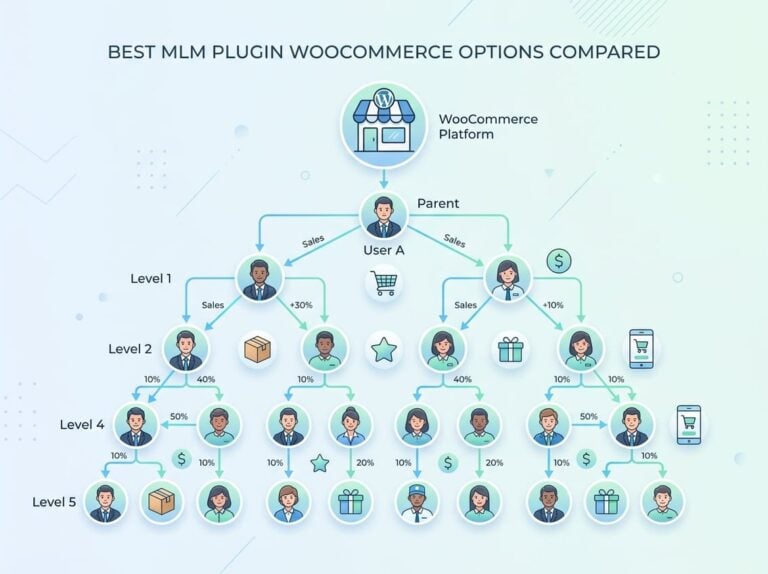
A multi-tier affiliate program pays a commission not just to the affiliate who made the sale but also to the affiliate who recruited them. Tier 1 earns 20% on their own sales. Tier 2 earns 5% on sales made by affiliates they referred.
This only makes sense if you’re actively trying to grow your affiliate network through recruitment. For stores that just want straightforward sales-driven payouts, multi-tier adds complexity without a clear return.
If you do want to explore multi-level commission structures, the Ultimate Affiliate Pro pricing page covers which plans include MLM and multi-tier support.
Track Referrals and Manage Affiliates Without Guesswork
Commission rules are only as good as your ability to verify them. If you can’t confirm that referrals are tracking correctly and that commissions match the logic you configured, disputes and payout errors will follow.
What Affiliates Need in the Affiliate Dashboard
Affiliates need a clear view of their own performance: clicks, conversions, pending commissions, and paid commissions. When this information is missing or delayed, affiliates lose confidence in the program and reduce their promotion effort.
A well-configured affiliate dashboard should show:
- Real-time click and conversion counts
- Commission amounts per referral
- Payout history and pending balance
- Personal affiliate links and coupon codes
Ultimate Affiliate Pro includes a front-end affiliate dashboard that covers all of these by default, without requiring separate page builders or shortcode customization.
How to Review Referral Quality and Commission Accuracy
On the admin side, spot-check your referrals regularly. Look for referral amounts that seem off relative to the order total. This usually points to a commission rule misconfiguration, like a flat rate being applied where a percentage was intended, or a rule group matching too broadly.
Filter referrals by affiliate and cross-reference against your WooCommerce order data. If an order came in at $200 and the commission shows $4 instead of $40, a decimal error in the rate settings is the likely cause.
Payout Workflows for Manual and Automated Programs
Manual payouts give you control but require discipline. Set a fixed payout day each month, review pending commissions before releasing them, and check for refunded or disputed orders that should reduce the payout amount.
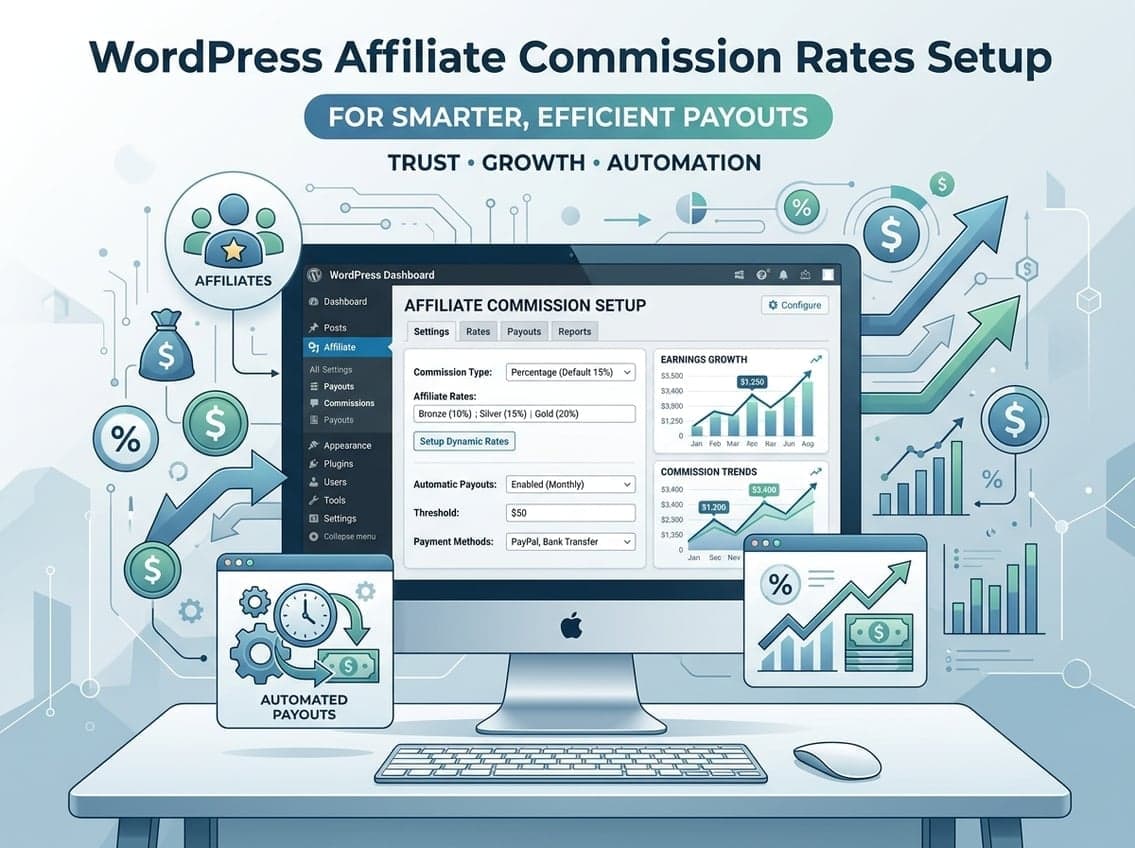
Automated payouts via PayPal or Stripe remove the monthly manual step. You set a minimum threshold and a trigger, and the system handles disbursement. Ultimate Affiliate Pro supports 1-click mass payouts, which sits between fully manual and fully automated. You review and approve, then execute in one step rather than processing affiliates one by one.
Compare Plugin Approaches Before You Commit
Not every affiliate plugin for WordPress handles commission rates the same way. The differences matter when your program grows beyond a handful of affiliates or when your commission structure gets more complex.
What to Look for in WooCommerce Affiliate Plugins
The minimum for any serious WooCommerce affiliate program:
- Storewide default commission with product and category overrides
- Affiliate-level rate customization
- Recurring commission support for subscriptions
- A usable affiliate dashboard
- PayPal or Stripe payout integration
Plugins that lack recurring commission support are a poor fit for subscription-based WooCommerce stores. You’ll either pay affiliates only for the first payment or manage recurring payouts manually, which doesn’t scale.
How AffiliateWP, Solid Affiliate, and In-House Tools Differ
AffiliateWP is a well-established affiliate plugin with solid WooCommerce integration. Its core product handles basic commission rules competently, but tiered rates, multi-level structures, and some advanced features require paid add-ons that increase the total cost significantly.
Solid Affiliate is a simpler, lower-cost option that covers the basics for smaller WooCommerce stores. It lacks the depth needed for tiered commissions, affiliate groups, or recurring commission tracking on complex subscription setups.
Ultimate Affiliate Pro packages most of what AffiliateWP charges extra for into a single license. If your program involves tiers, MLM, recurring commissions, or affiliate landing pages, the cost-per-feature comparison shifts in favor of UAP.
When Link Management Tools Like Lasso Fit Into the Stack
Tools like Lasso are link management and monetization tools for content publishers, not affiliate program managers. They help affiliate marketers (your affiliates, not you) organize and optimize the links they use in their own content.
If you’re building and managing your own affiliate program, Lasso doesn’t replace an affiliate plugin. It’s not designed to track referrals, manage commissions, or handle payouts. The two tools solve different problems and can coexist if your affiliates choose to use link management software on their end.
Frequently Asked Questions
What commission percentage should you set for a WooCommerce affiliate program in your niche?
Digital products typically support 20–40% because there are no production or shipping costs. Physical goods with thin margins usually land between 5–15%. Start at the lower end of your range, then increase rates for high-performing affiliates once you have real conversion data.
Should you pay affiliates a flat rate per sale or a percentage of the order total?
Use a percentage when your product prices vary widely, so the commission scales with order value. Use a flat rate when you need predictable payout costs, particularly on lower-margin physical products where a percentage commission could exceed your profit on smaller orders.
How do you set different Affiliate Commission Rates for specific products or categories in WooCommerce?
Most affiliate plugins for WooCommerce let you create commission plans with product or category rules that override the default rate. In Affiliate for WooCommerce, this is done through the Plans panel under WooCommerce settings. Ultimate Affiliate Pro handles this through rule groups that you can stack with multiple conditions.
How do you handle commissions when coupons, discounts, or store credits are used?
The standard approach is to calculate the commission on the order total after discounts, not before. This protects your margin when large coupons are applied. Check your plugin settings to confirm whether commissions are calculated on the pre-discount or post-discount amount, since plugins differ in their default behavior.
What’s a sensible cookie duration for your affiliate links, and how does it affect payouts?
A 30-day cookie is common for most niches. Longer cookies (60–90 days) make sense for high-consideration purchases where buyers take time to decide. Longer cookie durations increase the chance of crediting the correct affiliate but also mean you might pay commissions on purchases made well after the referral click.
Is a 20% commission rate too high for physical products, and when does it actually make sense?
For most physical products, 20% will cut deeply into your margin once you factor in shipping, fulfillment, returns, and payment processing fees. It can make sense for high-ticket physical goods where the dollar amount per sale justifies it, or if you’re paying 20% on a bundled order that includes high-margin digital components alongside the physical item.