When you manage an affiliate program with more than one level of recruitment, a flat spreadsheet stops working fast. You end up with recruits recruiting recruits, commissions flowing through multiple layers, and no clear picture of who is active, who is stalling, and where your revenue is actually coming from.
An MLM genealogy tree solves this by turning your entire downline structure into a visual map you can navigate, filter, and act on in real time.
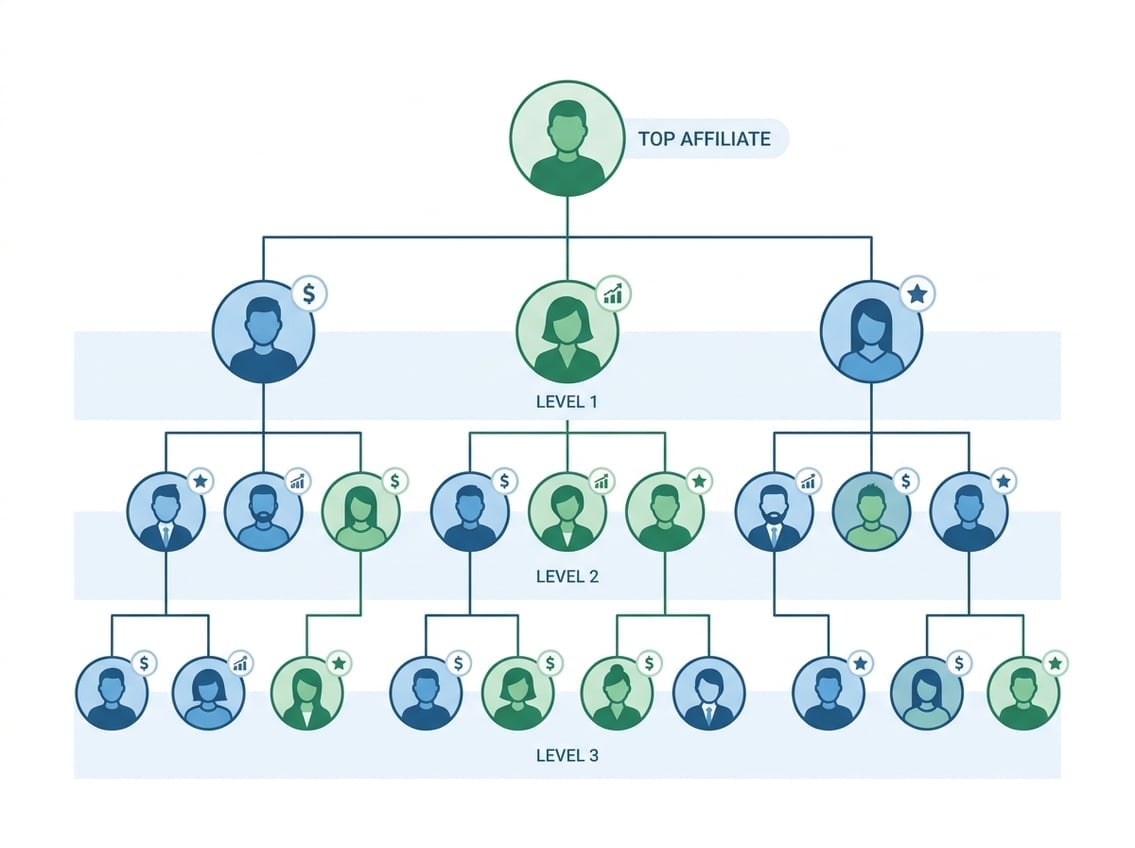
Think of it as the operational backbone of any multi-level affiliate program. Every distributor or affiliate sits at a node in the tree. Their position reflects who sponsored them, where they sit in the hierarchy, and what activity they are generating. Without this view, genealogy tracking becomes guesswork, and commission errors become inevitable.
This article covers how the tree structure works in practice, what features to look for in software, and why Ultimate Affiliate Pro handles this use case better than generic affiliate plugins.
How The Network View Works In Practice
The MLM genealogy tree is more than a diagram. It shows you which sponsor brought in which recruit, how legs are developing, and where volume is concentrated or missing across your network.
Sponsor Relationships Vs Placement Positions
In most MLM genealogy tree setups, sponsor and placement are two separate concepts. Your sponsor is the person who recruited you. Your placement position is where you actually sit in the tree structure, which may be assigned by an upline leader rather than your direct sponsor.
This distinction matters because commission calculations often follow placement, not sponsorship. If your genealogy tree visualization does not separate these two relationships clearly, you will misread your earnings reports. According to a breakdown of genealogy tree management, understanding this difference is foundational to any placement strategy.
What Each Node Should Show For Fast Decisions
Each node in a well-built MLM genealogy view should surface enough data to act without clicking into a separate profile. At a minimum, each node should display:
- Rank or level in the compensation plan
- Personal sales volume and group volume
- Active or inactive status
- Number of direct recruits
- Commission earnings for the current period
As described in one interactive downline tree overview, a live node should show rank, personal volume, group volume, sponsor relationship, placement position, and active or inactive status, all updated in real time. If your tree requires three clicks to find out whether an affiliate made a sale this month, it is not built for fast decisions.
How Earnings And Activity Flow Through The Structure
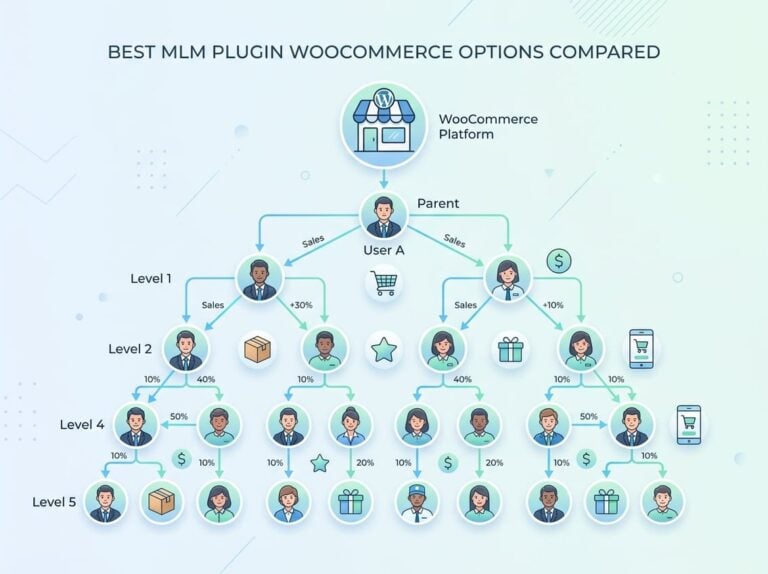
In a multi-level plan, earnings travel upward through the tree. When a recruit at level three closes a sale, a portion of that commission flows up through level two and level one to the top of that leg. This flow depends entirely on the accuracy of your genealogy tree.
If one relationship is misrecorded, every commission above that node can be wrong. This is why real-time updates and audit trails are not optional features but core requirements.
Why Downline Visibility Directly Affects Revenue
Most revenue leaks in affiliate programs do not come from bad products or weak pricing. They come from blind spots in your downline structure. Genealogy tracking gives you the data layer you need to catch those leaks early.
Spotting Inactive Branches Before They Hurt Commissions
In a binary or unilevel plan, one inactive branch can block commission qualifications for everyone above it. Your tree view should flag inactive affiliates clearly, ideally with color coding or a status badge, so you can see at a glance which legs have gone quiet.
A well-designed genealogy tree makes it easy to identify these weak points before they affect a pay period. Waiting until a commission report comes up short is the most expensive way to find this problem.
Using Placement Logic To Support Stronger Team Growth
Where you place a new recruit in your downline structure matters more than most operators realize. Placing a high-performer under a weak leg can prop it up and unlock qualifier bonuses for upline members. Placing them under an already-strong leg wastes that leverage.
Your genealogy tree needs to show volume per leg in real time so you can make this decision with real data, not intuition. This is especially important in binary plans where leg balance directly determines whether you earn a cycle bonus.
Tracking Recurring Sales, Memberships, And Upsells
If you sell subscriptions or memberships through your affiliate program, each renewal should generate a commission at every qualifying level. Standard genealogy tracking tools often fail here because they are built for one-time sales.
You need a system that ties recurring orders back to the original affiliate relationship and pushes that commission data through the same tree logic used for initial sales. This is one area where basic affiliate plugins fall short consistently.
Core Structures You Need To Recognize
Different MLM compensation plans produce different tree shapes. Recognizing which structure you are working with determines how you read volume data, manage balance requirements, and plan placements.
Binary Layouts And Balance Requirements
A binary tree gives each distributor exactly two legs: a left and a right. Commissions typically depend on matching volume between those two legs, which means an imbalance on either side creates a bottleneck.
Your genealogy tree view needs to show left-leg and right-leg volume side by side for every node. Without this, you cannot manage balance requirements or predict when a cycle bonus will trigger.
Unilevel Setups For Broad Direct Recruitment
In a unilevel MLM genealogy structure, each distributor can recruit an unlimited number of direct downline members. The tree grows wide rather than deep, and commissions are paid down a set number of levels rather than based on balance.
This layout suits programs focused on broad recruitment. The main risk is that leaders build wide but shallow, creating a large number of first-level recruits who are not actively selling or recruiting themselves.
Matrix And Hybrid Models For Controlled Expansion
A matrix plan caps the width and depth of each position, for example a 3×7 matrix means three positions wide and seven levels deep. Once a level fills, new recruits spill over to the next available position.
Hybrid models combine elements of binary, unilevel, and matrix structures. These are harder to visualize but often more lucrative for top performers. Your genealogy tree software needs to handle forced matrix placement and spillover logic accurately, or your commission reports will not match actual network activity.
What To Look For In Genealogy Tree Software
Choosing genealogy tree software is not about which platform has the best-looking interface. It is about whether the tool can keep up with your network as it scales, and whether it gives you and your affiliates the data needed to make good decisions.
Real-Time Updates, Filters, And Search
Your genealogy tree visualization should refresh automatically when a new recruit joins or a sale is recorded. Batch updates that run overnight mean you are always making decisions on stale data.
Filters by rank, volume, status, and join date let you slice the tree without manually hunting through hundreds of nodes. A search function that finds any affiliate by name or ID is non-negotiable once your network grows past a few dozen people.
Mobile Dashboards And Push Notifications
Many of your affiliates will check their performance on a phone, not a desktop. Mobile-optimized tree views need to be readable at smaller screen sizes without collapsing all the useful data. Push notifications for key events, like when a downline recruit makes their first sale or a leg goes inactive, keep distributors engaged without requiring them to log in repeatedly.
MLM genealogy software with mobile dashboards and push notifications helps distributors stay responsive to activity across their downline even when they are away from a desktop.
Commission Overlays, Audit Trails, And Access Controls
A commission overlay lets you see earned amounts directly on the tree nodes rather than switching between the tree view and a separate report. This speeds up troubleshooting when an affiliate disputes a payout.
Audit trails record every change to the tree, including placement edits, rank changes, and manual commission adjustments. Access controls determine which users can see which parts of the tree. Admins may need a full view while individual affiliates should only see their own leg.
Why Ultimate Affiliate Pro Fits This Use Case Better
Most WordPress affiliate plugins are built for flat, single-level programs. They track clicks, assign commissions to one affiliate per sale, and stop there. Once you add a second level, let alone five or more, those tools hit a wall.
Ultimate Affiliate Pro is built specifically to handle multi-level structures on WordPress and WooCommerce, including the genealogy tree functionality that flat plugins do not support.
Using Ultimate Affiliate Pro’s Genealogy Tree Dashboard
Ultimate Affiliate Pro includes a built-in genealogy tree dashboard that maps your entire affiliate hierarchy visually. You can see sponsor relationships, placement positions, and commission flow across all active levels from a single screen.
The dashboard updates in real time as new affiliates join or sales are recorded. Each node shows enough data to make placement and support decisions without navigating away from the tree view. This is the kind of MLM-ready affiliate tracking that typical flat plugins simply cannot replicate.
Where Basic Affiliate Plugins Usually Fall Short
Basic affiliate plugins typically support one level of commission, sometimes two. They do not have a genealogy tree view because they were not built for multi-level tracking. When you try to add MLM functionality on top of a flat plugin, you end up managing relationships in spreadsheets or third-party tools, which reintroduces the visibility problems the plugin was supposed to solve.
They also lack recurring commission logic tied to the tree structure. A renewal from a subscriber credits the original referring affiliate but does not flow up the tree the way a proper MLM plan requires.
When To Upgrade For Multi-Level And Recurring Commission Tracking
If your affiliate program includes more than one commission level, subscription products, membership renewals, or upsell sequences, a flat plugin will leave money untracked. The point to upgrade is before you scale, not after you have already built a network that your current tool cannot visualize.
Check the Ultimate Affiliate Pro pricing page to see which plan includes MLM support and recurring commission tracking. Getting this foundation right early avoids painful migration work later.
Common Management Mistakes And Better Fixes
Even with solid genealogy tracking software in place, the way you manage the tree determines whether it produces the results you expect.
Random Placement Without A Clear Growth Plan
Placing new recruits wherever there is an open slot feels efficient in the short term but creates structural problems. Unbalanced legs, orphaned branches, and missed cycle bonuses are all symptoms of placement done without a strategy.
A better fix is to review your tree before placing each new recruit and identify which leg or node benefits most from the addition. This takes thirty seconds with a live tree view and can directly affect how much commission qualifies in the next pay period. Random placement is one of the most common MLM management mistakes operators make, and it compounds over time.
Ignoring Visibility Rules And Team Communication
When affiliates cannot see their own downline clearly, they disengage. When admins restrict too much visibility to control the narrative, top performers get frustrated and leave. Getting visibility rules right is a balance.
Downline structure tools should let each affiliate see their own tree, their direct recruits’ activity, and enough volume data to understand their commission potential. Admins retain control over global edits and sensitive commission data, but rank-and-file affiliates need enough transparency to stay motivated.
Relying On A Strategist Mindset Instead Of Guesswork
A good strategist working a downline does not operate on gut feeling. They look at which legs are close to a rank advancement, which recruits have high personal volume but zero downline, and which branches have gone three weeks without a sale.
Genealogy tracking gives you the raw data for this analysis. The mistake is having the data available and still making decisions based on anecdote or intuition. Train your leaders to use the tree view as a decision tool, not just a status board.
Frequently Asked Questions
How do you choose a genealogy tree layout that makes downlines and uplines easy to audit?
Match the layout to your compensation plan. Binary plans need a left-right split view with volume shown per leg. Unilevel plans need horizontal scrolling with level depth clearly marked. If your tree software forces a single layout regardless of your plan type, you will always be working around its limitations rather than with them.
What’s the fastest way to import your affiliate hierarchy from WooCommerce orders or a CSV file?
Most MLM genealogy software accepts a CSV upload with fields for affiliate ID, sponsor ID, and placement position. For WooCommerce, you can export affiliate data from your plugin and map the columns before importing. Ultimate Affiliate Pro supports WooCommerce integration natively, which reduces the need for manual CSV work in most setups.
Which metrics should your tree view show (rank, volume, legs) so you can spot weak legs quickly?
At minimum, show current rank, personal sales volume, group volume, active or inactive status, and number of direct recruits per node. If your plan uses binary balance, display left and right leg volume side by side. These five to six data points let you identify a weak leg in seconds without opening individual affiliate profiles.
How do you prevent affiliates from editing parent-child relationships and gaming commissions?
Restrict placement and sponsor edits to admin-only roles in your software’s access control settings. No affiliate should be able to reassign their own upline or move a downline member. Audit trails that log every relationship change, with timestamps and user IDs, make it easy to catch and reverse unauthorized edits.
What’s the most reliable way to embed a printable tree template inside a WordPress dashboard without slowing the site?
Load the tree view using lazy rendering so only visible nodes are drawn initially. Avoid embedding the full tree as a static image or PDF inside the dashboard since those do not update automatically. A well-coded interactive tree widget, like the one in Ultimate Affiliate Pro, renders on demand and keeps page load impact minimal.
How do you handle multi-parent or cross-enrollment scenarios without breaking reporting and payouts?
Most compensation plans do not allow true multi-parent structures because they break the lineage used for commission calculations. If cross-enrollment happens, the cleaner fix is to designate one primary sponsor and one placement upline per affiliate, keeping those two relationships distinct in your system. This preserves the tree logic your payout engine depends on while still crediting the right people.