Running a unilevel network inside WordPress sounds straightforward until you open the settings panel and realize commission routing, payout deductions, and registration flows each require separate configuration. Getting those pieces in the right order from the start saves you hours of troubleshooting later.
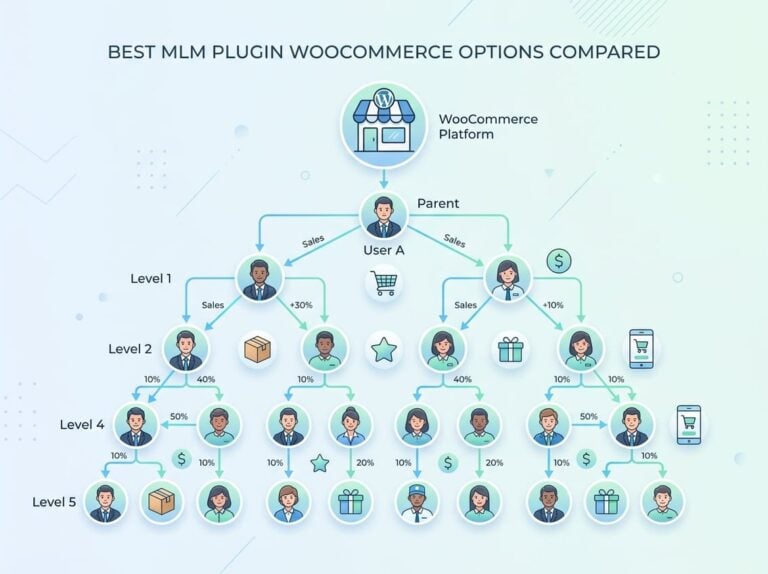
A unilevel MLM plan places every person you personally recruit on your first level, with no width restrictions. Commissions flow downward across a fixed number of levels, with each level typically paying a smaller percentage than the one above it. The structure is simple to explain to new members, which is one of the biggest reasons it remains popular for subscription boxes, digital courses, and health product brands in the US market.
On WordPress, your implementation options split into two camps: a native affiliate plugin with unilevel depth support, or a dedicated unilevel MLM plugin built specifically for multi-level commission tracking. The right choice depends on whether you need a full genealogy tree, e-pin registration, and admin-level payout control, or whether simple tiered referral commissions are enough for your model.
How The Structure Pays Across Your Network
The compensation logic in a unilevel plan is what separates it from a simple affiliate program. Commission types stack on top of each other, and eligibility rules gate who receives what.
How Levels, Sponsor Relationships, And Genealogy Fit Together
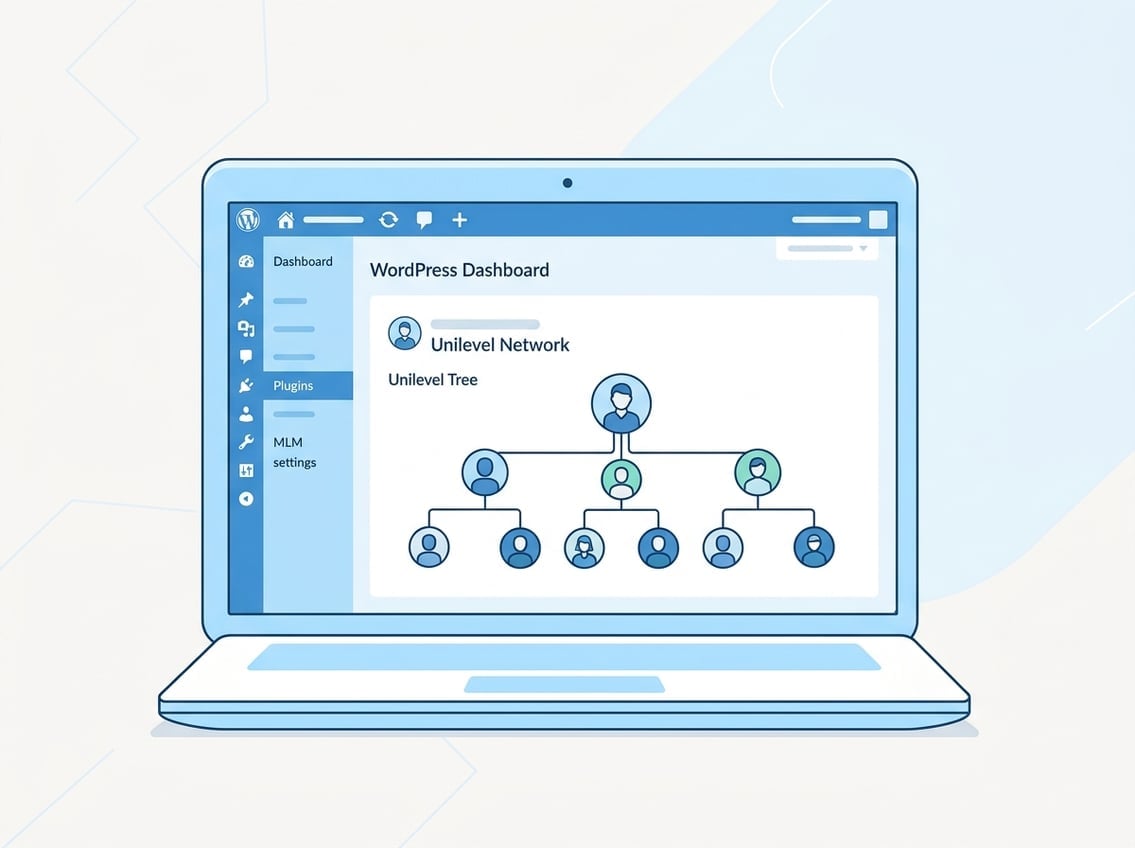
Every member in your network has a single sponsor. That sponsor sits one level above them in the genealogy. When someone new joins under a member, the genealogy tree automatically extends one row deeper. Your tree can grow unlimited width at level one and expand downward across however many levels your plan settings allow.
The sponsor relationship is permanent. Unlike binary plans where admin can sometimes shuffle placements, a unilevel structure locks each person directly under whoever referred them. This makes genealogy straightforward to audit and explain to members.
Level Commission, Direct Referral Commission, And Join Commission
Level commission is the core payout. You assign a percentage or fixed amount to each level, and the system calculates commission payable whenever a qualifying sale or membership renewal occurs at that depth.
Direct referral commission applies specifically to people you personally recruited at level one. Some plans pay a higher rate at level one to reward active sponsorship. A join commission triggers once, at the moment a new member registers and pays an entry fee. These three commission types work independently, so you can enable all three or just the ones that fit your compensation design.
Regular Bonus, Royalty Bonus, And Company Commission
A regular bonus rewards members who hit a specific sales or recruitment target within a period. A royalty bonus is calculated as a percentage of the total level commissions your downline generates, not as a direct commission on purchases. Company commission is the portion the platform operator retains before distributing earnings to members.
Together these bonus layers give you room to design a plan where top performers earn significantly more without having to change the base commission rates at each level.
Eligibility Criteria, Number Of Referrals, And Number Of Levels
Eligibility criteria define the minimum conditions a member must meet before the system pays them. This often includes a minimum number of referrals at level one or a minimum personal purchase volume. The number of levels you configure caps how deep commission distribution flows. Beyond that depth, purchases generate no payout to upline members. Setting this cap thoughtfully matters because unlimited depth with small percentages still adds up and can affect your unit economics.
Choosing The Right Build For WordPress
Most WordPress site owners start with an affiliate plugin and later discover it cannot handle multi-level tracking cleanly. The decision point is usually whether you need a genealogy tree and per-level commission rules, or just two to three tiers of referral payouts.
When Native Unilevel Affiliate Tracking Is Enough
If your program pays commissions across two or three levels and you do not need a separate member dashboard with genealogy visualization, a native affiliate plugin with multi-level support handles the job without extra overhead. Ultimate Affiliate Pro includes native unilevel configuration where you set commission rates per level directly in the plan settings. It connects to WooCommerce, Easy Digital Downloads, and membership plugins, so commission tracking fires automatically on purchase events without custom code.
This approach works well for course creators and membership site owners who want tiered referral commissions without building a full MLM infrastructure.
When A Dedicated MLM Plan Plugin Becomes Necessary
Once your plan includes e-pin registration, a royalty bonus, join commissions, and per-member genealogy views accessible to members themselves, you move into territory where a dedicated unilevel MLM plugin is the practical choice. Plugins like Unilevel MLM Pro and the Unilevel MLM Plan plugin on WordPress.org were built specifically for these requirements. They add admin menus for payout runs, e-pin generation, and withdrawal processing that standard affiliate plugins do not include.
The tradeoff is complexity. These plugins require more configuration time and sometimes custom development for WooCommerce product mapping.
How Unilevel Differs From Binary And Matrix Setups
In a binary plan, each member can only have two direct recruits, and commissions depend on balancing volume between two legs. A matrix plan caps both width and depth, so the 3×9 format allows only three direct recruits per member across nine levels. A unilevel plan allows unlimited direct recruits at level one, with commissions paying across a fixed number of levels regardless of how wide each level grows.
The unilevel structure suits businesses where aggressive recruitment is part of the model, since no one gets pushed to a second leg or blocked by a full matrix position.
Where Ultimate Affiliate Pro Fits In A Real Monetization Stack
For WordPress and WooCommerce sites that need tiered commissions without a full MLM back-office, Ultimate Affiliate Pro’s pricing is worth reviewing before committing to a heavier plugin. It handles recurring commissions on subscriptions, WooCommerce product-specific rates, and multi-level commission distribution. You get a functional tiered affiliate program without managing separate payout runs or e-pin systems.
If your program eventually grows to need genealogy trees, withdrawal workflows, and e-pin gating, you can migrate to a dedicated unilevel MLM plugin at that point.
Core Setup Inside The WordPress Dashboard
The initial configuration flow in a unilevel MLM plugin follows a consistent order: admin settings first, then plan settings, then user registration options. Skipping ahead causes commission calculation errors that are frustrating to trace.
Admin Menu, General Settings, And Plan Settings
After activation, the plugin adds a dedicated admin menu item to your WordPress dashboard sidebar. From there, general settings control site-wide behavior: base currency, email notification toggles, and display preferences for the member dashboard. Plan settings live in a separate tab and control the actual compensation structure, including how many levels pay commissions, the commission rate at each level, and which bonus types are active.
Save general settings before touching plan settings. Some plugins load default plan values from general settings on first save, and editing plan settings first can produce zero-value commission fields.
Create First User, User Registration, And Sponsor Username
Most unilevel MLM plugins require you to create the first user manually from the admin panel before any public registration can occur. This root user sits at the top of your genealogy. Every subsequent registration must include a sponsor username field that links the new member to an existing one.
During user registration, the plugin validates that the sponsor username exists in the system before completing enrollment. If the sponsor field is missing or incorrect, registration either fails or places the new member under the root account, depending on your admin settings.
Base Currency, Payout Settings, And Bonus Settings
Specifying base currency in the general settings locks the denomination for all commissions, bonuses, and withdrawal amounts. Switching base currency after members have accumulated earnings creates accounting inconsistencies, so confirm this setting before any live registrations.
Payout settings define the schedule and method. Bonus settings let you enable or disable the regular bonus, royalty bonus, and join commission independently. Turn on only the bonus types your compensation plan actually uses. Unused bonus types set to zero still appear in member dashboards, which creates confusion.
Affiliate URL, Referral URL, And Redirect After Registration
Each member receives a unique affiliate URL or referral URL that pre-fills the sponsor username field for anyone who registers through it. The admin settings include an option to specify where new members land after completing registration, which you should point to the member dashboard rather than the generic WordPress homepage.
SEO-friendly affiliate URLs replace numeric query strings with readable slugs, which matters if members share links publicly on social media. Replicated sites take this further by giving each member a full landing page copy with their referral data embedded. A sponsor widget can also display the sponsor’s name and contact info on registration pages to build trust before someone commits to joining.
Payouts, Withdrawals, And Admin Control
Payout processing is where most admin errors occur. The sequence matters: run payouts first, then manage withdrawal requests.
Run Payouts, Schedule Payouts, And Master Payouts
The run payout button triggers commission calculation for all qualifying members based on the period you specify. A payout run processes earned commissions and moves them from pending to available balance. You can run payouts manually or configure a scheduled payout to fire automatically on a weekly or monthly cycle.
Master payouts give the admin an overview of all commission distributions in a single view, which is useful for verifying totals before approving withdrawal requests.
Payout Deductions, Withdrawal Limit, And Bank Detail
Payout deductions let you configure percentage-based or fixed-amount fees that reduce each member’s payout, covering processing costs or administrative fees. The withdrawal limit sets a minimum balance a member must hold before they can request a withdrawal.
Members submit bank details through their dashboard. As admin, you should require bank detail submission before approving any withdrawal to avoid payment failures on your end.
Withdrawal Requests, Pending Withdrawals, And Processed Withdrawals
When a member submits a withdrawal request, it appears in the pending withdrawals queue in the admin panel. You review and process withdrawals from there. Once processed, the transaction moves to the processed withdrawals list and becomes visible in the member’s withdrawal history.
Exporting the processed withdrawals report as CSV makes it easy to hand off payment data to your bookkeeper or reconcile against your payment processor records.
Reports For Earnings, Users, E-Pins, And Withdrawals
The reports section typically includes a new earnings report, user reports listing, e-pin report, withdrawals report, and processed withdrawals report. These give you a current-period snapshot plus historical records. The payout report shows totals by run date, while the user report breaks down activity per member. Reviewing both before each payout run catches calculation errors before they reach member balances.
E-Pin And Registration Flow Options
The e-pin system adds a layer of gating between a prospective member and full network access. It is not always necessary, but for product-based MLM programs it is worth understanding how it integrates with registration.
When To Use An E-Pin System
An e-pin system makes sense when you require proof of product purchase before granting network access. Instead of open registration, you distribute or sell e-pins that members redeem during sign-up. This ensures every member in your genealogy has made an initial product commitment.
If your program is purely service or subscription-based and open recruitment is the goal, pre-login registration without e-pins is simpler to manage.
Generate E-Pins And Review Epin Reports
From the admin menu, you can generate e-pins in bulk and assign them to specific products or enrollment tiers. Each pin is single-use. The e-pin report shows which pins have been generated, redeemed, and which remain available. Reviewing this report regularly prevents duplicate redemption issues and gives you a clear count of active enrollment capacity.
Pre-Login Registration Versus Checkout Registration
Pre-login registration happens before the user logs in, typically through a standalone registration page that collects the sponsor username and e-pin. Checkout registration ties enrollment to a WooCommerce purchase, so the member account and sponsor link are created at the point of payment. Checkout registration is cleaner for product-based plans because commission distribution ties directly to the WooCommerce order.
Affiliate Landing Pages And Replicated Site Paths
Each member’s referral URL can point to a generic landing page with their sponsor ID appended, or to a replicated site that mirrors your main sales page with their contact info embedded. Replicated sites require more server resources but perform better for recruitment-focused members who share links frequently. SEO-friendly affiliate URLs improve click-through rates when members share links in email or social posts.
Technical Requirements And Deployment Checks
Getting the server configuration right before launch prevents the majority of tracking and registration failures.
Automatic Installation And Manual Installation Paths
Automatic installation through the WordPress dashboard works for plugins available on WordPress.org. From Plugins > Add New, search for the plugin name, install, and activate. For premium plugins purchased outside the repository, use manual installation by uploading the zip to wp-content/plugins via FTP or the WordPress upload interface.
Server Requirements For Stable Operation
Most unilevel MLM plugins require PHP 7.4 or higher, MySQL 5.6 or MariaDB 10.1 or higher, and HTTPS support. Running on Nginx rather than Apache requires custom rewrite rules if the plugin uses SEO-friendly affiliate URLs. Verify your host meets these server requirements before purchasing a premium license, since most vendors do not offer refunds for environment incompatibility.
Mail And SMS Notifications For Member Activity
The mail center in the admin panel controls email templates for registration confirmations, commission notifications, and withdrawal status updates. Configure mail settings with a transactional email service rather than the default WordPress mail function to ensure delivery. For SMS notifications, the plugin typically integrates with Twilio or Plivo. The Twilio SMS gateway and Plivo SMS gateway each require API credentials from your account on those platforms.
What To Verify Before Launching A Live Program
Before accepting real registrations, confirm that:
- Test registrations correctly assign sponsor relationships in the genealogy
- Commission calculations match your plan settings on a test purchase
- Withdrawal requests move correctly from pending to processed
- Email templates send from your configured transactional address
- SSL is active and affiliate URLs resolve without redirect loops
Running at least five end-to-end test registrations with different sponsor chains catches edge cases before real members encounter them.
Frequently Asked Questions
Will this plugin work with WooCommerce checkout and automatically assign commissions to the referrer?
Yes, plugins like the Unilevel MLM WooCommerce variant hook into WooCommerce order completion to trigger commission calculation. Ultimate Affiliate Pro also handles this natively, assigning commissions to the referring affiliate when an order completes.
How do you set commission rates and payout rules for each level in a unilevel plan?
In the plan settings section of the admin menu, you enter a commission rate (percentage or fixed amount) for each level you want to pay. Payout rules like minimum withdrawal amount and deduction percentages are set separately in payout settings.
Does it handle user placement and downline tracking automatically, or do you have to approve placements manually?
Placement is automatic in a unilevel structure. When a new member registers using a sponsor’s referral URL, the system places them directly under that sponsor at level one without admin approval required, unless you enable manual approval in registration settings.
Can you export commission reports and member trees for accounting and tax records?
Most dedicated unilevel MLM plugins include CSV export for the processed withdrawals report, earnings report, and user report. The genealogy tree is typically viewable in the admin panel but may require a separate export add-on depending on the plugin.
What are the common setup mistakes that break tracking (caching, payment gateways, coupons, or multi-currency)?
Aggressive page caching that serves cached versions of referral URLs strips query string parameters and breaks sponsor assignment. Multi-currency setups that convert order totals after commission calculation can produce incorrect commission amounts. Always exclude affiliate and registration URLs from your caching layer, and configure commissions in your base currency only.
How does it compare to dedicated MLM software pricing and features when you only need an affiliate program?
Dedicated MLM software platforms charge significant monthly fees and include back-office features most small programs never use. If you need tiered commissions on a WordPress site, Ultimate Affiliate Pro provides multi-level tracking, WooCommerce integration, and recurring commission support at a one-time cost that makes more sense for early-stage programs than a full SaaS MLM platform.