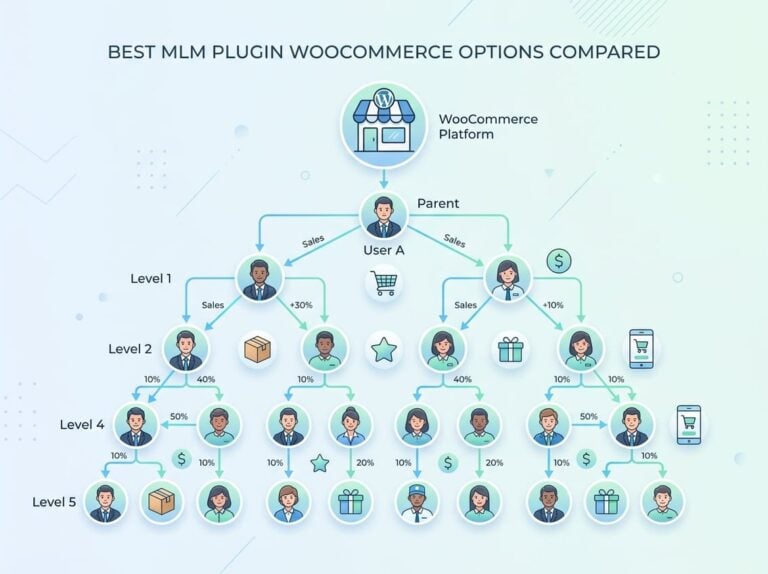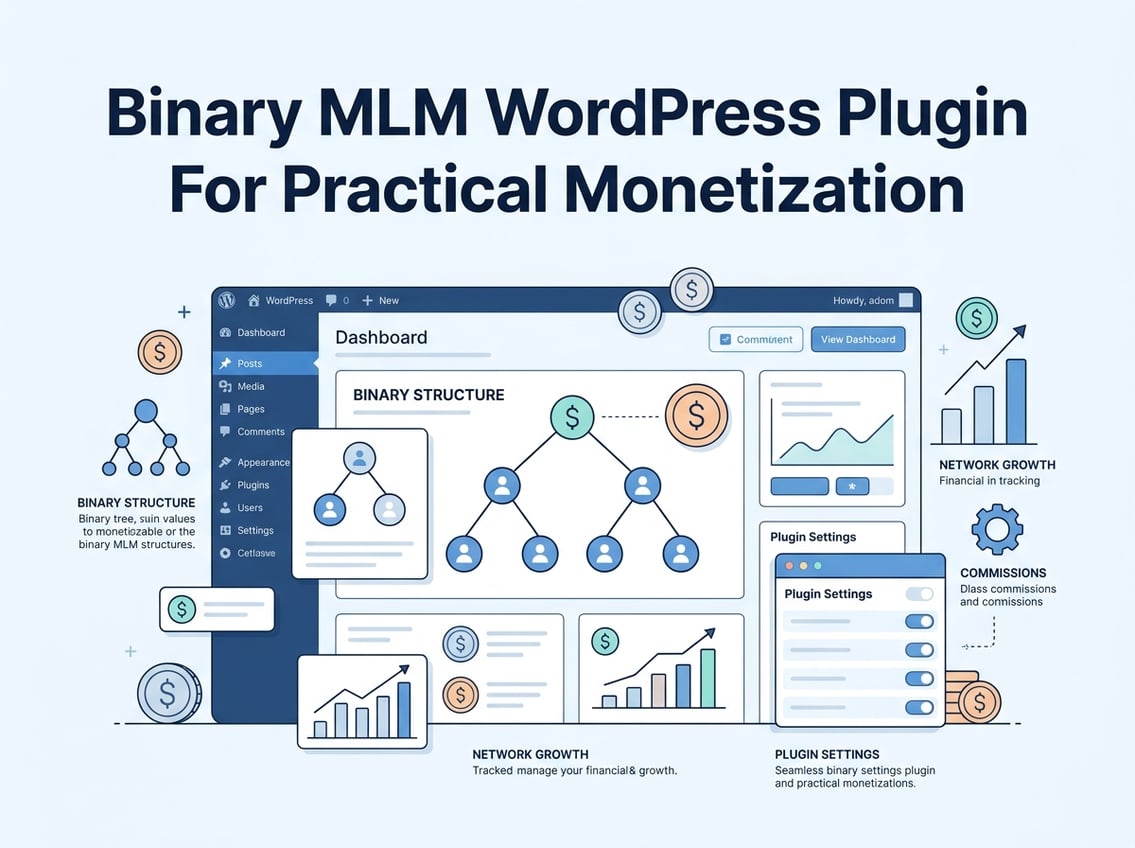
Running a binary MLM network on WordPress is harder than most plugin sales pages suggest. The left/right leg structure, spillover logic, pair commissions, and payout accuracy all need to work together. If any piece is misconfigured, members get underpaid, overpaid, or lose trust in the system entirely.
The right binary MLM WordPress plugin handles placement rules, commission calculations, and payout reporting from a single dashboard, without requiring you to stitch together three separate tools.
Most site owners start with a basic MLM or network marketing plugin and quickly hit a wall. Either the binary tree breaks when members exceed a certain depth, or the multi level marketing commission logic doesn’t account for capped pair commissions. Choosing the right tool from the start saves significant rework later.
This guide walks through how binary network structures work inside WordPress, what to look for in a plugin, and where Ultimate Affiliate Pro fits into the picture for serious monetization.
How The Left And Right Leg Model Works On Your Site
The binary MLM plan is simple in concept but precise in execution. Each member has exactly two positions: a left leg and a right leg. Growth flows downward from there, and commissions are tied to how both sides perform together.
Binary Tree Placement And Sponsor Rules
When a new member joins, the system places them in either the left or right position under their sponsor. If both spots under a sponsor are filled, the new member gets placed deeper in the binary tree, under existing members on the appropriate side.
The sponsor username matters here. It links the new member to the correct upline and determines which leg receives credit for that enrollment. Some plugins let the admin force placement; others allow the sponsor to choose. Both approaches are valid depending on your binary network structure and growth strategy.
Downlines, Spillover, And Point Value Flow
As your downlines grow, spillover becomes a natural feature of the binary MLM plan. When a sponsor’s direct positions are filled, new recruits spill into open slots further down the tree. This benefits members who are placed below active recruiters.
Point value (PV) accumulates as members purchase products or enroll new members. Each side of the binary network builds its own PV total. The weaker leg’s PV is used to calculate pair commissions, which incentivizes balanced growth on both sides. According to the binary plan structure explained by LetsCMS, commissions are earned based on the matching business volume between the two legs.
Where Pair Commission And Direct Referral Commission Come From
Pair commissions are paid when both legs reach a matching volume threshold. Direct referral commissions are separate; they are paid immediately when you personally enroll a new member, regardless of leg balance.
These two commission types serve different purposes. Direct referral commissions reward personal effort. Pair commissions reward your team’s overall performance. Any serious binary MLM WordPress plugin needs to calculate and record both accurately, with clear logs for each member.
Why Ultimate Affiliate Pro Fits Better Than Basic MLM Tools
Basic MLM plugins cover the fundamentals, but they often stop there. Ultimate Affiliate Pro goes further by combining binary MLM support with full affiliate program management, WooCommerce integration, and flexible commission structures that most standalone MLM tools lack.
When Native Binary MLM Support Matters
Native binary MLM support means the plugin understands left/right leg placement, pair commissions, and direct referral commissions without requiring custom code. Ultimate Affiliate Pro handles this natively, including binary MLM pro features like commission and bonus stacking, price per sale triggers, and SEO-friendly affiliate URLs.
If you are running a structured binary network alongside a product catalog or course site, you need a plugin that connects enrollment to purchasing events without a separate integration layer.
Recurring Revenue, Memberships, And WooCommerce Upsells
Ultimate Affiliate Pro tracks commissions on subscriptions, membership renewals, and WooCommerce upsells. This matters if your MLM model involves monthly product purchases or tiered memberships, which are common in network marketing setups.
Replicated sites and affiliate URL tracking let each member share a unique link that routes new sign-ups directly into their downline. This works across product pages, checkout flows, and membership enrollment pages without breaking the purchase flow.
Where Simpler Plugins Start To Break
Simpler plugins often lack recurring commission tracking, meaning a member who enrolls a subscription buyer only earns once instead of on every renewal. They also tend to miss cap limits on pair commissions and offer no payout scheduling. These gaps create manual work and member disputes. See the full feature comparison and pricing to evaluate whether Ultimate Affiliate Pro fits your setup.
Core Features That Actually Affect Payout Accuracy
Getting commissions calculated correctly is only half the problem. Payout accuracy depends on eligibility criteria, cap rules, currency settings, and how well the system logs every transaction. These features separate functional MLM tools from ones that create ongoing support headaches.
Eligibility, Cap Rules, And Commission Settings
Before a payout runs, the system should check eligibility criteria for each member. This might include a minimum number of active downlines, a purchase requirement, or account verification. Payout criteria and bonus criteria should be configurable per rank or tier.
Cap limits prevent runaway payouts on the weaker leg. Without a cap limit, a single high-performing leg could generate commission far beyond what your compensation plan intends. Setting this correctly in your plugin settings protects your margins.
Payout Runs, Scheduling, And Base Currency Choices
A payout run processes all pending commissions and moves them into member wallets or prepares them for transfer. The ability to schedule payouts, whether weekly, biweekly, or monthly, removes the need for manual intervention every cycle.
Currency configuration affects every member on your site. Setting the correct base currency early prevents rounding errors and display inconsistencies across payout detail records and payout reports. If you serve an international binary network, multi-currency support is worth verifying before launch.
Withdrawals, Service Charges, And Member-Level Payout Detail
Members need to see their payout detail clearly: what they earned, when, and from which leg or referral. Withdrawal reports give your finance team a record of every request and its status.
A service charge on withdrawals is a common feature in MLM compensation plans. It should be configurable and transparently displayed to members before they submit a withdrawal request. Keeping this visible reduces disputes and support tickets.
Frontend Experience For Affiliates And Members
The backend can be perfectly configured, but if the frontend is confusing, members disengage. A good binary MLM WordPress plugin gives members clear visibility into their network, their earnings, and their account status without requiring constant admin intervention.
User Registration, Sponsor Capture, And Affiliate Links
The registration form needs to capture the sponsor username at signup. This is the link between a new member and their upline. If the plugin uses an affiliate URL to pre-fill the sponsor field automatically, registration errors drop significantly.
A sponsor widget on the registration page confirms to the new member who referred them. This small detail builds trust and reduces disputes about leg placement after signup.
Member Dashboard, Account Detail, And Tree Views
The member dashboard should surface account detail, current earnings, wallet balance, and downline status without requiring the member to navigate to wp admin. A perfect tree view, showing left and right legs with PV and member count, is one of the most-used features in active binary networks.
User accounts should link directly to their tree position, commission history, and withdrawal status. The fewer clicks a member needs to get that information, the better the retention.
Multilingual Support And Admin Usability
Multilingual support matters if your binary network spans multiple countries. Members reading commission details in their native language make fewer errors and raise fewer support questions.
On the admin side, the user listing and reports menu need to be fast and filterable. A JavaScript confirmation prompt before irreversible actions, like deleting a member or running a payout, prevents costly mistakes. These are small details that make a real difference in day-to-day operations.
E-Pin And Enrollment Control For Structured Growth
An e-pin system adds a layer of access control to your enrollment process. Rather than allowing open registration, you issue unique codes that members must use to join. This keeps your binary network structured and prevents unauthorized signups.
When An E-Pin System Makes Sense
The mlm e-pin plan works best when you want to control how quickly your network grows or when each enrollment carries a product purchase requirement. Distributors receive epins to distribute to their prospects, and those prospects must use a valid code to complete registration.
This approach reduces fake accounts and abuse. It also ties enrollment directly to a sales event, which is cleaner for compliance purposes.
Generate, Track, And Export E-Pins
Admins can generate epins in bulk, assign them to specific members, and track which codes have been used versus which remain active. An epin report gives you a real-time view of enrollment activity.
The ability to export epins to CSV is important for distributing codes offline or through external communications. This is a practical feature that gets used often in active networks. The Binary MLM WordPress plugin on WordPress.org documents this as part of its core e-pin system.
Comparing Binary Setups With Unilevel And Matrix Models
The binary MLM plan is not the only structure available. Unilevel MLM places no limit on frontline width, which suits referral-heavy programs. Force matrix MLM caps both width and depth, creating a more controlled growth pattern. Monoline MLM and board MLM follow entirely different compensation logic.
Choosing binary over unilevel or matrix depends on your incentive goals. Binary plans reward balanced team growth. Unilevel plans reward personal recruitment. If your product or service aligns better with a referral burst model, unilevel may be the better fit.
Reporting, Compliance Checks, And Choosing The Right Setup
Before you pay members, you need clean data. Reporting features in a binary MLM WordPress plugin are not optional; they are the audit trail that keeps your compensation plan honest and your business defensible.
What To Review Before Paying Members
Before each payout run, check the payout report for any anomalies, such as members with unusually high pair commissions or accounts with mismatched point values. Cross-reference the user listing against active accounts to make sure deactivated or flagged members are excluded.
Payout detail records should be reviewed at the individual level for any member who flags a discrepancy. Having this data organized and searchable saves hours of manual reconciliation.
Useful Reports For Finance And Support Teams
The earnings report shows commission history by member and period. Withdrawal reports show pending and completed requests with service charge deductions. The reports menu should give your finance team access to all of these in one place, without requiring wp admin access to sensitive configuration settings.
Account detail views let support staff answer member questions quickly without needing to escalate to a developer.
A Practical Recommendation For Growth-Focused Sites
If your site combines a product catalog, membership tiers, and a binary compensation plan, a dedicated binary MLM WordPress plugin paired with Ultimate Affiliate Pro gives you the most complete setup. Ultimate Affiliate Pro handles the affiliate URL tracking, commission rules, and payout automation, while the binary structure manages tree placement and leg balancing.
Start with your compensation plan clearly defined, configure eligibility and cap rules before launch, and use the features available through Ultimate Affiliate Pro to handle the affiliate side cleanly. A well-configured setup from day one avoids the rework that comes from outgrowing a basic tool.
Frequently Asked Questions
Which WordPress plugin handles a true binary tree (left/right legs) with automatic placement and spillover rules?
Ultimate Affiliate Pro supports native binary MLM plan structures, including left/right leg placement and spillover logic. The Binary MLM WordPress plugin on WordPress.org also handles basic binary tree placement if you need a standalone option without full affiliate program features.
How do you connect a binary commission plan to WooCommerce orders without breaking checkout or refunds?
Ultimate Affiliate Pro integrates directly with WooCommerce and tracks commissions at the order level. Refunded orders can be configured to reverse or hold commissions, which keeps your payout data accurate without manual adjustments.
What features should you insist on for payouts, wallet balance, minimum thresholds, and PayPal/Stripe exports?
Your plugin should support configurable minimum withdrawal thresholds, a member-facing wallet balance display, and export options for finance tools. Ultimate Affiliate Pro includes payout scheduling, service charge settings, and withdrawal report exports that cover these requirements.
How do you prevent abuse in a binary plan, duplicate accounts, self-referrals, and fake orders, using WordPress roles and verification?
Use an e-pin system to gate registrations so only approved prospects can enroll. Set eligibility criteria that require a verified purchase before commissions activate. WordPress user roles can restrict what unverified members can access until they meet your payout criteria.
What’s the cleanest way to migrate an existing binary downline into WordPress without losing genealogy and ranks?
Export your existing member tree as a CSV with sponsor username and leg assignment fields. Most binary MLM WordPress plugins, including the Binary MLM Plan plugin, support bulk import with sponsor mapping. Test in a staging environment before importing to a live site to verify tree structure and point value totals.
Which add-ons matter most for a binary affiliate setup, rank rules, matching bonus, and weekly commission runs?
Rank advancement rules, a matching bonus on downline earnings, and scheduled weekly payout runs are the three add-ons that affect member motivation most. Ultimate Affiliate Pro’s add-ons page covers rank and bonus configurations that map directly to standard binary MLM compensation logic.