Managing an affiliate program that relies on coupon tracking might sound like a breeze at first. But then you realize your current WordPress plugin can’t handle multi-level commissions, breaks with certain payment gateways, or makes affiliates wrestle with a dashboard that feels stuck in 2015.
We’ve watched store owners try to cobble together solutions using multiple plugins. The result? Conflicting commission rules and no real visibility into which coupons actually drive sales.

Affiliate coupon tracking in WordPress needs a plugin that can link coupon usage to specific affiliates, calculate commissions correctly, and give you and your affiliates real-time performance data. Without proper tracking, you’re basically running your program blind—paying out based on gut feeling or wasting hours matching orders to affiliate codes by hand.
The right system handles click tracking, fraud detection, payout automation, and detailed reporting. It’s all about making your life easier and keeping things fair for everyone.
We’ll walk you through how affiliate coupon tracking actually works, what separates basic plugins from the more robust options, and how to manage your program once it’s up and running.
Whether you’re just offering simple referral rewards or dealing with more complex MLM setups, knowing what’s happening under the hood will save you headaches—and probably some money—down the line.
How Affiliate Coupon Tracking Works in WordPress
Affiliate coupon tracking connects discount codes directly to specific affiliates on your WordPress site. When customers use these codes at checkout, the system credits the sale to the right affiliate, no referral link needed.
Coupon-Based Referral Attribution
WordPress affiliate plugins link coupon codes to affiliate accounts in your site’s database. When a customer enters a coupon code during checkout, the plugin checks if it’s tied to an affiliate.
If it is, the system creates a referral record and figures out the commission based on your program settings. This works with platforms like WooCommerce and Easy Digital Downloads.
The tracking happens at checkout—not during the browsing session.
Here’s how the process usually goes:
- Customer adds products to cart.
- Customer enters the affiliate’s coupon code at checkout.
- Plugin matches the coupon to the affiliate account.
- System records the referral and the commission.
Ultimate Affiliate Pro handles this automatically across more than 40 integrations. We store referral data in your WordPress database, right alongside other affiliate stats like clicks and conversion rates.
Affiliate Coupon Assignment Process
You can assign coupons to affiliates through your WordPress admin panel, or just let affiliates create their own codes. Most affiliate plugins give you both options, depending on how much control you want.
The manual method is great if you want to keep your branding consistent. You create the coupon in WooCommerce (or whatever eCommerce platform you’re using), then link it to an affiliate in your plugin’s settings.
Some plugins let affiliates generate their own codes from their dashboard. That speeds up onboarding, since new affiliates can start promoting right away.
You set the default discount and commission rates, but affiliates can pick their own code name. It’s a nice mix of control and flexibility.
Ways to assign coupons:
- Admin creates and assigns coupons manually.
- Affiliates request specific coupon codes.
- Auto-generation based on affiliate username or ID.
Tracking Without Referral URLs
Coupon tracking means you don’t have to rely on referral URLs in every channel. Affiliates can share codes on social media, YouTube, podcasts, or even print—places where clickable links just aren’t practical.
The coupon code itself does the tracking. This gives affiliates more freedom in how they promote your products.
When a customer uses the code, you still get all the tracking data: which affiliate made the sale, the order value, and the commission owed. The tracking is as accurate as with traditional referral links.
A lot of affiliates actually prefer this, especially for influencer marketing or content where long tracking URLs look spammy. A simple code like “SPRING20” just feels more natural.
Selecting the Right Affiliate Coupon Tracking Plugin
Picking a plugin means looking at how well it tracks coupons, integrates with your store, and supports your affiliate program’s needs. The right tool connects coupon codes to affiliate accounts and gives you clear performance data.
Top WordPress Plugins for Affiliate Coupon Tracking
Ultimate Affiliate Pro really shines for complex affiliate programs that need coupon tracking alongside other referral methods. It tracks referrals from coupon codes, links, and custom URLs all in one place.
The plugin comes with nearly 100 add-ons and works with WooCommerce, Easy Digital Downloads, and most major form plugins.
AffiliateWP is another solid option for coupon tracking with real-time reporting. It connects coupon codes to affiliates and tracks commissions automatically. Works well with WooCommerce and other eCommerce platforms.
Coupon Affiliates is built just for coupon-based programs. It assigns unique coupon codes to each affiliate and tracks sales through those codes. You get detailed reports and support for unlimited affiliates.
Easy Affiliate is a good choice if you want something simple. It handles basic coupon attribution and integrates with WooCommerce, no tech skills required.
Key Features to Compare
Here’s what we’d look for:
- Multi-source tracking – Tracks coupons, affiliate links, and QR codes.
- Commission rules – Supports percentage rates, flat fees, and product-specific commissions.
- Reporting depth – Shows coupon usage, conversion rates, and affiliate performance.
- Affiliate portal – Gives affiliates a dashboard to see their coupon stats and earnings.
- Fraud prevention – Detects duplicate uses or suspicious redemption patterns.
Ultimate Affiliate Pro covers all of these, plus MLM support and advanced commission structures. Plugins like AffiliateWP focus on straightforward tracking and reporting.
Plugin Integration with eCommerce Platforms
How well your plugin integrates with your store really matters. WooCommerce compatibility is a must for most WordPress shops.
Look for plugins that automatically pull in order data and credit sales to the right affiliate when customers use coupon codes.
Ultimate Affiliate Pro integrates natively with WooCommerce, WPForms, Ninja Forms, and 40+ other platforms. That means you can track affiliate coupons across your shop, membership site, and even lead gen forms.
If you’re using external networks like ShareASale or Impact, you’ll need plugins that support API connections to sync coupon data. Check if your tracking software can handle both internal affiliates and external partners.
Payment processor integration is key, too. Your plugin should work with your checkout flow without causing conflicts or making customers re-enter coupon codes.
Managing, Tracking, and Optimizing Affiliate Coupon Programs
Running a successful affiliate program with coupon tracking means you need good systems for onboarding, managing commissions and payouts, and keeping an eye on performance data (while preventing code abuse).
Affiliate Registration and Onboarding
A smooth onboarding process helps keep your affiliate program organized. We like using a setup wizard that guides new affiliates through registration without any confusion.
Affiliates spend most of their time in the dashboard. It should show their coupon codes (with copy-to-clipboard), real-time commission tracking, and payout status. Some plugins even generate QR codes for each coupon, so affiliates can share codes offline or on social.
Email notifications keep affiliates up to date about new campaigns, commission changes, and payout requests. We can group affiliates by performance or product category, which lets us assign different commission rules or branding.
Custom CSS helps match the affiliate dashboard to your store’s design. The meta box in the WordPress editor makes it easy to create landing pages that automatically include an affiliate’s unique coupon code.
Commission and Payout Management
Clear commission structures help avoid disputes and build trust with affiliates. You’ll want flexible rules that cover percentage rates, fixed amounts per sale, and maybe bonus commissions for top performers.
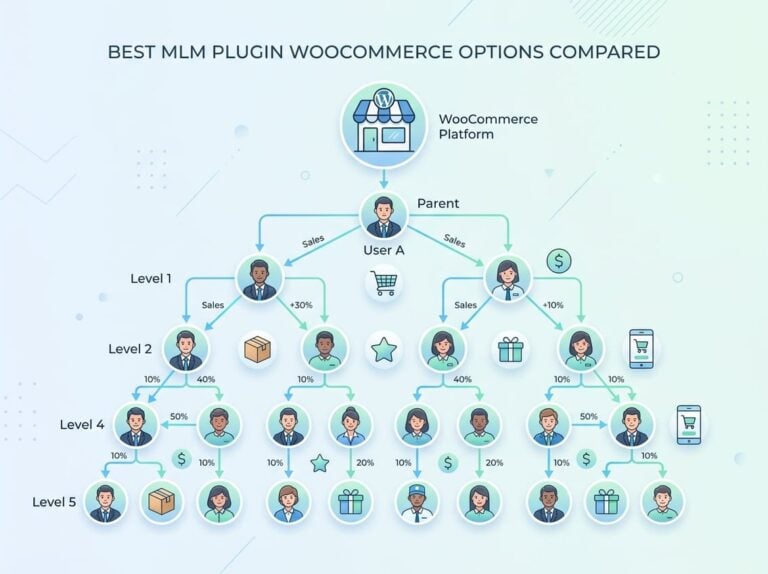
Multi-level affiliates add some complexity but can really help your program grow. You might pay second-tier commissions to affiliates who recruit others.
Store credit is another payout option, especially for affiliates who shop with you often. Admin reports should show pending commissions, approved earnings, and payouts in one place.
PayPal payouts make payments quick, though manual requests give you more control for checks. Setting minimum payout thresholds helps cut down on transaction fees.
Affiliate networks sometimes use different commission structures for the same merchant. The best management systems spot this and automatically apply the highest rate.
Analyzing Performance and Preventing Fraud
Detailed reports and analytics show us which affiliates actually bring in the most revenue. We can also see which coupon codes are working best.
It’s important to track simple metrics—clicks, conversions, average order value, and commission earned by each affiliate. Ultimate Affiliate Pro makes this easier to manage.
The affiliate dashboard really should offer filtering by date range, campaigns, or even affiliate groups. That way, we can spot trends without digging through endless data.
Performance data helps us notice top performers. Maybe they deserve higher commission rates, or maybe we just want to keep an eye on them.
Fraud detection is a must, especially with coupon-based programs. We have to watch out for odd behavior, like self-referrals, cookie stuffing, or folks sharing codes on public coupon sites.
Fraud prevention tools can include IP tracking, purchase validation, or just manually approving anything that looks off. Ultimate Affiliate Pro offers several of these features.
Real-time commission tracking is a game changer. If an affiliate suddenly gets a weird spike in sales, we can pause and investigate before any payouts go out.
Some systems even flag transactions when the affiliate’s own email or shipping address pops up. It’s not perfect, but it definitely helps.
FAQ: Affiliate Coupon Tracking in WordPress
- Do I need WooCommerce to use affiliate coupon tracking?
No, but most plugins are built for WooCommerce. Some also work with other eCommerce platforms or membership plugins. - Can affiliates create their own coupon codes?
Yes, many plugins let affiliates make codes from their dashboard. You can also require admin approval if you want more control. - What if two affiliates use similar coupon codes?
Good plugins prevent duplicate codes or alert you if a code is too close to an existing one. - How do I prevent coupon abuse or fraud?
Look for plugins with fraud detection features. Things like limiting code usage per customer, tracking suspicious redemption patterns, and manual approval help a lot. - Can I track both coupon and link referrals for the same affiliate?
Absolutely. The best plugins track all referral sources—coupons, links, even QR codes—and roll them up under each affiliate’s account. - Is it possible to offer different commissions for different products?
Yes, most advanced plugins let you set product-specific commission rules. Super useful if you have high-margin and low-margin items. - How do affiliates see their earnings?
Affiliates get access to a dashboard where they can track coupon performance, commissions, and payouts in real time.