Most affiliate programs don’t fail because of bad marketing. They fail because the wrong people get approved, referrals get misattributed, and commission disputes eat up time that should go toward growth. When you skip a real verification process for affiliates in WordPress, you end up paying commissions to low-effort partners while your best-performing ones get frustrated by broken tracking. If you want a program that scales cleanly, the approval and tracking setup needs to be airtight from the start. Ultimate Affiliate Pro gives you the workflow to make that happen, starting with how you verify affiliates and activate new partners.
How to Verify Affiliates and Define Program Standards
Verification isn’t just about clicking “approve” on an application. It means deciding in advance what qualifies someone to promote your products, what information you’ll collect, and how much manual oversight makes sense for your program size. The right approach depends on your niche, your commission structure, and the risk level of letting unvetted partners into your funnel.
Choose Between Automatic and Manual Affiliate Approval
Automatic approval lets anyone who fills out the form start generating affiliate links immediately. It’s fast and removes friction for legitimate partners, but it also opens the door to self-referrals, coupon abuse, and affiliates with zero audience.
Manual approval adds a review step to verify affiliates before they get access to their portal, links, or stats. This is the better default for most WooCommerce store owners, especially if your commission rates are generous or your products are high-ticket.
Ultimate Affiliate Pro supports both modes. You can toggle between automatic and manual approval in the plugin settings, and switch approaches as your program grows.
Set Clear Rules for Affiliate Registration and Eligibility
Before affiliates apply, they should know what you expect. Post your eligibility requirements on the signup page: minimum audience size, accepted promotional channels, prohibited content, and whether you allow affiliates who are also customers.
Without clear rules, you’ll spend time rejecting applicants who weren’t a good fit to begin with. Clear criteria reduce that friction on both sides.
Decide What to Review to Verify Affiliates Before Activation
When reviewing applications manually, check at minimum:
- Website or social profile URL: Does it actually exist and match the niche?
- Promotional method: Email list, blog, YouTube, paid ads, or something else?
- Audience size or engagement: Rough estimates are fine; you’re looking for red flags, not exact numbers.
- Previous affiliate experience: Have they run affiliate links before?
You don’t need a lengthy vetting process. A five-minute check on each application is enough to filter out obvious problems. The goal is to approve affiliates who are genuinely positioned to drive relevant traffic, not just anyone who knows how to fill out a form.
Build a Workflow to Verify Affiliates and Manage Applications
A clean affiliate registration and review workflow starts with the form itself and ends with a logged-in affiliate who knows exactly what to do next. The weak points are usually spam applications, a confusing login experience, and a bare-bones affiliate portal that drives partners to disengage.
Create an Affiliate Registration Form to Verify Affiliates and Filter Low-Quality Applications
Your affiliate signup form should collect more than just a name and email. Add fields for website URL, promotional methods, and a short description of how they plan to promote your products. These extra fields do two things: they discourage lazy applicants, and they give you real information to work with during review.
As noted in this guide to optimizing affiliate registration forms, a well-structured form is where quality control actually begins. Short, easy forms tend to attract low-effort signups. A form that requires a few specific answers self-selects for partners who are serious.
Keep the form focused. You don’t need ten fields. Four to six targeted questions are enough to make an informed approval decision.
Use CAPTCHA and reCAPTCHA to Reduce Spam Signups
If your registration form is public, spam bots will find it. Adding CAPTCHA or reCAPTCHA to the affiliate signup form blocks automated submissions before they ever reach your review queue.
Ultimate Affiliate Pro includes built-in reCAPTCHA support on the affiliate registration form. Enable it in the settings and you’ll immediately cut down on fake applications without adding any friction for real applicants.
This is a small setup step that saves meaningful time over the life of your program.
Set Up Affiliate Login and the Affiliate Portal for Approved Users
Once an affiliate is approved, they need a clear path to their dashboard. Set up a dedicated affiliate login page using the plugin’s shortcode and point approved affiliates to it in your welcome email.
The affiliate portal should show: their referral links, coupon codes if applicable, commission stats, and payout history. A clean portal reduces support questions and keeps affiliates engaged. If they can’t find their link or don’t know what they’ve earned, they stop promoting.
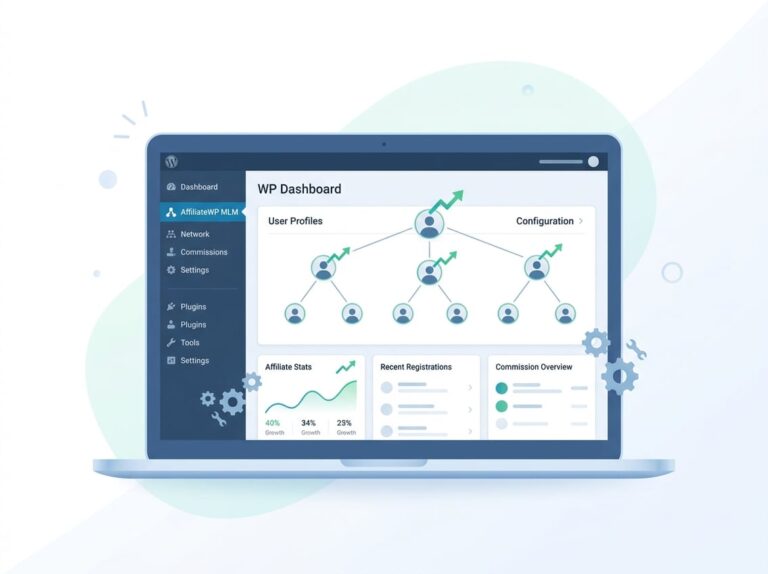
Ultimate Affiliate Pro generates the affiliate area automatically. You can embed it on any WordPress page using a shortcode and customize what affiliates see after login.
Track Referrals Accurately Before You Approve at Scale
Accurate referral tracking is what separates a professional affiliate program from a manual accounting problem. Before you bring in more affiliates, confirm that your tracking setup is working correctly. Cookie duration, link format, and attribution method all affect whether referrals are credited properly.
Configure Affiliate Links, Tracking Cookies, and Cookie Duration
Each affiliate gets a unique link that carries a tracking parameter. When a visitor clicks that link, a cookie is set in their browser. If they complete a purchase before the cookie expires, the referral is credited to that affiliate.
Key decisions to make:
- Cookie duration: 30 days is a common default. For higher-ticket or considered purchases, a longer duration (60 to 90 days) is more accurate.
- Cookie expiration on purchase: Decide whether the cookie resets after a non-converting visit or stays fixed from the first click.
- Link format: Clean, readable links improve click-through rates. Ultimate Affiliate Pro supports friendly affiliate links that mask the raw tracking parameter.
Set your cookie duration before you start approving affiliates at volume. Changing it later can create attribution gaps.
Validate Referral Tracking and Verify Affiliates With Test Orders
Before going live, place a test order using a real affiliate link. Confirm that the referral shows up in the affiliate’s dashboard and in your admin reports. This takes five minutes and catches configuration errors that would otherwise go unnoticed until an affiliate complains.
Real-time reporting in Ultimate Affiliate Pro shows referral status, click counts, and commission amounts as they happen. Use this data to spot patterns: if an affiliate is generating clicks but zero conversions, check whether the landing page is working and whether the cookie is being set correctly.
You can also use pixel tracking for more advanced setups where standard cookie-based attribution isn’t sufficient, such as cross-device purchases.
Use Coupon Tracking and Landing Pages for Cleaner Attribution
Cookie-based tracking has limits. Browsers can block cookies, and some buyers clear them before completing a purchase. Coupon-based tracking adds a secondary attribution layer: the affiliate shares a unique coupon code, and any order using that code is credited to them regardless of cookies.
Assign each affiliate a unique coupon code in Ultimate Affiliate Pro. When combined with dedicated affiliate landing pages, this approach gives you two independent data points for every referral, which makes disputes much easier to resolve.
This setup works especially well for affiliates who promote via social media, podcasts, or email, where standard link tracking is harder to control.
Set Commission Rules That Prevent Disputes
Most commission disputes come from unclear rules, not technical errors. Affiliates expect to be paid a specific amount for a specific action. When the actual payout doesn’t match their expectation, they lose trust in the program. Getting your commission logic right before you scale is non-negotiable.
Choose Percentage, Flat, or Per Order Commission Calculation
The three standard commission types are:
| Type | Best For |
|---|---|
| Percentage of sale | Variable-price products, WooCommerce stores |
| Flat amount per sale | Fixed-price digital products |
| Per order | When product mix doesn’t matter, only volume |
Percentage commissions are the most common for WooCommerce stores because they scale naturally with order value. Flat amounts work well for courses, subscriptions, or downloadable products with a fixed price. Per-order commissions simplify payout math but can undervalue high-ticket referrals.
Ultimate Affiliate Pro supports all three, and you can set different rates for different products, categories, or affiliate tiers.
Apply Referral Rate Rules by Product, Category, or Affiliate Tier
Blanket commission rates are easy to set up but they rarely reflect your actual margin structure. A product with 70% margin can support a much higher commission rate than one with 20% margin. Setting rates by product or category protects your margins while still being competitive.
Affiliate tiers add another layer. You can reward top performers with higher rates automatically, without having to manually adjust individual affiliate accounts. This gives affiliates a clear incentive to drive more volume and makes your program more motivating over time.
If you want to see exactly how this can be structured for your store, the Ultimate Affiliate Pro pricing page shows which commission features are available at each plan level.
Handle Recurring Referrals and Multi-Tier Commissions Carefully
Recurring commissions are common for subscription products, WooCommerce Subscriptions, or membership sites. An affiliate refers a subscriber, and they earn a commission every time that subscriber renews.
This setup requires clear documentation: does the affiliate earn on every renewal, or just the first payment? What happens if the subscriber cancels and resubscribes later?
Multi-tier commissions add more complexity. If an affiliate recruits a second affiliate, they might earn a percentage of that person’s commissions. This can be a strong motivator, but it also creates situations where commission calculations become hard to audit.
Ultimate Affiliate Pro supports both recurring referrals and multi-level commission structures. Set the rules in writing before you activate these features, and make sure your affiliate agreement spells out exactly what triggers a commission payment.
How to Verify Affiliates Across Your WordPress and WooCommerce Stack
Your verification and tracking workflow doesn’t live in isolation. It needs to connect to the tools you’re already using: your store, your membership plugin, your email platform, and your onboarding process. A disconnected setup creates gaps in tracking and makes it harder to maintain over time.
Map the Process Across WooCommerce, Easy Digital Downloads, and Membership Plugins
Ultimate Affiliate Pro integrates directly with WooCommerce, so referral tracking fires automatically when a WooCommerce order is placed. The same applies to Easy Digital Downloads for digital product stores.
For membership sites, the plugin integrates with WooCommerce Subscriptions, allowing recurring commission tracking on subscription renewals. If you’re running a course or content site on a membership plugin, confirm that the integration supports the specific trigger you need, whether that’s a one-time purchase, a subscription renewal, or a form submission.
The cleaner your integration, the less manual reconciliation you’ll need to do when auditing commission payouts.
Sync Affiliate Workflows With Email Tools and Social Promotion
Connect your affiliate program to your email marketing platform to automate onboarding and status notifications. Ultimate Affiliate Pro integrates with Mailchimp, ActiveCampaign, GetResponse, and others.
A basic automation worth setting up: when an affiliate is approved, trigger a welcome email with their unique link, their portal login URL, and a short list of promotional guidelines. This eliminates the back-and-forth that slows down onboarding.
For affiliates who promote via social channels, equipping them with pre-approved creative assets and shareable links reduces the risk of off-brand promotion and keeps attribution cleaner.
Keep the Setup Maintainable With Developer-Friendly Options
If your store has custom post types, non-standard checkout flows, or complex product bundles, a basic affiliate plugin will hit its limits quickly. Ultimate Affiliate Pro is built on WordPress and supports custom commission rules, developer hooks, and configuration options that let you adapt the tracking logic to your specific setup.
For most WooCommerce stores, the default setup will work out of the box. For more complex configurations, the developer-accessible settings give you room to extend without patching together separate tools.
Keeping the setup inside a single plugin is also a maintenance advantage. Fewer moving parts means fewer things to break when WordPress or WooCommerce updates.
Frequently Asked Questions
How do you approve or reject new affiliate applications in WordPress so only real partners get in?
Set your affiliate program to manual approval mode and review each application against a defined checklist to verify affiliates: a real website or social profile, a stated promotional method, and a plausible audience. Reject applications that are missing this information or that show signs of misalignment with your niche. Plugins like Ultimate Affiliate Pro give you a review queue in your WordPress admin where you can approve, reject, or hold applications individually.
What’s the fastest way to require affiliates to log in before they can see links, stats, or payouts?
Create a dedicated affiliate login page using your plugin’s shortcode and restrict the affiliate portal to logged-in approved users only. Ultimate Affiliate Pro handles this automatically: the affiliate area is only visible to affiliates with an active account, and unapproved applicants can’t access any program data until you approve them.
How do you track affiliate link clicks and conversions in WooCommerce without relying on guesswork?
Use tracking cookies combined with unique affiliate links, and validate the setup with a test order before going live. Real-time reporting shows you click counts and conversion status per affiliate. Adding unique coupon codes as a secondary attribution method fills the gaps that cookie-blocking browsers create, giving you two independent data points for every referral.
Which WordPress affiliate plugin is the better fit for a WooCommerce store with coupon-based referrals?
Ultimate Affiliate Pro supports coupon-based tracking natively and integrates directly with WooCommerce. You can assign each affiliate a unique coupon code and track conversions through that code independently of cookie tracking. Other plugins handle coupons as an add-on or don’t support them at all, which limits your attribution options for affiliates who promote through social media or email. Check the available plans to see which tier includes coupon tracking features.
How do you set up fraud checks to prevent self-referrals, fake orders, and commission abuse?
Start with basic rules: block affiliates from earning commissions on their own purchases, set a minimum order age before commissions are approved, and review any affiliate generating an unusually high number of low-value orders. As noted in this guide to preventing affiliate fraud in WordPress, most fraud patterns are detectable early if you’re looking at the right metrics. Ultimate Affiliate Pro’s reporting dashboard helps you spot anomalies before they become expensive problems.
What disclosures and rules should you require from affiliates to stay compliant with FTC-style guidelines?
Require affiliates to disclose their relationship with your brand in any content where they promote your products. This means a clear statement that they earn a commission on referred sales, placed visibly near the affiliate link or in the post introduction. Add this requirement to your affiliate agreement and include it in your onboarding email. The FTC’s endorsement guidelines apply to affiliate relationships and are enforceable, so written confirmation from your affiliates that they’ve read and agreed to these rules is worth having on record.