Most affiliate programs treat every affiliate the same, paying a flat rate whether someone sends one sale a month or fifty. That works fine at a small scale, but it creates a ceiling on motivation. Tiered affiliate commissions fix this by increasing the payout rate as affiliates hit defined performance thresholds, giving your best partners a reason to keep pushing and giving mid-tier affiliates a concrete goal to chase. If your current program is stalling or your top performers are quietly under-engaged, this is the structure worth building.
Ultimate Affiliate Pro includes native support for tiered commission structures, so if you are already running your program on WordPress or WooCommerce, you can configure tiers directly without adding separate plugins or workarounds. Take a look at the pricing options to see which plan fits your setup before you start configuring.
How Tiered Affiliate Commissions Work
A tiered commission structure replaces the single flat rate with a series of escalating rates tied to performance milestones. The mechanics are straightforward, but the details around triggers and how rates apply after a threshold matter more than most program owners realize.
Tiered Affiliate Commissions vs Flat-Rate Commissions
With flat-rate commissions, every affiliate earns the same percentage regardless of output. An affiliate who drives two sales and one who drives two hundred both earn the same rate per sale. That model is simple to manage, but it rewards your best performers no differently than occasional promoters.
Tiered affiliate commissions work differently. Your base rate applies up to the first threshold. Once an affiliate crosses it, a higher rate activates. Cross the next threshold, and a higher rate activates again. The result is a self-sorting program where output directly determines payout.
Common Trigger Metrics: Sales, Revenue, and Leads
The three most common triggers for moving an affiliate into a higher tier are:
Number of sales in a given period (e.g., 10 sales per month unlocks Tier 2)
Total revenue generated (e.g., $2,000 in referred revenue unlocks a higher rate)
Number of leads or sign-ups for programs that use pay-per-lead structures
Sales count is the easiest to communicate to affiliates. Revenue-based thresholds are better if your products vary significantly in price, since a single high-ticket sale should carry more weight than five small ones.
Applying Tiered Affiliate Commissions After a Threshold
There are two ways to apply the upgraded rate. The simpler model applies the new rate to all sales once the threshold is crossed. The more precise model, sometimes called an incremental or cumulative structure, applies the lower rate up to the threshold and the higher rate only to sales above it. As shown in this breakdown of tiered commission examples, the incremental approach protects margin more carefully at scale. For most WordPress stores, the simpler model is easier to communicate and still creates strong incentive.
Choosing the Right Tiered Affiliate Commissions Model
Your tier structure should match how your business generates revenue. A physical product store with unpredictable order volume works differently from a membership site with monthly subscribers. The tier model, the reset period, and whether you include recurring commissions all affect affiliate behavior and your cash flow.
Volume-Based vs Revenue-Based Thresholds
Volume-based thresholds count transactions. Revenue-based thresholds count dollars. For stores that sell one or two core products at a consistent price, volume-based thresholds are easier to track and communicate.
For stores with a wide price range across categories, revenue-based thresholds make more sense. An affiliate selling your premium product should hit Tier 2 faster than one sending buyers to your lowest-priced item. That alignment between value and reward keeps your margins stable.
Monthly Reset, Rolling Periods, and Lifetime Tiers
Three reset models are common when setting up tiered affiliate commissions:
Model | How It Works | Best For |
|---|---|---|
Monthly Reset | Tiers reset at the start of each calendar month | Active stores with consistent volume |
Rolling Period | Tiers are based on the last 30 or 90 days continuously | Programs that want smoother incentives |
Thresholds accumulate over the affiliate’s entire history | Long-term partner relationships |
Monthly resets create recurring urgency, which motivates affiliates to stay active every month. Lifetime tiers work well if you want to recognize loyalty without putting pressure on monthly output.
When to Use Recurring or Hybrid Setups
If you run a subscription product or membership site, recurring commissions should be part of your structure. An affiliate who brings in a member who stays for twelve months is worth far more than one who drives a single purchase.
A hybrid setup combines a one-time commission on the initial sale with a smaller recurring percentage on subsequent renewals. This is practical for WooCommerce Subscriptions or membership plugins because the initial payout covers the affiliate’s acquisition effort and the recurring portion rewards retention. Ultimate Affiliate Pro supports this natively, which saves you from having to patch together separate tools.
Setting Rates That Motivate Without Killing Margin
The most common mistake is setting tiers at rates that feel generous but quietly erode profit on high-volume months. Starting from your actual margins, not from what seems competitive, is the only approach that stays sustainable.
How to Pick a Base Rate and Tier Increases
Start with a base rate your margins can support at full volume. Work out what happens to your net revenue if every affiliate hits your top tier, not just a few. If the math still works at maximum payout, your tiered affiliate commissions structure is sound.
A practical example: a WooCommerce store with a 60% gross margin might run a structure like this:
Tier 1: 0 to 10 sales per month at 7%
Tier 2: 11 to 25 sales per month at 10%
Tier 3: 26+ sales per month at 13%
The increments are meaningful enough to motivate without being so large that a single high-volume month makes the program unprofitable.
Using Conversion Rate and LTV to Protect Profitability
Customer lifetime value matters more than the value of a single order when you are setting tier rates. If your average customer makes three purchases over twelve months, an affiliate who brings in ten customers is generating much more long-term revenue than a single order count suggests.
Use that LTV figure to justify slightly higher tier commissions on proven high-converting affiliates. A well-structured tiered affiliate commission program actually allows you to pay more at the top tier precisely because those affiliates tend to bring in better-quality customers, as noted in this guide to setting commission rates without cutting margins.
Mistakes That Make Top Affiliates Ignore Your Program
A few common structural errors push experienced affiliates toward competing programs:
Thresholds set too high: If Tier 2 requires 50 sales and most affiliates peak at 15, the tier is invisible as a motivator.
No visibility into progress: If affiliates cannot see how close they are to the next tier, the structure has no pull.
Rates that reset before affiliates earn them: Monthly resets make sense, but without enough lead time in the month, affiliates give up early.
Opaque calculations: If an affiliate cannot quickly verify their commission total matches what they expect, trust erodes fast.
Tracking, Attribution, and Payout Rules
Even a well-designed tier structure breaks down if the tracking underneath it is inconsistent. Attribution disputes and unclear payout rules are the fastest way to lose motivated affiliates.
Cookie Duration and Other Tracking Mechanisms
Cookie duration determines how long a referral stays credited to an affiliate after the initial click. Shorter durations mean some legitimate conversions go untracked, which feels unfair to affiliates who are actively driving traffic.
For most WooCommerce stores, a 30-day cookie is a reasonable default. If your sales cycle is longer, for example on high-ticket or membership products, extend it. Ultimate Affiliate Pro lets you configure cookie duration at the program level, and you can combine cookie tracking with other mechanisms like custom coupon codes to capture conversions that happen on different devices or after cookies clear.
Affiliate Dashboard Visibility and Reporting
Your affiliates need to see their current tier, their progress toward the next one, and a clear breakdown of earnings by period. If they cannot access that information without emailing you, you have a management problem, not just a tracking problem.
A good affiliate dashboard shows:
Current commission tier and rate
Sales or revenue count for the current period
Distance to the next threshold
Pending and approved commission history
Payment status
Ultimate Affiliate Pro provides affiliates with a real-time dashboard that covers all of these points, which reduces support requests and keeps affiliates focused on promoting rather than asking questions.
Payout Thresholds, Approval Rules, and Payment Timing
Set a minimum payout threshold that reflects your payment processing costs. A threshold of $50 is standard for most programs, though you can adjust this based on your average commission size.
Decide whether commissions auto-approve after a set period or require manual review. Manual approval makes sense if your refund window is 30 days. Auto-approval after the refund period closes is more practical at scale. Define this in your affiliate terms before you launch so there is no ambiguity.
Ultimate Affiliate Pro supports 1-click mass payouts via Stripe and PayPal, which keeps payout processing manageable even as your affiliate count grows.
Implementing Tiers in WordPress and WooCommerce
Getting tiered affiliate commissions working in a real WordPress or WooCommerce store involves more than enabling a setting. Product mapping, sub-affiliate logic, and promotional assets all affect how well your tier structure performs in practice.
Mapping Tiers to Products, Categories, and Coupons
Not every product in your store should carry the same commission rate, and your tier structure should reflect that. A high-margin digital product can support a higher tier rate than a low-margin physical item in the same store.
In Ultimate Affiliate Pro, you can assign product-specific or category-specific commission rules on top of your global tier structure. This means an affiliate could earn 8% on most products but 15% on a specific course or premium bundle, with tier multipliers still applying on top. Coupons can also be tied to individual affiliates, which lets you run promotions without breaking your standard tier calculations. You can see the full scope of what the plugin supports on the features page.
Supporting Sub-Affiliates and Multi-Level Setups Carefully
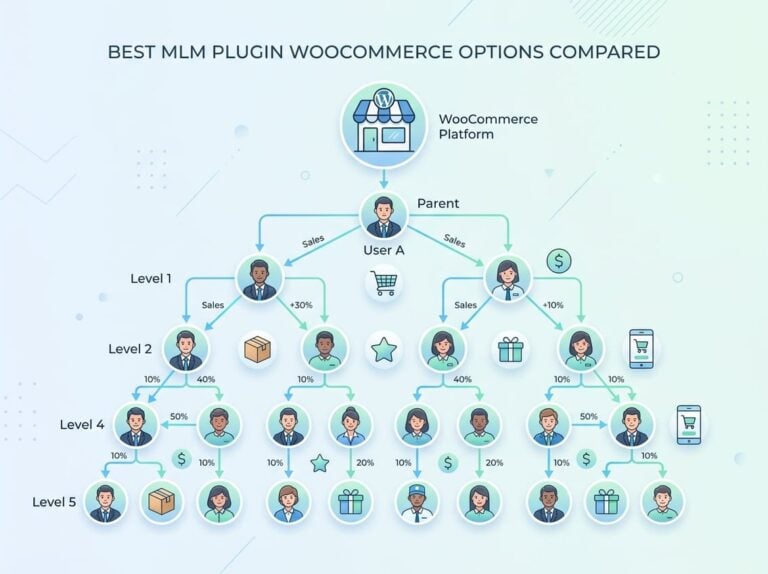
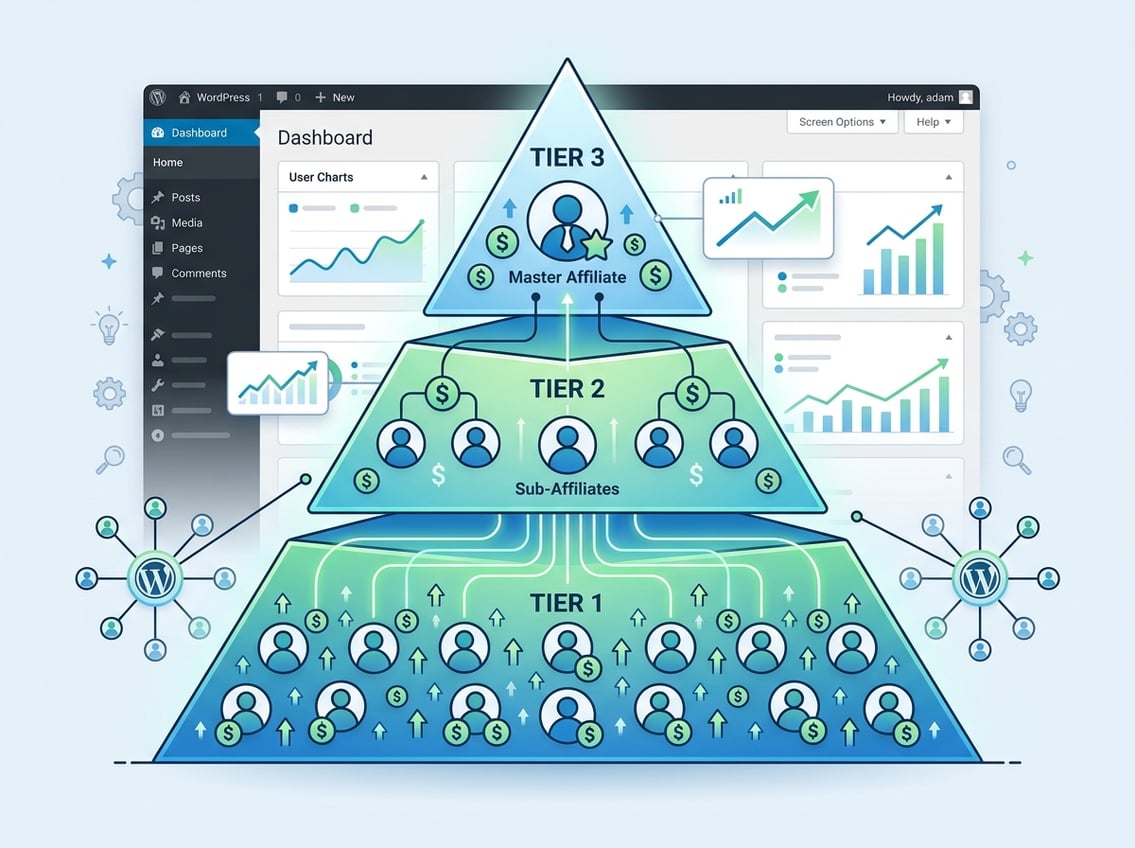
Multi-level affiliate structures, where an affiliate earns a cut of commissions generated by affiliates they recruit, add another layer of complexity. In a two-tier setup, Affiliate A recruits Affiliate B. When Affiliate B makes a sale, Affiliate A earns a secondary commission on top of their own direct commissions, typically at a lower rate like 5 to 10%, as outlined in this explanation of multi-tier payout logic.
This model can motivate recruitment, but it also creates risk. If your top-tier rates already account for volume, adding a secondary payout layer on sub-affiliates requires careful margin review. Ultimate Affiliate Pro supports multi-level marketing setups natively, which you can configure through the add-ons section of the plugin.
Keep the sub-affiliate structure simple, usually two levels maximum. More levels add tracking complexity and commission disputes without proportional benefit.
Using Promotional Materials and Landing Pages to Lift Results
Affiliates perform better when they have ready-made assets. Providing banners, email copy, and pre-written social content removes friction for mid-level affiliates who want to promote but do not know where to start.
Affiliate-specific landing pages matter even more. If an affiliate sends traffic to your homepage, the visitor has no context. A dedicated landing page that matches the affiliate’s audience and speaks to the offer they promoted converts better. Ultimate Affiliate Pro supports custom affiliate landing pages, which you can set up per affiliate or per campaign. Pair these with custom coupon codes tied to specific affiliates to close the attribution loop cleanly on both cookie-tracked and coupon-tracked sales.
For a full breakdown of how these features work together, the Ultimate Affiliate Pro homepage covers the complete platform overview.
Frequently Asked Questions
How do you set up multi-level payouts in WooCommerce so referrers earn on both direct sales and sub-affiliate sales?
In WooCommerce, you need an affiliate plugin that natively supports multi-tier commission logic, since WooCommerce itself does not handle this. Ultimate Affiliate Pro handles this through its MLM/multi-level settings, where you define the percentage that Tier 1 affiliates earn from Tier 2 sales independently of their direct commission rate. Keep the secondary rate low (5 to 10%) to protect margin.
What commission structure makes sense for affiliates at different performance levels (for example, 5% up to $1,000, 8% after $1,000)?
A revenue-based tiered affiliate commission structure is the right fit here. You set a base rate of 5% for the first $1,000 in referred revenue per month, then 8% for revenue above that threshold. Whether the 8% applies retroactively to all sales or only to sales above $1,000 depends on your plugin settings; the retroactive model is simpler to communicate and motivates faster.
Which WordPress affiliate plugins let you create performance-based tiers without custom code?
Ultimate Affiliate Pro supports native tiered affiliate commissions with no custom coding required. Plugins like AffiliateWP offer tiered rates as an add-on. The key feature to check before choosing is whether the plugin supports threshold resets, product-specific overrides, and real-time progress visibility in the affiliate dashboard.
How do you prevent tier gaming and coupon abuse when you pay higher rates to top performers?
Require a minimum order value for commissions to qualify, and set a refund hold period before commissions are approved. Tie coupon codes to specific affiliates so they cannot be shared publicly for self-referrals. Regular review of affiliate-referred customer patterns, specifically unusually high return rates or repeated purchases from a narrow set of customer accounts, helps catch gaming early.
How should you track and approve commissions per tier when products have different margins or refunds?
Set up product-specific commission rules so that lower-margin products carry lower rates regardless of tier. Apply a manual approval hold equal to your refund window so no commission is paid before a refund is possible. Your affiliate tracking software should log the commission rate applied at the time of sale so that tier upgrades mid-month do not retroactively recalculate approved payouts.
How do you calculate and communicate affiliate earnings clearly when rates change after hitting monthly volume targets?
The clearest approach is to show affiliates their current period totals, their current rate, and the exact number of sales or revenue amount needed to reach the next tier. This should be visible inside the affiliate dashboard without requiring any manual calculation. Send an automated email when an affiliate crosses a tier threshold so the rate change is confirmed in writing and there is no confusion about when it took effect.