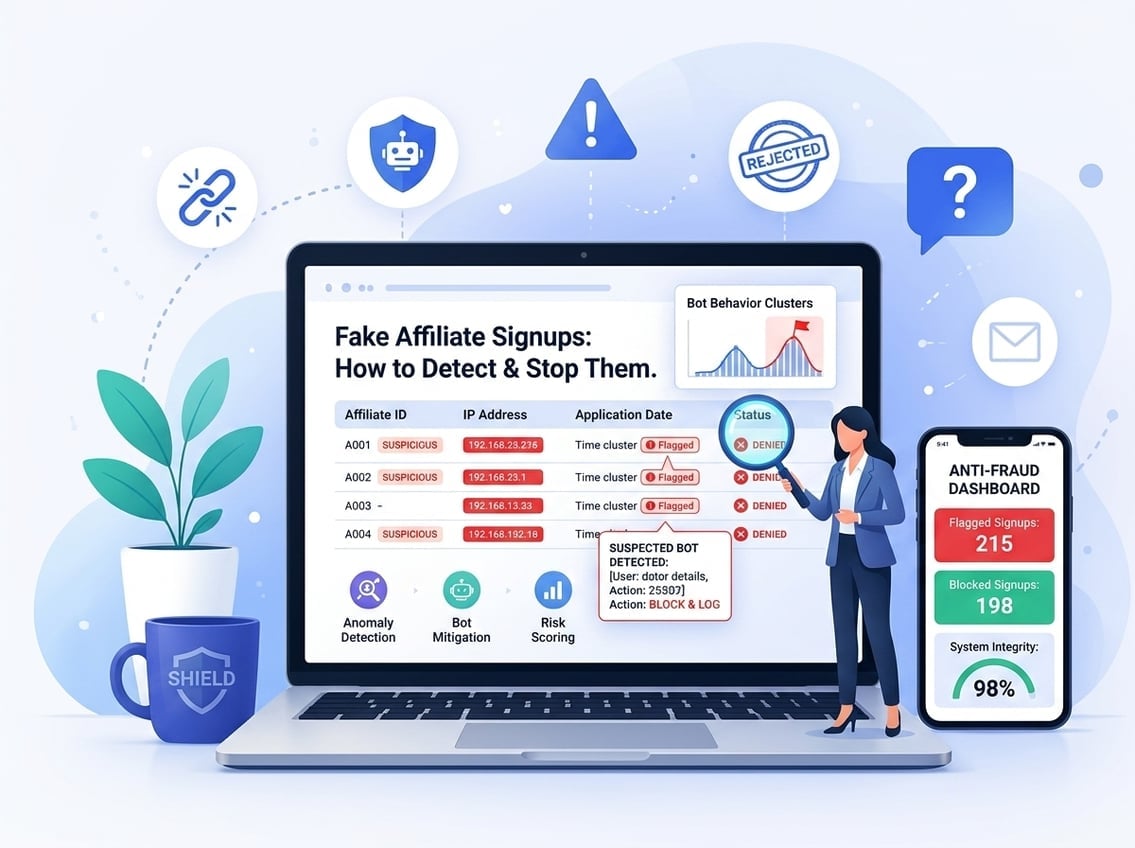
Fake affiliate signups are one of the most frustrating problems you will hit when scaling an affiliate program. You can spend weeks building a solid commission structure, then watch fraudulent applicants drain your budget before a single real sale comes in. The damage is not always obvious right away, which makes it worse.
If you are running an affiliate program on WordPress or WooCommerce, the controls built into your setup determine how much fraud you absorb. Getting this right from the start saves you real money.
The Mechanics Behind Fake Affiliate Signups
Fraudulent affiliate applications do not look suspicious at first glance. Bots can fill out forms in seconds, humans can create throwaway identities, and some fraud comes from inside affiliate networks you thought you could trust.
Bot-Driven Form Submissions and Fake Leads
Bots are the most common source of fake affiliate signups. They hit your application form automatically, submit realistic-looking data, and get approved if your setup has no friction. Once approved, they generate fake leads or inflate click counts to trigger commissions.
Bot traffic is often behind fake leads and fabricated conversions that look legitimate inside your reporting dashboard. The numbers go up, but no real buyers are involved.
Duplicate Accounts, Identity Theft, and Stolen Data
Some fraudsters register multiple affiliate accounts using variations of the same email, stolen personal details, or disposable email addresses. The goal is to collect commissions from multiple sources or to abuse signup bonuses tied to affiliate referrals.
Identity theft adds another layer. A fraudster might use someone else’s real website URL and social profiles to pass a basic review, then operate the account fraudulently after approval.
Affiliate Networks, Sub-Affiliates, and Traffic Laundering Risks
If you accept affiliates who run their own sub-affiliate networks, your exposure multiplies. Traffic laundering happens when a fraudulent sub-affiliate sends spoof traffic or fake conversions through a legitimate-looking top-level account. The top-level affiliate looks clean, and the fraud is buried deeper in the chain.
This is a specific risk when you open your program to affiliates who are themselves running networks rather than promoting your products directly.
The Early Warning Signs in Your Data
The clearest fraud signals are usually sitting in your analytics and commission logs, not in the application queue. Conversion patterns that deviate from normal buyer behavior, traffic quality problems, and brand abuse are the three areas worth watching closely.
Conversion Patterns That Do Not Match Real Buyer Behavior
A healthy affiliate drives traffic that converts at a rate similar to your organic or paid traffic baselines. If one affiliate shows a conversion rate that is dramatically higher than your average, that is a red flag, not a success story.
Watch for:
Conversions that happen within seconds of a click
Referrals that never complete email verification
A single affiliate responsible for a disproportionate share of total signups
Purchases immediately followed by refund requests or chargebacks
Fraud often shows up as clean-looking spikes that collapse into chargebacks or refunds later.
Traffic Quality Problems Like High Bounce Rates and Click Spam
High bounce rates from affiliate traffic usually mean the visitors are not real, or they were sent to your site with no actual interest in buying. Click spam, where an affiliate generates hundreds or thousands of clicks with almost no conversions, is another clear warning sign.
Click farms produce traffic that looks human but behaves like bots. Sessions are short, pages viewed are minimal, and the geographic distribution often does not match your target market. If an affiliate claims to be promoting to U.S. buyers but the majority of sessions come from unrelated regions, that is worth investigating.
Brand Abuse Signals Such as Trademark Bidding and URL Hijacking
Some affiliates run paid ads using your brand name or trademark as a keyword. This is called trademark bidding or brand bidding. It lets them intercept customers who were already looking for you, claim the commission on a sale they did not actually influence, and drive up your own paid acquisition costs.
URL hijacking and typosquatting are related tactics. A fraudulent affiliate registers a domain that is a misspelling of your brand, ranks it or runs ads to it, and redirects visitors through their affiliate link. Monitoring brand mentions and watching for unauthorized paid ads referencing your brand name helps catch this early.
Verification Steps Before You Approve Anyone
Manual review before approval is the single most effective thing you can do to stop fake affiliate signups at the door. Combined with clear application rules and a solid affiliate agreement, it filters out most fraud before it ever becomes your problem.
Manual Review of Sites, Social Profiles, and Promotion Methods
Never auto-approve affiliate applications. Every application should include a real website URL, a social media profile, or a clear description of how the applicant plans to promote your products. Review each one. This step is vital for catching fake affiliate signups that use stolen identities or bot-generated profiles.
Check that:
The website is active and has real content
Social profiles have organic engagement, not inflated follower counts
The promotion method makes sense for your product category
The applicant’s audience aligns with your customer profile
A blank website, a social profile created last week, or a vague “I will promote on social media” answer are all reasons to reject or ask follow-up questions.
Application Rules, Affiliate Agreement Terms, and Source Disclosure
Your application form should ask applicants to disclose their traffic sources. This creates a paper trail and sets expectations. Your affiliate agreement should explicitly ban:
Bot traffic and automated click generation
Incentivized signups where users are paid to sign up
Brand bidding on paid ads without written approval
Use of your trademark in domain names or URLs
Clear terms do not stop determined fraudsters, but they give you legal grounds to reverse commissions and terminate accounts when you catch violations.
Checks for Coupon Abuse, Duplicate Content, and Brand Misuse
Some affiliates post your discount codes on coupon aggregator sites, claim commissions from customers who were already in your funnel, and contribute nothing of value. This is coupon abuse.
Before approving, check whether the applicant runs coupon sites. If they do, decide whether that traffic source aligns with your goals. Duplicate content is another signal: affiliates who copy your product descriptions verbatim and add nothing original often have low-quality or fraudulent promotional setups.
Controls That Reduce Fraud Before It Costs You Money
Good fraud prevention is layered. No single tool stops everything, but combining technical controls with smart tracking rules keeps most fake signups out and limits the damage from any that slip through. Implementing these technical layers significantly reduces the volume of fake affiliate signups hitting your database.
Fraud Detection Tools, Device Fingerprinting, and Rate Limits
Device fingerprinting ties a specific device to affiliate activity, which makes it harder to create multiple accounts from the same machine. Rate limits on form submissions and click registrations reduce the effectiveness of bot-driven attacks.
Dedicated affiliate fraud detection tools analyze traffic patterns, flag suspicious referral sources, and can automatically block or quarantine activity from known bad actors. Using CAPTCHA on your affiliate application and registration forms adds friction that stops most automated bot submissions without significantly slowing down real applicants.
Email verification is non-negotiable. Any affiliate program that does not require verified email addresses before activation is leaving an obvious door open. Disposable email domains should be blocked at the point of submission.
Signup Validation, Tracking Cookies, and Affiliate Tracking Rules
Your affiliate tracking setup should enforce first-click or last-click attribution consistently. Inconsistent cookie handling creates opportunities for cookie stuffing and click stuffing, where an affiliate injects their tracking cookie without the user ever clicking their link intentionally.
IP blocking on your signup form helps stop repeated submissions from the same address. Set rules in your affiliate plugin to flag or block:
Multiple account registrations from the same IP
Signups using known disposable email domains
Accounts with mismatched geographic data
Ultimate Affiliate Pro includes built-in controls for managing how tracking cookies are assigned and lets you configure specific rules around referral validation, which reduces the surface area for cookie-based fraud. You can explore the full feature set at ultimateaffiliate.pro.
Payout Delays, Commission Holds, and Chargeback Protection
Paying commissions immediately after a conversion is an invitation for fraud. A payout delay of 14 to 30 days gives you time to verify that the underlying transaction was legitimate and that no refund or chargeback has been filed.
Commission holds on new affiliates specifically, for example holding the first 60 days of earnings pending review, reduce the incentive to sign up, generate fake conversions, and disappear. Chargebacks directly tied to an affiliate’s referrals should trigger an automatic commission reversal in your system.
If you are setting up these rules inside your WordPress affiliate plugin, look for settings that control minimum payout thresholds, hold periods for new accounts, and automatic commission reversal on refunds. Ultimate Affiliate Pro’s pricing plans include access to these commission management tools without per-transaction fees.
How to Respond When Fraud Slips Through
Even with strong controls in place, some fraud gets through. Knowing exactly how to investigate and respond limits the financial damage and tightens your program for the future.
Investigating Cookie Stuffing, Click Stuffing, and Cookie Dropping
Cookie stuffing is when an affiliate drops their tracking cookie on a user’s browser without a real click. The user eventually buys, the affiliate claims the commission, and the sale gets attributed to fraud. Reviewing the time gap between cookie placement and purchase is the first step.
If conversions are happening within seconds of a cookie being set, or if a single affiliate is generating an unusually high volume of last-click attributions with no corresponding click data, you are likely looking at cookie dropping or click stuffing. Pull the raw referral logs and compare click timestamps against conversion timestamps.
Reversing Commissions for Conversion Hijacking and Fake Referrals
Once you confirm fraud, reverse the commissions immediately. Most WordPress affiliate plugins allow manual commission reversal from the admin panel. Document the reason, including the specific data points that confirmed the fraud, before you make any changes.
Conversion hijacking, where an affiliate intercepts a customer who was already in your funnel through organic or direct traffic, requires a different approach. Reviewing your attribution chain and comparing affiliate-referred sessions against your other traffic sources helps identify where hijacking is occurring.
Terminate the affiliate account and, if the abuse involved criminal activity like stolen credit cards or identity fraud, report it to the appropriate authorities.
Tightening Approval and Monitoring Processes Going Forward
Every fraud incident tells you something specific about a gap in your process. After each case, update your application form, add a rule to your affiliate agreement, or adjust your tracking settings to close that specific gap. Proactive monitoring helps you spot fake affiliate signups that managed to bypass initial security checks.
Running periodic audits of your active affiliates, not just new applicants, is essential. Check existing accounts for sudden behavioral changes: a spike in conversions with no corresponding traffic increase, new referral sources that were not listed during application, or a sudden increase in refund rates tied to their referrals.
Frequently Asked Questions
How can you spot affiliates generating signups with fake emails or disposable domains?
Check the email domain at the point of application. Services that flag known disposable email providers can be integrated directly into your signup form. Requiring email verification before an affiliate account is activated adds a second filter, since most disposable domains either do not receive verification emails or bounce them.
What WooCommerce metrics and logs should you review to confirm signups are fraudulent?
Review your WooCommerce order logs for patterns like immediate refunds, failed payment attempts, and orders tied to a single affiliate that show abnormal conversion rates. Cross-reference the affiliate’s referral timestamps against order timestamps in your affiliate plugin’s log. A gap of only a few seconds between click and conversion is a strong fraud signal.
Which anti-fraud checks stop fake signups without blocking real affiliates?
CAPTCHA on the application form, email verification before account activation, and IP rate limiting stop the majority of automated fake affiliate signups without adding significant friction for real applicants. Manual review with a short application questionnaire filters human fraudsters while still being manageable for most program sizes.
How do you prevent commission payouts on unverified or non-purchasing referrals in your affiliate plugin settings?
Set a payout delay of at least 14 to 30 days and configure your plugin to hold commissions until the associated order passes your refund window. Ultimate Affiliate Pro lets you define custom commission rules, including conditional payouts that only trigger after a transaction clears your hold period.
What should your affiliate program terms include to ban incentivized or bot-driven signups?
Your affiliate agreement should explicitly prohibit traffic generated by bots, incentivized signup campaigns, and self-referrals. Include language banning the use of your brand name in paid ad campaigns without written permission, and state clearly that commissions tied to fraudulent activity will be reversed and the account terminated.
How do you handle chargebacks and refunds when an affiliate drove low-quality or fraudulent leads?
Reverse the commission immediately when a chargeback or refund is confirmed. Configure your affiliate plugin to do this automatically when an order status changes to refunded or disputed. If a single affiliate is generating a high volume of chargebacks, suspend the account pending review rather than waiting for the pattern to continue.