LearnPress is a solid free LMS plugin. It handles courses, lessons, quizzes, and certificates well. What it does not handle is sending more students your way, and that is where most course creators hit a wall.
Adding a learnpress affiliate plugin fills that gap by turning bloggers, students, and niche influencers into a commission-based sales team that only costs you money when it actually works.
When a visitor clicks an affiliate link and enrolls in one of your courses, the right plugin records that referral, calculates the commission, and queues up the payout automatically. No spreadsheets, no manual tracking. The setup takes less time than most people expect, and the commission structure can be as simple or as layered as your business needs.
This guide covers how affiliate tracking connects to LearnPress course sales, which commission models fit eLearning, and how to keep the whole program running without constant manual work.
Why LearnPress Needs Affiliate Tracking
LearnPress covers the learning side of your platform exceptionally well. It does not cover the marketing side at all. Knowing where that line falls helps you pick the right add-on without over-engineering your setup.
Where Native LearnPress Stops
Out of the box, LearnPress gives you course creation, quiz question types, progress tracking, and basic payment gateway support. It does not generate affiliate links, track referrals, or record who brought a student to your checkout.
Even the premium LearnPress add-ons (Content Drip, Certificates, Co-Instructors) focus on the learning experience, not on acquisition. There is no affiliate management panel, no commission calculation engine, and no payout system built into the core plugin or the Pro bundle.
How Referral Attribution Connects To Course Enrollments
When you add a learnpress affiliate plugin, every affiliate gets a unique tracking link. A student clicks that link, lands on your course page, and enrolls. The affiliate plugin reads the cookie stored during that visit, matches it to the correct affiliate, and logs the commission against that enrollment.
The key detail is that commissions should fire on confirmed enrollments, not on clicks or abandoned checkouts. That distinction protects your budget and keeps your commission data accurate.
When A Basic Affiliate Plugin Is Not Enough
Basic affiliate tools track WooCommerce orders or generic form submissions. They often miss LearnPress-native enrollments because LearnPress has its own checkout flow that does not always route through WooCommerce.
If you sell courses directly through LearnPress without WooCommerce, you need a plugin with a dedicated LearnPress integration, not a generic affiliate marketing plugin that was designed for product stores. Mismatched integrations lead to missed referrals, which means affiliates go unpaid and eventually stop promoting your courses.
How The Setup Works With Ultimate Affiliate Pro
The LearnPress affiliate tracking integration in Ultimate Affiliate Pro is built specifically for LearnPress course enrollments. Setup follows three logical steps, and none of them require custom code.
Enable LearnPress Tracking In WordPress
After installing Ultimate Affiliate Pro, go to the plugin settings and locate the integrations panel. Enable the LearnPress module. This tells the affiliate tracking system to listen for LearnPress enrollment events instead of just WooCommerce orders or generic form submissions.
Set your cookie duration at this stage. A 30-day cookie is standard, but you can extend it for high-ticket courses where buyers take longer to decide. A longer cookie duration can be a meaningful incentive for affiliates promoting premium bundles.
Connect Referral Tracking To Course Purchases
Once the LearnPress module is active, you map your commission settings to specific courses or apply a global rate across your catalog. The Ultimate Affiliate Pro add-on for LearnPress tracking lets you set a flat dollar amount or a percentage per enrollment at the course level.
For example, a $49 course might pay affiliates $8 per enrollment. A $199 course bundle might pay $30. Free introductory courses can still trigger a small referral commission if you want affiliates helping grow your email list, not just your paid enrollment numbers.
The affiliate dashboard updates in near real time, so affiliates can see their referral link performance, pending commissions, and payout history without contacting you.
Test The Tracking Flow Before Launch
Before you invite affiliates, run the full flow yourself. Generate a test affiliate link, click it in a private browser window, enroll in a test course, and confirm the commission appears in the affiliate dashboard. Check that the cookie persists correctly and that the referral attribution matches the affiliate you used for the test.
Skipping this step is where most setup problems originate. A five-minute test saves you hours of retroactive commission corrections later.
Commission Models That Fit Course Sales
Course businesses have different revenue patterns than product stores. A single enrollment is a one-time transaction, but a course catalog with multiple tiers, upsells, and memberships opens up more flexible commission structures. Most learnpress affiliate programs can benefit from multiple commission models running at the same time.
Flat Versus Percentage Payouts
Flat commissions work well for courses with fixed pricing. If your course costs $49 and pays affiliates $10, everyone knows exactly what they earn per enrollment. This simplifies reporting and makes it easier to attract affiliates who want predictable income.
Percentage payouts scale better when your catalog has a wide price range. A 20% commission on a $30 course and a $200 course automatically adjusts without you setting individual rules for every product. The tradeoff is that affiliates promoting your cheapest courses earn less per conversion.
For most course sites, a hybrid approach works best: percentage rates across the catalog with flat rate overrides on specific high-value courses or bundles.
Course Specific Rules And Level Based Payouts
Commission rules let you assign different rates to different courses. You might pay 15% on a beginner course and 25% on a premium certification program because the premium course has a higher price point and requires more affiliate effort to convert.
Level commissions add a second layer. If you want affiliates who recruit other affiliates to earn a cut from their recruits’ referrals, level-based commission settings handle that logic. Setting a regular bonus for top-performing affiliates is also straightforward and gives you a tool for retaining your best promoters without restructuring your entire commission system.
Recurring And Bonus Based Incentives
If you offer course subscriptions or membership-based access to your LearnPress catalog, recurring commissions become important. An affiliate who referred a student on a monthly plan should keep earning as long as that student stays subscribed.
Bonus-based incentives work well as milestone rewards. An affiliate who generates 20 enrollments in a month might earn an extra flat bonus on top of their regular commission. These incentives improve affiliate engagement without permanently increasing your base commission rates.
Running Multi-Level And Unilevel Structures
Multi-level affiliate structures are not the right fit for every course business, but they solve a specific problem: how do you reward your top affiliates for building a network of sub-affiliates who also promote your courses? The MLM and multi-level marketing features in Ultimate Affiliate Pro address this without requiring a separate plugin.
When Multi-Level Marketing Fits A Course Business
A unilevel mlm structure makes sense when your affiliate program relies on community. If your students become affiliates and refer other students, who then become affiliates themselves, you have a natural downline forming. Paying level commissions to the original referrer creates a sustainable incentive for affiliates to recruit and support others.
This model also fits training companies that operate through resellers, coaches, or local instructors. Each instructor can recruit students from their own audience, and the platform owner earns from every enrollment across all levels.
Unilevel Plans And Downline Commission Logic
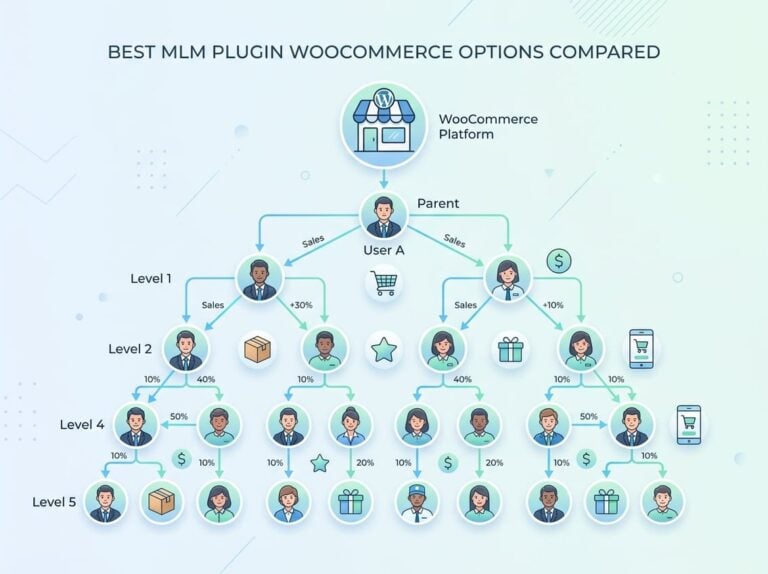
A unilevel mlm learnpress setup places every affiliate directly under the sponsor who recruited them. There are no leg limits, so each affiliate can recruit as many sub-affiliates as they want. Commissions flow upward through the levels you configure.
For example, level one affiliates might earn 15% per enrollment. Level two (the sponsor) might earn 5%. Level three earns 2%. These percentages are fully configurable. The elearning mlm plugin approach through Ultimate Affiliate Pro keeps this logic inside WordPress without requiring external mlm software.
The board plan is a different structure where affiliates fill positions in a fixed-width board before the board cycles and commissions trigger. This works better for specific community-building campaigns than for ongoing affiliate programs.
Operational Risks Before You Enable MLM
MLM structures add complexity. Before enabling any mlm learnpress setup, confirm your commission math actually works at scale. If every level takes a percentage cut, you need to verify your course margin supports multiple payout layers without going negative.
Also check your local regulations. Multi-level commission structures in some markets have specific legal requirements around disclosure and compensation plan documentation. Running the math before launch is not optional.
Affiliate Recruitment, Payouts, And Day-To-Day Management
Once tracking is configured, the operational work shifts to recruiting affiliates, giving them what they need to promote your courses effectively, and paying them on a reliable schedule.
Affiliate Registration And Approval Flow
The affiliate registration process can be open (anyone can join immediately) or gated (you review and approve each application). For course sites with a niche audience, manual approval tends to produce better-quality affiliates than open registration.
The registration form captures the information you need to evaluate applicants: website URL, audience size, how they plan to promote your courses. Email templates handle the confirmation, approval, and rejection messages automatically so you are not writing individual responses.
Webmaster reviews of affiliate applications should happen on a consistent schedule, especially early in your program when the affiliate base is still forming.
Assets Affiliates Need To Promote Courses
Affiliates promote more effectively when they have materials ready to use. That means pre-written email copy, course banner images sized for common ad placements, and short course descriptions they can paste into their content.
The affiliate dashboard in Ultimate Affiliate Pro gives affiliates access to their unique affiliate links, click data, referral counts, and commission totals in one place. When affiliates can see their numbers clearly, they stay engaged longer.
If you offer coupon codes as an alternative to tracked links, make sure each code is tied to the correct affiliate account so commissions attribute correctly even when the link itself was not used.
Monitoring Performance And Paying Commissions
Affiliate management means watching which affiliates are generating enrollments and which are dormant. Sorting by conversion rate rather than raw clicks shows you who is actually driving paid enrollments.
The payout system in Ultimate Affiliate Pro supports PayPal mass payouts, bank transfers, and store credit options. Setting a minimum payout threshold (for example, $50) reduces processing overhead and is standard practice. Paying on a fixed schedule, such as the first of each month, builds trust with your affiliate base and reduces support tickets about payment timing.
Alternative Tools And Selection Criteria
Most learnpress affiliate program options available in the WordPress ecosystem fall into three categories: plugins with native LearnPress integrations, general-purpose affiliate tools, and WooCommerce-centric solutions. Choosing the wrong category creates tracking gaps and frustrated affiliates.
Why Ultimate Affiliate Pro Is The Best Fit For LearnPress
Ultimate Affiliate Pro has a dedicated LearnPress module that fires commissions on course enrollments specifically. It does not require WooCommerce as a middle layer, which matters if you sell courses through LearnPress’s native checkout.
The combination of flat rates, percentage commissions, level commissions, recurring commissions, and bonus structures in a single plugin covers every commission model a course business is likely to need. If you want to review the full feature set before committing, the Ultimate Affiliate Pro pricing page shows what is included at each tier.
When AffiliateWP, Refersion, Or Post Affiliate Pro Come Up
AffiliateWP is a strong option if your courses run entirely through WooCommerce. Its WooCommerce integration is well-tested and the plugin has a large support base. If you use LearnPress’s native checkout, AffiliateWP requires additional configuration that is not always straightforward.
Refersion is a SaaS affiliate platform better suited to larger ecommerce operations. Post Affiliate Pro is feature-rich but adds cost and external hosting complexity that most WordPress-based course sites do not need.
Neither of these tools has a native LearnPress integration that matches what Ultimate Affiliate Pro provides out of the box.
What To Check Before Choosing Any Integration
Before committing to any affiliate plugin for your LearnPress site, verify these points:
- Does it track LearnPress enrollments natively, or does it require WooCommerce as an intermediary?
- Does it support the commission structures your business model needs (flat, percentage, recurring, level)?
- Does it provide an affiliate dashboard your promoters can actually use without training?
- Does it have a payout system that does not require manual exports to spreadsheets?
- What happens to referral data if a student clicks a link, leaves, and returns to enroll three days later?
The last question matters more than most people realize. Course buyers often research before purchasing. If your tracking window is too short or does not persist across sessions, you will miss legitimate referrals and lose affiliate trust.
Frequently Asked Questions
How do you set up an affiliate program for selling courses without breaking LearnPress checkout?
Install a plugin with a dedicated LearnPress integration, such as Ultimate Affiliate Pro, and enable the LearnPress tracking module in the settings. This approach adds referral tracking on top of LearnPress without modifying its checkout logic or payment gateway connections. Always run a test enrollment before going live to confirm commissions fire correctly.
Which LearnPress add-ons or Pro features are actually required before adding affiliates?
No specific LearnPress Pro add-ons are required to run an affiliate program. The affiliate plugin works with free LearnPress as well as any premium extensions you have installed, including Certificates, Content Drip, and Co-Instructors. What matters is that your courses are published, priced, and accepting enrollments before you activate affiliate tracking.
Can you run affiliates through WooCommerce commissions if your LearnPress courses are sold via WooCommerce?
Yes, if your courses use WooCommerce as the payment layer, you can configure affiliate commissions to trigger on WooCommerce order completions. Ultimate Affiliate Pro supports WooCommerce alongside LearnPress, so you can cover both checkout paths with one plugin. Just confirm that the commission trigger is set to the correct event for each payment method you use.
How do you track affiliate referrals for course purchases when users sign up and buy later?
Cookie duration handles this scenario. When a visitor clicks an affiliate link, a cookie is stored in their browser for the duration you set (commonly 30 to 90 days). If they return within that window and complete an enrollment, the referral is still attributed to the original affiliate. Setting a longer cookie duration for higher-priced courses is a practical way to capture delayed conversions.
Where do affiliates log in to see links, clicks, and payouts on your WordPress site?
Ultimate Affiliate Pro creates a dedicated affiliate dashboard page on your WordPress site. Affiliates log in there to generate affiliate links, view click and referral data, check pending and paid commissions, and request payouts. You control what data is visible and can customize the dashboard layout to match your site branding.
What’s the cleanest way to handle payouts (PayPal, bank transfer, store credit) without manual spreadsheets?
Use the built-in payout system in Ultimate Affiliate Pro, which supports PayPal mass payouts, bank transfers, and store credit. Set a minimum payout threshold so commissions accumulate before triggering a transfer, and run payouts on a fixed schedule. This eliminates manual exports and gives affiliates a clear expectation of when they get paid.