Running an MLM affiliate program on WordPress is more complex than a standard one-tier setup. You need commission logic that flows across multiple levels, a visible genealogy structure, and tracking that holds up under real traffic. Getting the plugin choice wrong at the start means rebuilding everything once you hit the limits of a basic tool.
Most WordPress site owners discover those limits quickly: no multi-tier payouts, no recurring commission support, no downline visibility. The sections below walk through every layer of a working mlm affiliate program wordpress setup, from plugin selection to payout automation.
Choose A Plugin With Native MLM Support
Not every affiliate plugin is built for multi-level structures. The difference between native MLM support and a bolted-on add-on matters at setup and at scale.
Why Ultimate Affiliate Pro Fits Multi-Tier Setups Better
Ultimate Affiliate Pro handles multi-level marketing natively. You get unlimited affiliate levels, customizable commission rates per tier, rank bonuses, and mass payout support without purchasing a separate MLM add-on. It supports nine different commission models, which covers most compensation plan variations you would need for a real MLM or network marketing structure.
The plugin also includes shortcode-ready affiliate dashboards, automated email notifications, and built-in fraud detection. For a WooCommerce store running upsells or subscriptions, this combination reduces the number of third-party tools you need to connect.
What Basic WordPress Affiliate Plugins Usually Miss
Standard wordpress affiliate plugins like SliceWP or Solid Affiliate are built for single-tier programs. They track referrals cleanly, but multi-tier commission logic is either missing or requires paid add-ons that add cost and complexity.
These tools also tend to lack recurring commission support and subscription-aware payout logic. If your store runs membership renewals or SaaS billing cycles, a basic affiliate program plugin will not distribute commissions correctly across tiers without custom development.
When Alternatives Like AffiliateWP, SliceWP, Solid Affiliate, And Affiliates Manager Fall Short
AffiliateWP does offer a Multi-Tier Commissions add-on, but it is a separate purchase on top of an already premium license. SliceWP and Solid Affiliate position themselves as clean, lightweight tools, which is accurate, but lightweight means limited when you need a forced matrix or unilevel structure with depth rules.
Affiliates Manager is a functional free option for simple programs. It is not a viable base for multi-level marketing without significant customization. For any serious mlm affiliate program wordpress build, these tools require more workarounds than they are worth.
Map Your Commission Model Before You Launch
Commission structure mistakes are harder to fix after affiliates have already been paid. Mapping your tiers, rates, and product-specific rules before launch prevents disputes and payout errors. The subsections below cover the core commission types you need to configure.
Set Direct And Tiered Referral Commission Rules
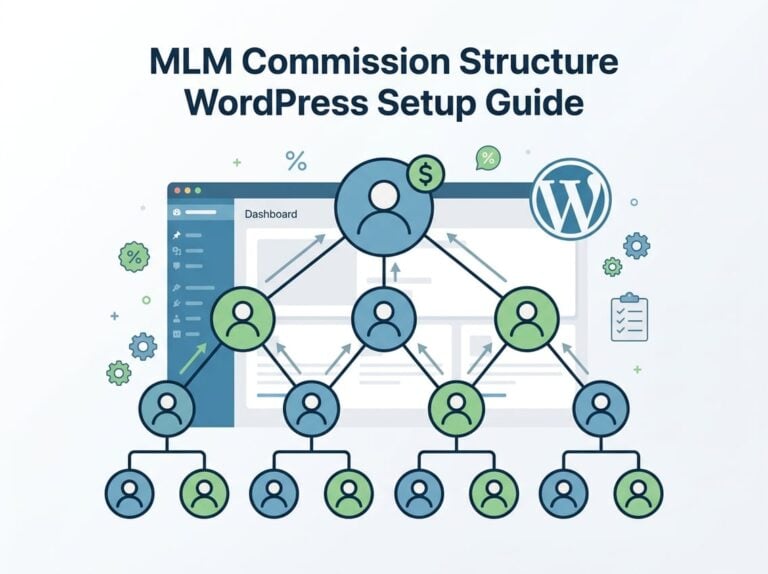
Your direct referral commission is the base rate paid to the affiliate who made the sale. Your tiered commissions then distribute smaller percentages up the chain to parent affiliates.
In Ultimate Affiliate Pro, you set commission rules per level. Level one might earn 20%, level two earns 10%, level three earns 5%. You control the depth and can adjust rates independently for each tier.
Use Flat-Rate And Percentage-Based Commissions By Offer Type
Flat-rate commissions work well for fixed-price products where margins are predictable. Percentage-based commissions scale better with variable-price items like custom packages or high-ticket offers.
Most stores benefit from using both. Assign flat-rate commissions to low-margin products and percentage-based commissions to premium offers. Ultimate Affiliate Pro lets you mix these commission types across different products without forcing a single global rate.
Add Recurring And Lifetime Payout Logic For Subscriptions
Recurring commissions pay affiliates every time a subscriber renews. Lifetime commissions lock that subscriber to the original referring affiliate permanently, so the payout continues for as long as the customer stays active.
Both models require subscription-aware tracking. The plugin needs to fire a commission event on renewal, not just on the first purchase. Ultimate Affiliate Pro supports this natively for WooCommerce Subscriptions, which matters if recurring revenue is a core part of your model.
Apply Product And Category Overrides Without Breaking Margins
Category-specific commissions and smart product rules let you protect margins on lower-margin SKUs while keeping rates competitive on high-margin products. Set a global rate, then override it for specific categories or individual products.
This approach prevents situations where a high-volume, low-margin product drains commission budget unexpectedly. Review your margin by category before setting overrides, and build in a buffer for tiered payouts that will also apply on top of those rates.
Configure The MLM Tree And Genealogy Structure
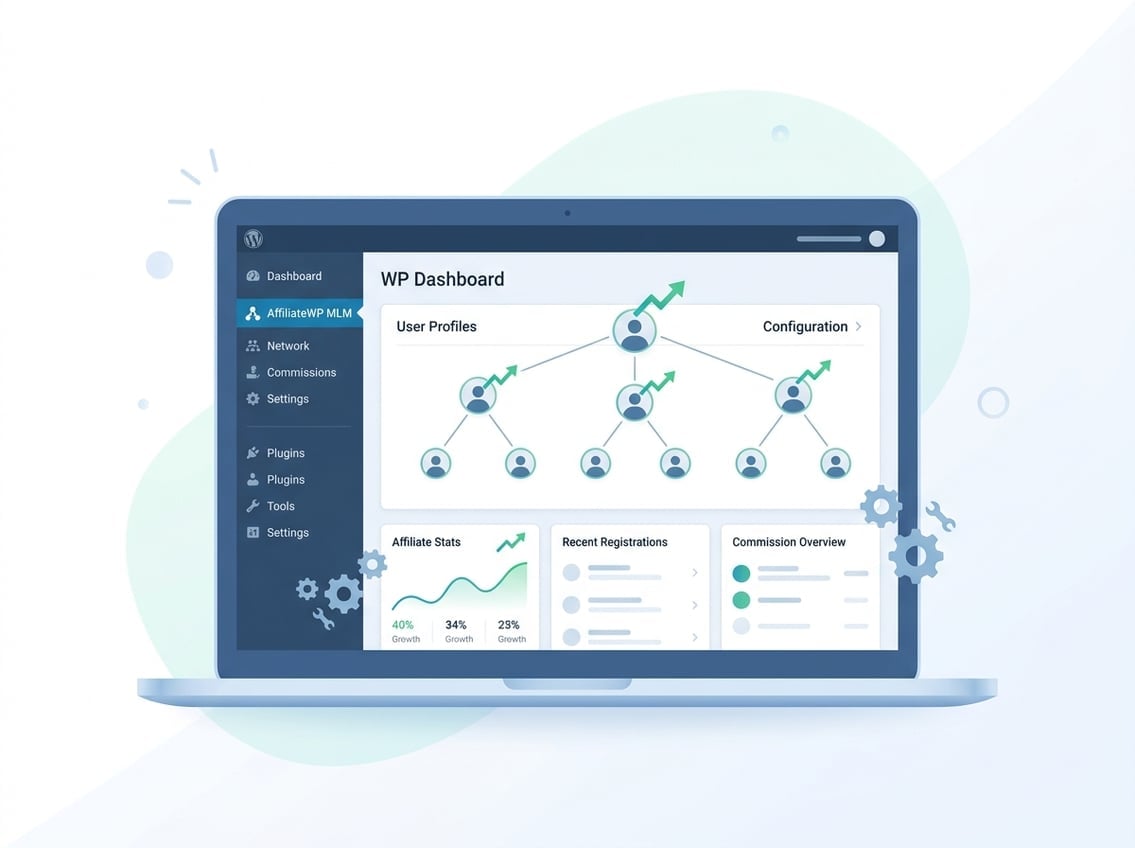
The genealogy tree is the visual and functional map of your affiliate downline. Getting the structure right before affiliates start recruiting prevents placement errors that are difficult to correct later.
Pick The Right Tree Model For Your Business
Two common models are unilevel and forced matrix. In a unilevel structure, each affiliate can recruit unlimited direct referrals, and commissions flow up through a set number of levels. In a forced matrix, each affiliate can only have a fixed number of direct children, which controls growth shape and prevents top-heavy structures.
Choose unilevel if you want flexible growth with no placement restrictions. Choose forced matrix if you want predictable team shapes and capped width per level.
Set Depth, Parent Rules, And Sponsor Relationships
Depth defines how many levels deep commissions travel. A depth of three means a sale by a level-three affiliate pays commissions to levels two, one, and the program owner.
Parent rules define who sponsors whom at registration. In most setups, the referring affiliate becomes the parent automatically. You can also allow admin-assigned placement for forced matrix builds where positioning affects compensation. Set these rules before any affiliates register, since moving affiliates after placement creates payout inconsistencies.
Keep Recruitment Logic Clear To Avoid Payout Disputes
Unclear recruitment logic is the most common source of affiliate complaints in multi-level programs. Publish your compensation plan clearly in the affiliate dashboard so every recruit can see exactly what they earn and from which level.
Track sponsor relationships in the affiliate admin panel and audit them periodically. If an affiliate was placed incorrectly or a parent assignment broke during import, catch it before payouts run. Ultimate Affiliate Pro stores the tree structure in a queryable format, which makes audits faster.
Set Up Tracking, Attribution, And Affiliate Access
Tracking accuracy is the foundation of affiliate trust. If affiliates cannot verify their referrals, disputes start quickly and retention drops.
Connect Affiliate Links, Coupons, And Linkless Attribution
Custom affiliate links are the standard tracking method. Each affiliate gets a unique URL that fires a cookie on click and attributes the sale on checkout. For situations where links get stripped, such as email clients or social platforms, affiliate coupon support fills the gap. A coupon code tied to an affiliate ID attributes the sale even without a click.
Linkless tracking goes a step further by attributing referrals through non-link signals. Not every plugin supports this, but it is useful for brand ambassador programs where affiliates share codes verbally or in video content.
Build A Custom Affiliate Dashboard That Reduces Support Requests
A well-built affiliate dashboard answers the questions affiliates would otherwise email you about: current balance, recent referrals, conversion rate, payout status, and available links. Ultimate Affiliate Pro’s shortcode-ready dashboard lets you build this on any page without a custom theme.
Include real-time reporting so affiliates can see referrals as they happen. The more transparent the dashboard, the fewer support tickets you handle per month.
Automate Registration, Notifications, And Referral Visibility
Affiliate registration should be self-service with optional admin approval. Set up automated email notifications for key events: application approval, new referral recorded, commission approved, payout processed. These touchpoints reduce affiliate churn and keep the program feeling active.
Referral visibility in the dashboard lets affiliates see which links converted and which did not. This data helps them optimize their own promotion, which benefits your program without extra work on your end.
Use Fraud Controls Before Scaling Paid Or Influencer Traffic
Self-referral fraud is common in programs without controls. An affiliate buys through their own link to earn a commission on a purchase they were making anyway. Enable IP-based fraud detection and block self-referral on checkout.
Coupon misuse is another risk. Set each coupon code to a single affiliate and limit usage per customer. Before scaling paid traffic or influencer partnerships, confirm your fraud detection is active and logged. Social sharing features that spread uncontrolled link variants can create attribution conflicts without these controls in place.
Match The Setup To Your Revenue Model
The right commission configuration depends on how your store generates revenue. An mlm affiliate program wordpress setup for a one-time product store looks very different from a subscription site or a lead gen campaign.
WooCommerce Stores With Upsells And Repeat Orders
For a WooCommerce affiliate program with upsells, configure commissions to fire on the full order value including upsells, not just the base product. If a customer buys a $50 product and accepts a $120 upsell, the affiliate should earn on $170.
Repeat order tracking requires lifetime commissions or customer locking. Without it, a returning customer who clears cookies may not be attributed to the original affiliate. Set customer locking at registration so the referring affiliate earns on all future purchases from that customer.
Membership And Course Sites With Renewals
Membership sites live on recurring revenue, so recurring commissions are the correct model here. Configure the plugin to fire a commission event on every subscription renewal, not just the first payment.
EDD referral tracking works similarly for digital product platforms. If you are running a course site with annual renewals, lifetime commissions combined with recurring payouts maximize affiliate motivation to recruit long-term subscribers rather than one-time buyers.
Lead Generation Campaigns And Pay-Per-Lead Workflows
Pay per lead programs pay a flat fee when a form is submitted or a trial is started, regardless of purchase. This model works for SaaS, insurance, or finance sites where the value is in the lead, not the transaction.
Set up a trigger that fires the commission on form submission or CRM entry rather than WooCommerce checkout. Ultimate Affiliate Pro supports custom commission triggers that connect to non-purchase events.
Brand Ambassador Programs With Incentive Layers
Brand ambassador programs often combine flat-rate commissions with rank bonuses and non-cash rewards. An ambassador who recruits five active affiliates might unlock a higher commission tier or a cash bonus.
Configure rank bonuses in Ultimate Affiliate Pro to trigger automatically when an affiliate hits defined milestones. This removes manual tracking and makes the incentive structure feel reliable to your ambassadors.
Automate Payouts And Scale Without Manual Admin Work
Manual payout processing is the first thing that breaks when an mlm affiliate program wordpress setup starts scaling. Moving to automated workflows early saves significant time and reduces errors.
Move From Manual Approvals To Automated Payout Workflows
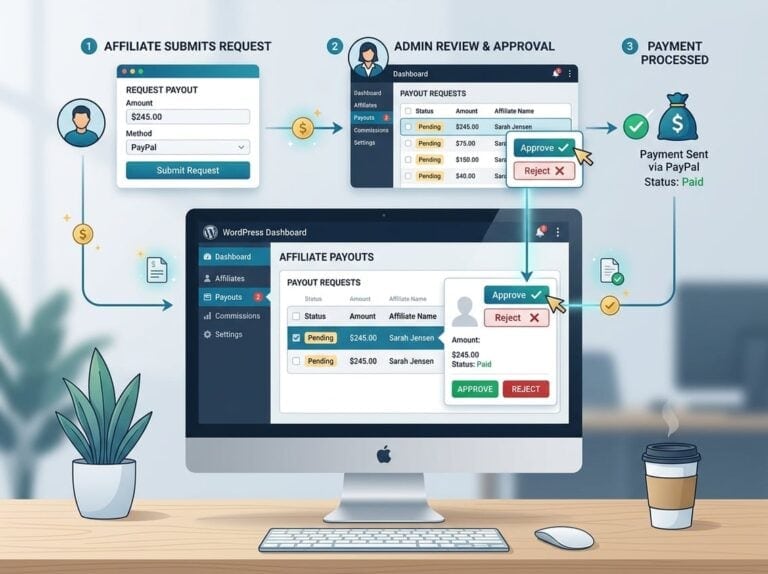
Manual approval workflows make sense at launch when you want to review every referral. Once your program is running cleanly and fraud controls are in place, switch to automated approval for commissions that meet your minimum threshold and hold period.
Set a minimum payout amount to avoid processing small balances. A 30-day hold period gives time to catch refunds before commissions are paid out. These two rules handle most edge cases without requiring admin review of every transaction.
Use One-Click And Bulk Payment Options Safely
One-click payouts and mass payouts via PayPal or Stripe save hours when you have dozens of affiliates expecting payment on the same day. Batch all pending commissions, review the total in the payout queue, and process in a single action.
Before running mass payouts, confirm that every affiliate has submitted valid payment details and that no flagged referrals are in the queue. A single bad batch is harder to reverse than catching the issue before processing. If you are ready to explore the full payout feature set, the Ultimate Affiliate Pro pricing page shows what is included at each tier.
Compare Affilia-Style Features Without Losing Focus On MLM Requirements
Affilia (available in free Lite and paid Premium tiers) is a solid WooCommerce affiliate plugin for straightforward programs. It handles referral tracking, coupon support, and basic commission management well. Affilia Premium adds MLM functionality, direct payouts, and bonus rewards.
The tradeoff is depth. Affilia’s MLM features work for simple two or three-tier structures, but for programs that need deep genealogy trees, rank bonuses, and nine commission model variations, Ultimate Affiliate Pro covers more ground natively. For stores that need a basic setup quickly, Affilia on WordPress.org is worth reviewing. For anything more complex, the native MLM support in Ultimate Affiliate Pro avoids the add-on dependency problem that plagues most alternatives.
Frequently Asked Questions
Which WordPress plugin is the best fit for running a multi-level affiliate structure without breaking your checkout flow?
Ultimate Affiliate Pro is the most complete option for native MLM support in WordPress. It handles multi-tier commissions, rank bonuses, and genealogy structures without requiring separate add-ons, and it integrates directly with WooCommerce checkout without modifying the purchase flow.
How do you set up recurring commissions for subscription products in WooCommerce?
Configure the plugin to fire a commission event on subscription renewal, not just the initial payment. Ultimate Affiliate Pro supports this for WooCommerce Subscriptions, and you can combine recurring commissions with lifetime customer attribution so the referring affiliate earns on every renewal from that customer.
What’s the cleanest way to track affiliate referrals when you’re using caching, CDNs, and a page builder?
Use server-side tracking or cookie-based attribution with a long cookie window to reduce the impact of cached pages. Affiliate coupon codes provide a reliable fallback attribution method when link-based tracking gets disrupted by caching layers or CDN configurations.
How do you prevent affiliate fraud and self-referrals while keeping sign-up friction low?
Enable IP-based fraud detection and self-referral blocking at the checkout level, not just on the registration form. Pair this with a commission hold period so refunded orders do not result in paid commissions, and audit your affiliate referral logs regularly when scaling influencer or paid traffic.
Can you migrate affiliates, referral history, and payout data from one plugin (like Ultimate Affiliate Pro) to another without losing tracking?
Migration between affiliate plugins typically requires exporting affiliate data via CSV and mapping it to the new plugin’s import format. Referral history and parent-child relationships in MLM structures are the most complex data to migrate, so run the new plugin in parallel for a period before fully switching to verify tracking accuracy.
What payout options (PayPal, Stripe, store credit) actually work smoothly for bulk affiliate payments in WordPress?
PayPal mass payouts work reliably for bulk affiliate payments when affiliates have verified PayPal accounts on file. Stripe payouts require additional configuration but support more currency options. Store credit is the easiest to process internally but only motivates affiliates who are also customers of your store.