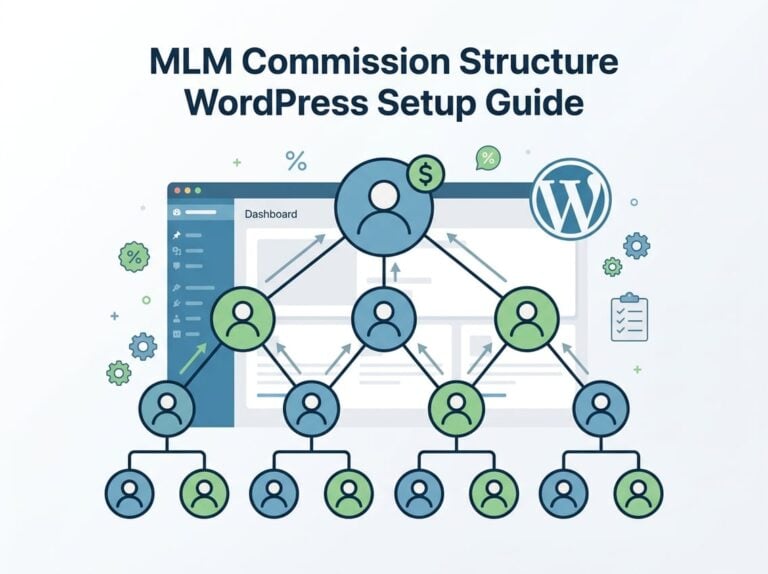
Running a complex affiliate program on WordPress shouldn’t feel like duct-taping together five different tools just to track commissions and payouts. Most WordPress site owners hit a wall when they need MLM structures, multiple payment integrations, or detailed commission rules that go beyond basic percentage splits.
The standard plugins handle simple referrals fine, but they break down fast when you’re managing tiered commissions, custom payout schedules, or connecting to platforms like WooCommerce and membership sites all at once.

To create affiliate links in WordPress, you’ll need to either manually generate tracking URLs through your affiliate program dashboard, use a link management plugin to cloak and organize your links, or install a full affiliate management system that generates unique referral links for each affiliate automatically. The method you choose depends on whether you’re joining other people’s affiliate programs or running your own program on your site.
We’ll walk you through every approach in this guide, from joining affiliate programs and creating your first links to setting up advanced tracking systems with multi-level commissions.
You’ll learn which WordPress affiliate plugins fit different needs, how to optimize your links for better conversions, and what strategies actually move the needle on affiliate revenue.
Understanding Affiliate Links in WordPress
Affiliate links are trackable URLs that connect a visitor’s purchase back to the person who referred them. These links form the foundation of affiliate marketing programs, allowing site owners to earn commissions while affiliates promote products or services.
What Is an Affiliate Link?
An affiliate link is a unique URL that contains a tracking code to identify who sent the traffic. When someone clicks this link and completes a purchase, the system credits the sale to the affiliate who shared it.
These links typically include parameters like tracking IDs or affiliate usernames. For example, a standard product URL might look like example.com/product, while an affiliate link appears as example.com/product?ref=affiliate123.
The additional code tells the merchant’s system which affiliate deserves credit for the referral. WordPress site owners can generate these links manually by copying them from affiliate programs.
We can also use plugins to create and manage affiliate links more efficiently. The tracking remains active through cookies, which store information about the referral for a set period.
How Affiliate Marketing Works
Affiliate marketing operates on a performance-based model where affiliates earn commission for driving sales or actions. The merchant provides affiliates with unique tracking links to promote their products or services.
Here’s the basic process:
- An affiliate shares their unique link on their website or platform
- A visitor clicks the link and lands on the merchant’s site
- The visitor makes a purchase or completes a desired action
- The merchant tracks the conversion through the affiliate link
- The affiliate receives a commission for the successful referral
Commission structures vary by program. Some merchants pay a percentage of each sale, while others offer flat fees per conversion.
Payment terms also differ, with some programs paying monthly and others requiring minimum earnings thresholds. WordPress site owners running their own affiliate programs need reliable tracking systems.
This is where WordPress affiliate plugins become essential for managing multiple affiliates and accurate commission tracking.
Common Uses for Affiliate Links
Product reviews represent one of the most effective uses for affiliate links. We can write detailed reviews of software, physical products, or services and include affiliate links within the content.
Resource pages and tool recommendations also work well with affiliate links. Many site owners create “recommended tools” or “best of” lists that feature their favorite products with affiliate links attached.
Tutorial content naturally incorporates affiliate marketing. When we write how-to guides that mention specific products or services, affiliate links let us monetize the helpful information we’re already providing.
Email marketing campaigns can include affiliate links when relevant to subscribers. We might recommend products that solve problems our audience faces or share limited-time offers from merchant partners.
Comparison tables let visitors evaluate multiple options side-by-side. We can add affiliate links to each product in the table, making it easy for readers to purchase their preferred choice.
Choosing and Joining Affiliate Programs
Before you can create affiliate links on your WordPress site, you need to find the right programs to promote and get approved as an affiliate partner.
The programs you choose directly impact your earning potential and how well the products align with your audience.
Selecting Profitable Affiliate Programs
Start by evaluating commission rates and payment structures. Some programs offer flat rates per sale while others provide percentage-based commissions that can range from 5% to 50% or more.
Look at the program’s cookie duration. A 30-day cookie means you earn commission if someone buys within 30 days of clicking your link.
Longer cookie windows give you better chances to earn. Check the minimum payout threshold and payment frequency.
Many programs require you to reach $50 or $100 before they send payment. We recommend prioritizing programs that pay monthly rather than quarterly.
Consider the product relevance to your audience. If you run a fitness blog, promoting web hosting won’t convert well no matter how high the commission rate is.
Research the merchant’s reputation and conversion rates. An affiliate program with 10% commission but poor sales pages will earn less than a 5% program with excellent conversion rates.
Joining Affiliate Networks
Affiliate networks act as intermediaries between merchants and affiliates. They give you access to hundreds or thousands of programs through one platform.
Major networks to consider:
- Amazon Associates – Huge product selection with 1-10% commissions
- ShareASale – Over 4,500 merchants across various niches
- CJ Affiliate (formerly Commission Junction) – Premium brands with competitive rates
Networks simplify payment since you receive one consolidated check instead of individual payments from each merchant. They also provide unified reporting through a single affiliate dashboard.
The downside is networks sometimes take a small percentage of your earnings. However, the convenience and access to multiple merchants usually outweigh this cost.
Applying for an Affiliate Account
Most programs require an application before you can generate affiliate links. Fill out applications honestly and completely.
Have your website ready to show. Programs want to see where you’ll promote their products.
Your site should have quality content published and a professional appearance. Expect questions about your traffic levels and promotional methods.
Be specific about your monthly visitors and main traffic sources like search engines or social media. Some programs like Amazon Associates approve you quickly.
Others manually review applications and may take 1-2 weeks to respond. If rejected, don’t give up.
Build more content, increase your traffic, and reapply in 30-60 days. Many successful affiliates faced initial rejections before getting approved.
Methods to Create Affiliate Links in WordPress
You can add affiliate links to WordPress through manual insertion, specialized plugins, or link management tools. Each method offers different levels of control, automation, and features depending on your needs.
Manual Link Insertion
The most straightforward way to add affiliate links in WordPress is to copy and paste them directly into your content. This method requires no additional plugins or setup costs.
To insert an affiliate link manually, highlight the text you want to turn into a link in the WordPress editor. Paste your affiliate URL into the link field.
Always mark the link to open in a new tab and add the “nofollow” and “sponsored” attributes to stay compliant with search engine guidelines. The main advantage of manual insertion is complete control over every link.
You know exactly where each affiliate URL points and can verify it instantly. However, this approach becomes time-consuming as your site grows.
If you need to update tracking IDs or switch affiliate programs, you’ll have to manually change every single link across all your posts.
For small sites with limited affiliate content, manual insertion works fine. For larger operations, we recommend exploring automated solutions.
Using Affiliate Link Plugins
Affiliate link management plugins automate the process of adding and maintaining affiliate links. These tools save significant time and often include features like click tracking and product comparison tables.
Popular options include AAWP and AmaLinks Pro for Amazon Associates, which let you insert product boxes with current prices and images. Lasso works across multiple affiliate programs and alerts you to broken links.
For sites running their own affiliate programs, Ultimate Affiliate Pro provides comprehensive tools to manage affiliates, track conversions, and handle multi-level marketing structures with native support for WooCommerce, Easy Digital Downloads, and dozens of other integrations.
Most plugins use shortcodes or blocks to insert affiliate content. You add the product ID or search term, and the plugin automatically pulls in current information through APIs.
This ensures your content stays updated without manual edits. The downside is cost and potential API limitations.
Many plugins require paid licenses, and some affiliate programs restrict API access until you make qualifying sales.
Link Cloaking and Management
Link cloaking transforms long affiliate URLs into clean, branded links using redirect plugins. Tools like Pretty Links replace messy tracking parameters with readable URLs.
Instead of displaying https://example.com/product?ref=12345&tracking=abc, you create a redirect like yoursite.com/recommends/product. This looks more professional and makes links easier to remember and share.
Key benefits of link cloaking:
- Centralized link management from one dashboard
- Update all instances of a link by changing one redirect
- Track clicks to see which content drives the most conversions
- Easier migration if you sell your site
We can set up automatic linking rules that scan your content and automatically convert keywords into affiliate links. This works well for recurring product mentions across multiple posts.
Be aware that some affiliate programs, particularly Amazon Associates, have strict policies about link cloaking. Review terms of service before implementing cloaked links to avoid account suspensions.
Setting Up Affiliate Link Management Plugins
Using a link management plugin streamlines how you create, organize, and track affiliate links across your WordPress site. These tools let you cloak long URLs, automatically insert links into content, and monitor click performance from a central dashboard.
Installing and Configuring Plugins
We recommend starting with a plugin that matches your needs. For basic link cloaking and management, free options work well.
For running your own affiliate program with tracking and commission management, you’ll need more robust affiliate management software. To install any plugin, go to Plugins > Add New in your WordPress dashboard.
Search for your chosen plugin, click Install Now, then Activate. After activation, you’ll find a new menu item in your sidebar for the plugin settings.
Most WordPress affiliate marketing plugins require initial configuration. Set your link prefix (like /recommends/ or /refer/) to create clean, branded URLs.
Enable the nofollow attribute on affiliate links so search engines don’t penalize you for paid links. We also suggest opening links in new tabs to keep visitors on your site.
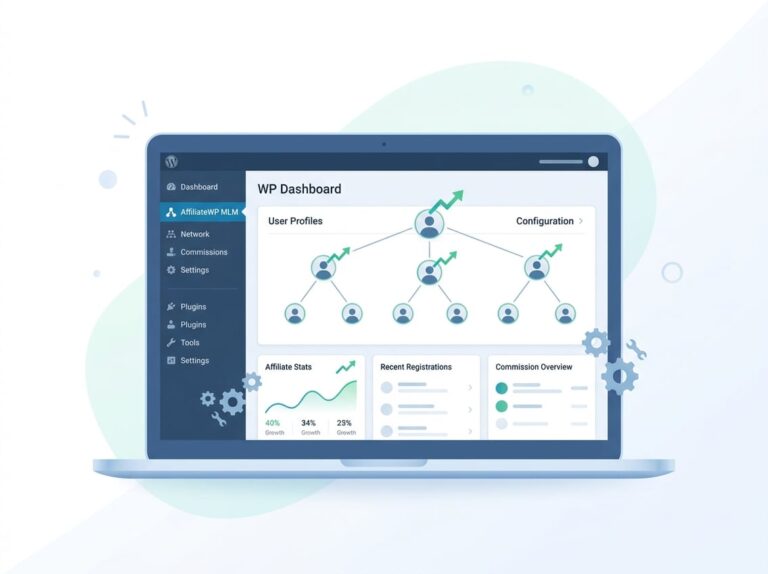
If you’re managing affiliates for your own products, Ultimate Affiliate Pro provides the most complete solution with MLM support, 40+ integrations, and nearly 100 add-ons for complex affiliate programs.
Best Practices for Managing Links
Organize your affiliate links into categories from the start. Group them by product type, merchant, or content topic.
This makes finding specific links faster when writing new content. Use descriptive names for each affiliate link.
Instead of “Link 1” or “Amazon Link,” name them “Blue Hosting Premium Plan” or “Grammarly Annual Subscription.” Clear naming helps you and your team identify links quickly.
Check your link performance regularly through your plugin’s reporting dashboard. Track which links get the most clicks and which convert best.
Remove or replace underperforming links. Update broken or expired affiliate URLs immediately to avoid losing commissions.
Create a spreadsheet to document each affiliate program’s terms, commission rates, and cookie duration. This helps you prioritize which products to promote and ensures you stay compliant with program requirements.
Automating Affiliate Link Placement
Automated linking saves time by inserting affiliate links whenever you use specific keywords. Set up keyword triggers for your most promoted products.
For example, automatically link “web hosting” to your preferred hosting affiliate program. Be careful with automation limits.
Set a maximum number of auto-links per keyword on each page to avoid overwhelming readers. We typically limit auto-linking to 2-3 instances per keyword per post.
Test your automated links after setup. Publish a draft post with your target keywords and verify the links appear correctly.
Check that they open in new tabs and include nofollow attributes as configured. Review auto-linked content monthly.
Remove keyword triggers that create awkward or forced links. Adjust your automation rules based on which automatic placements drive clicks and conversions.
Manual placement still works better for contextual recommendations within product reviews.
Optimizing and Tracking Affiliate Links
Getting your affiliate links set up is only the beginning. Proper tracking helps you understand which affiliates drive the most sales, while optimization ensures your links work efficiently and stay compliant with search engines and legal requirements.
Implementing Click and Conversion Tracking
Click tracking shows you exactly which links your affiliates share and how many people click them. Most affiliate plugins automatically log every click with details like timestamp, referrer URL, and IP address.
Conversion tracking takes this further by connecting clicks to actual sales. When someone clicks an affiliate link and makes a purchase, the system records it as a conversion in your affiliate dashboard.
Ultimate Affiliate Pro tracks both clicks and conversions automatically across all 40+ integrations. The plugin stores this data in your WordPress database, giving you full control over your affiliate tracking without relying on third-party services.
You can also set up Google Analytics to track affiliate link clicks as events. This gives you additional insights about user behavior and helps you see how affiliate traffic moves through your site before converting.
Many plugins offer link cloaking, which converts long affiliate URLs into shorter, branded links. This makes links look cleaner and can improve click-through rates.
SEO and Disclosure for Affiliate Links
All affiliate links should include the rel="nofollow" or rel="sponsored" attribute. This tells search engines not to pass link equity through these URLs, which keeps your site compliant with Google’s guidelines.
Most affiliate plugins add these attributes automatically. If you’re manually adding links, you’ll need to add them yourself to avoid potential SEO penalties.
Yoast SEO and similar plugins can help you identify affiliate links that might need proper attributes. They also ensure your product reviews and affiliate content remain optimized for search rankings.
You must disclose affiliate relationships to readers. The FTC requires clear disclosure when you earn commissions from links.
Add a simple statement like “We earn a commission if you make a purchase” near your affiliate links or at the top of product reviews.
Monitoring Performance with Analytics
Your affiliate dashboard should show key metrics like clicks, conversions, conversion rate, and total commissions paid. Check these regularly to identify top performers and underperforming affiliates.
Look for patterns in the data. Which products generate the most passive income?
Which affiliates drive the highest conversion rates? This information helps you make better decisions about commission rates and which affiliates to prioritize.
Key metrics to monitor:
| Metric | What It Tells You |
|---|---|
| Click-through rate | How compelling your affiliate’s content is |
| Conversion rate | How well your pricing and products match the audience |
| Average order value | Which affiliates attract higher-spending customers |
| Revenue per click | Overall effectiveness of each affiliate |
Set up regular reports to track performance over time. Many plugins let you export data or schedule automated reports via email.
This helps you spot trends and adjust your program strategy without manually checking your dashboard every day.
Advanced Affiliate Link Strategies for WordPress
Once you master basic affiliate link creation, integrating your program with e-commerce platforms and scaling operations becomes critical for generating passive income. These strategies help you build a robust affiliate website that works seamlessly with your existing services.
Integrating with WooCommerce and Membership Sites
WooCommerce integration transforms your online store into a powerful affiliate marketing platform. When you connect your affiliate program to WooCommerce, affiliates can promote any product in your catalog and earn commissions automatically on completed purchases.
We recommend choosing affiliate software that offers native WooCommerce integration. This connection tracks referrals in real-time, applies commission rates based on product categories, and handles complex scenarios like refunds or partial payments.
Your affiliate partners can generate links for specific products, collections, or even checkout pages. Membership sites add another revenue layer to your affiliate marketing strategy.
When you integrate with membership plugins like MemberPress or Restrict Content Pro, affiliates earn recurring commissions for subscription signups. This creates true passive income for your affiliates since they receive payment month after month for a single referral.
Key integration features to look for:
- Automatic commission tracking across all payment gateways
- Support for variable product commissions
- Recurring commission capabilities for subscriptions
- Coupon code tracking and attribution
Scaling Your Affiliate Marketing Strategy
Growing your affiliate program requires tools that handle increased volume without breaking. Multi-tier affiliate structures let your top performers recruit sub-affiliates, creating a network effect that expands your reach exponentially.
We use automation to manage larger programs efficiently. Set up automatic affiliate approval based on criteria you define, schedule commission payouts, and trigger email notifications when affiliates hit milestones.
This reduces manual work as your program grows. Performance-based commission tiers motivate affiliates to sell more.
Create rules where affiliates earn 10% on their first $1,000 in sales, then 15% after crossing that threshold. Different rates for different products or categories also work well.
Advanced scaling tactics:
- Custom landing pages for top affiliates with personalized tracking
- API access to connect your affiliate program with external tools
- Bulk affiliate management for approving or paying multiple partners at once
- Advanced reporting that segments data by affiliate tier, product type, or traffic source
The right infrastructure supports hundreds or thousands of active affiliates without slowing down your site.
Frequently Asked Questions
WordPress site owners often have specific questions about setting up affiliate programs, from choosing the right plugins to handling technical limitations and integration challenges.
What are the best free WordPress plugins for setting up an affiliate marketing program?
Free WordPress plugins can help you get started with affiliate marketing, but they come with significant limitations. Most free options restrict the number of affiliates you can manage or limit access to essential tracking features.
AffiliateWP offers a free trial period, but the full version requires a paid license. For those wanting completely free solutions, plugins like Affiliate for WooCommerce provide basic functionality but lack advanced features like multi-tier commissions or comprehensive reporting.
We recommend starting with a robust paid solution if you’re serious about building an affiliate program. Free plugins work for testing the concept, but you’ll likely need to upgrade once your program grows beyond a few affiliates.
Can you detail the process for embedding Amazon affiliate links in WordPress posts?
Embedding Amazon affiliate links in WordPress posts is straightforward. First, join the Amazon Associates program and get approved for your account.
Once approved, search for products in your Amazon Associates dashboard and generate your unique affiliate link. Copy the link and paste it directly into your WordPress post editor, either as a text link or button.
You can also use affiliate link management plugins to cloak your Amazon links and make them easier to manage. These plugins let you create short, branded URLs instead of long Amazon tracking URLs.
Is it possible to create my own affiliate links on WordPress without external services?
Yes, you can create your own affiliate links on WordPress without relying on external affiliate networks. This requires installing affiliate tracking software directly on your WordPress site.
We use plugins that add affiliate tracking capabilities to our existing e-commerce setup. These tools integrate with WooCommerce, Easy Digital Downloads, or other sales platforms we already have installed.
The main advantage is complete control over commission rates, payout schedules, and affiliate approval. Ultimate Affiliate Pro provides the most comprehensive solution for this approach, with native MLM support and over 40 integrations.
How do I integrate an affiliate program into a WooCommerce store?
Integrating an affiliate program into WooCommerce requires an affiliate plugin that connects directly with your store. The plugin tracks purchases made through affiliate links and attributes commissions to the correct affiliates.
Start by installing an affiliate plugin that offers WooCommerce integration. Configure your commission structure, whether you want to pay a percentage of sales or flat rates per product.
Once set up, affiliates can generate unique links to any product in your WooCommerce store. The plugin automatically tracks clicks, conversions, and calculates commissions based on your settings.
We’ve found that plugins with strong WooCommerce integration eliminate manual tracking and make it easier to scale your affiliate program.
What steps should be taken to build an effective affiliate marketing website using WordPress?
Building an effective affiliate marketing website starts with choosing a niche and installing WordPress with a fast hosting provider. Select a clean theme that loads quickly and doesn’t distract from your content.
Install an affiliate link management plugin to organize and track all your affiliate URLs. Create high-quality content that naturally incorporates affiliate links where they add value for readers.
Set up proper disclosure statements to comply with FTC guidelines. We always place clear disclaimers at the beginning of posts that contain affiliate links.
Focus on building trust with your audience before heavily promoting products. The most successful affiliate sites provide genuine reviews and helpful information rather than constant sales pitches.
Are there any limitations to be aware of when adding affiliate links to my WordPress site?
WordPress itself doesn’t impose limitations on affiliate links. However, hosting providers sometimes restrict certain types of affiliate activities.
Some shared hosting plans prohibit high-traffic affiliate sites. Sites that rely heavily on redirects may also face restrictions.
Many affiliate networks have strict policies about how you can display their links. Amazon Associates, for example, prohibits shortening links through services like Bitly and requires specific disclosure language.
Plugin limitations can also affect your program’s growth. Basic plugins may cap the number of affiliates or restrict access to features like custom commission rates per affiliate.
Ultimate Affiliate Pro is a plugin that may offer more advanced features, reducing some of these common limitations. Always review the features of Ultimate Affiliate Pro and your hosting terms before launching a large affiliate program.