Managing a complex affiliate program on WordPress becomes frustrating when you need MLM structures, seamless integrations with your store, automated payouts, and flexible commission rules—but most plugins only handle basic tracking. You end up installing multiple tools, writing custom code, or manually processing payments every month. That wastes time and creates errors that cost you money and damage trust with your affiliates.

We’ll show you how to set up a complete multi-level affiliate program in WordPress that handles recruiter commissions, automated tracking, and payments across multiple tiers—all from one dashboard. You don’t need separate plugins for different functions or technical skills to configure advanced commission structures. The right setup lets your affiliates recruit sub-affiliates who recruit more affiliates, creating a network that grows your sales without increasing your workload.
This guide walks through choosing plugins that support true multi-level marketing, planning commission tiers that motivate recruiters, configuring registration flows, and monitoring your network as it scales. You’ll also learn how to handle compliance requirements and optimize your program based on real performance data.
Understanding Multi-Level Affiliate Programs
A multi-level affiliate program rewards affiliates not just for their own sales, but also for sales made by affiliates they recruit. This creates a network where everyone earns from multiple levels of activity below them.
What Makes a Multi-Level System Distinct
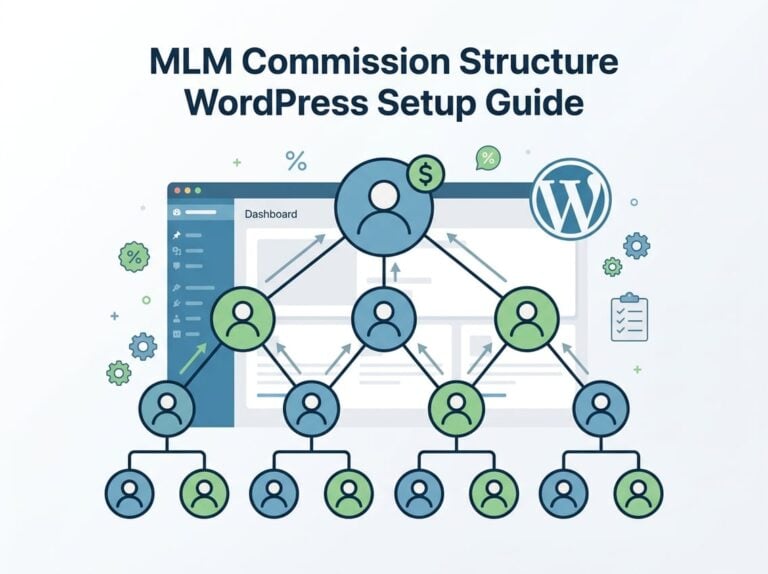
In a multi-level affiliate program, we create a structure where affiliates become recruiters. When an affiliate brings in a new affiliate, they become the parent affiliate. The recruited person becomes their sub-affiliate.
The parent affiliate earns commissions on their own sales. They also earn a smaller percentage from sales their sub-affiliates make. This structure motivates affiliates to both sell and recruit.
Here’s how a typical structure works:
- Parent affiliate makes a $100 sale and earns $25 (25%)
- Their sub-affiliate makes a $100 sale and earns $20 (20%)
- The parent affiliate earns an additional $5 (20% of the sub-affiliate’s $25 commission)
This approach differs from traditional affiliate marketing where affiliates only care about their own sales. With multi-level systems, success becomes tied to building and supporting a team. The most successful affiliates focus on recruiting strong performers and helping them succeed.
Core Terms: Parent Affiliates, Sub-Affiliates, and Tiers
Parent affiliates are the recruiters in your program. They bring new affiliates into your network and earn commissions from their activity.
Sub-affiliates are the people recruited by parent affiliates. They function as regular affiliates but their sales also generate commissions for whoever recruited them.
Affiliate tiers describe the levels in your commission structure. Each tier typically pays a different commission rate:
| Tier Level | Role | Commission Structure |
|---|---|---|
| Tier 1 | Direct seller | Highest percentage (20-30%) |
| Tier 2 | Parent of Tier 1 | Medium percentage (10-20% of Tier 1’s earnings) |
| Tier 3 | Parent of Tier 2 | Lower percentage (5-10% of Tier 2’s earnings) |
Most WordPress affiliate programs support between two and five tiers. More tiers mean more complex tracking but potentially faster network growth.
Multi-Level vs Single-Tier Affiliate Structures
Single-tier affiliate programs only pay affiliates for sales they personally generate. An affiliate promotes your product, makes a sale, and earns their commission. That’s where the relationship ends.
Multi-tier affiliate programs add recruitment to the equation. Affiliates still earn from their own sales. But they can also build passive income by recruiting other affiliates.
The key differences:
Single-tier programs are simpler to manage and understand. Commission payouts are straightforward. Affiliates focus entirely on selling your products.
Multi-level programs create network effects. Your top affiliates become recruiting machines because they profit from growing their team. This can dramatically expand your reach without increasing your marketing budget.
We see multi-level structures work best when you have products that appeal to marketers and entrepreneurs. These affiliates understand the value of building networks. Single-tier programs work better for simpler products where you just need people to make direct sales.
Requirements and Choosing Affiliate Plugins
Setting up a multi-level affiliate program requires the right plugin with native support for tiered commissions and network tracking. We need to evaluate plugins based on their ability to handle complex commission structures and provide affiliates with proper tracking tools.
Essential Plugin Features for Multi-Tier Programs
The most critical feature is native multi-level marketing (MLM) support. Without this, we’ll need to cobble together multiple plugins or custom code, which creates problems down the road.
Look for these core capabilities:
- Multiple tier depth – The plugin should support at least 2-5 levels of commissions
- Flexible commission rates – Each tier needs independent percentage or flat rate settings
- Affiliate network visualization – Affiliates must see their recruited sub-affiliates
- Unique recruitment links – Each affiliate needs their own tracking URL for recruiting
- Network performance reporting – Both we and our affiliates need commission breakdowns by tier
We also need strong integration support with our existing WordPress setup. The plugin must connect with WooCommerce, membership plugins, form builders, or whatever system processes our sales.
A dedicated affiliate area where affiliates manage their network is non-negotiable. Without it, we’ll spend hours answering basic questions about commissions and recruitment.
Overview: AffiliateWP, SliceWP, and Other Options
AffiliateWP requires the Multi-Tier Commissions Pro addon to enable MLM functionality. It supports up to 5 tiers and integrates with major ecommerce platforms. The setup involves enabling the feature in settings and configuring commission percentages per tier.
SliceWP and SliceWP Pro offer multi-level affiliate capabilities with similar tier structures. These plugins provide network tracking and recruitment tools through their affiliate networks interface.
Ultimate Affiliate Pro stands out as the most complete solution for complex affiliate programs. It includes native multi-level marketing support without requiring separate addons, nearly 100 extensions for advanced functionality, and over 40 integrations. For sites running multiple products, membership programs, or complex commission structures across different tier depths, this handles everything in one system.
Most multi-tier plugins follow similar setup patterns but differ in their depth of features and customization options. We should match our choice to our specific affiliate network size and complexity requirements.
Planning Affiliate Levels and Commission Structure
Before you add tier levels to your WordPress affiliate program, you need to decide how many tiers to create and what each affiliate will earn. The commission structure determines how much you pay affiliates at each level and when those payments trigger.
Defining Tiers and Assigning Roles
We recommend starting with 2-3 tiers when you first launch your multi-level affiliate program. A Tier 1 affiliate makes direct sales and recruits other affiliates. A Tier 2 affiliate earns commissions when the affiliates they recruited make sales.
Most WordPress affiliate programs support up to 5 tiers. However, more tiers don’t always mean better results. Each additional level reduces the commission pool available for distribution.
Here’s how a three-tier structure typically works:
- Tier 1: Direct affiliate who makes the sale
- Tier 2: Recruiter who brought in the Tier 1 affiliate
- Tier 3: Original recruiter who brought in the Tier 2 affiliate
You can add tier levels based on your profit margins and business goals. If you sell high-ticket products with 60% margins, you have more room to add levels than if you sell low-margin physical products.
Setting Commission Rates and Rules
Your commission rates need to balance affiliate motivation with business profitability. We typically see Tier 1 affiliates earning 20-30% commission, while Tier 2 earns 5-10% of the original sale amount.
You can choose between percentage based commissions or fixed commission amounts. Percentage rates work better for variable product prices, while fixed amounts simplify calculations for single-price products.
Here’s a sample multi-tier commission structure:
| Tier Level | Commission Type | Rate |
|---|---|---|
| Tier 1 | Percentage | 25% |
| Tier 2 | Percentage | 10% |
| Tier 3 | Percentage | 5% |
Commission rules determine when and how commission distribution occurs. Set rules for minimum payout thresholds, payment schedules, and cookie duration. Some programs only pay tier commission on completed orders, while others trigger payments immediately.
Ultimate Affiliate Pro lets you configure complex commission rules without coding. You can set different rates for specific products, categories, or affiliate performance levels.
Setting Up Multi-Level Affiliate Plugins in WordPress
Most WordPress affiliate plugins require installing the base plugin first, then activating multi-level features through settings or add-ons. We’ll walk through setup for two popular options to show how the process works.
Installing and Setting Up Ultimate Affiliate Pro
We start by purchasing Ultimate Affiliate Pro and downloading the plugin files. After logging into our WordPress dashboard, we navigate to Plugins > Add New > Upload Plugin and select the downloaded ZIP file.
Once we install Ultimate Affiliate Pro, we click Activate to enable it on our site. The plugin launches a setup wizard that asks for our license key, which we copy from our Ultimate Affiliate Pro account area.
The wizard guides us through choosing our integration (WooCommerce, Easy Digital Downloads, or other platforms). We select our payout method and set our base commission rate.
To enable multi-level features, we need the Multi-Tier Commissions add-on. We go to Ultimate Affiliate Pro > Modules > Multi-Level Marketing in our WordPress dashboard. Here we check the box for Enable Multi-Tier Commissions for all affiliates.
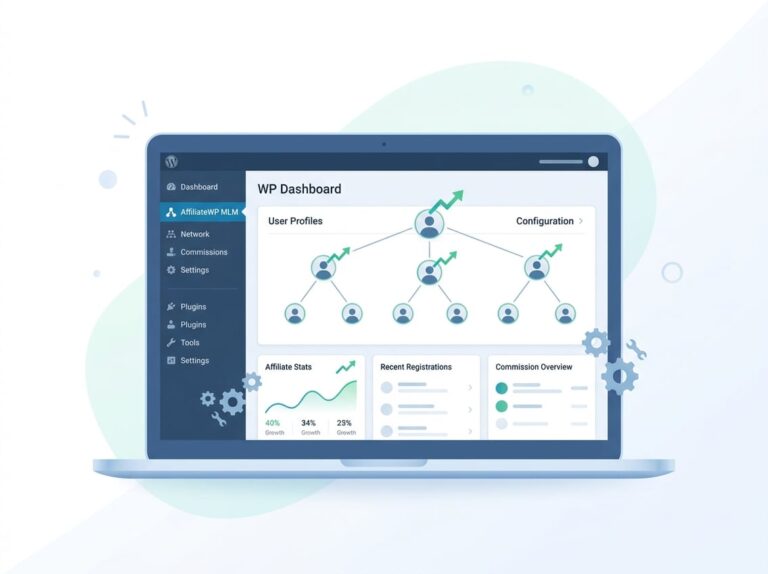
We then click Add Tier to create our tier structure. For each tier, we enter a commission percentage. The plugin supports up to five tiers. After saving, our affiliates see a network tab in their affiliate dashboard where they can track their recruits and earnings.
Enabling Multi-Level Features in SliceWP
SliceWP includes multi-level affiliate capabilities in its core plugin. After we install SliceWP through the WordPress plugin repository or by uploading the purchased files, we activate it from our plugins page.
We navigate to SliceWP > Settings in our WordPress dashboard to configure the multi-level structure. The Multi-Level Affiliates section lets us enable the feature with a single checkbox.
SliceWP lets us define how many levels deep our affiliate network can go and set commission percentages for each level. We specify whether commissions are flat rates or percentages of the parent affiliate’s earnings.
Each affiliate account automatically gets access to recruitment tools once we activate multi-level features. Their affiliate dashboard displays their network structure and shows commissions earned from sub-affiliates across all active levels.
Configuring Affiliate Registration and Onboarding
After enabling multi-level commissions, we need to create a smooth registration process and provide affiliates with the tools to recruit sub-affiliates. These two elements determine how quickly your network grows and how easy it is for affiliates to build their downline.
Building the Affiliate Registration Page
We need to create a dedicated affiliate registration page where new affiliates can sign up for our program. In WordPress, we’ll create a new page and add the affiliate registration form using a shortcode provided by our affiliate plugin.
Most affiliate plugins include a registration shortcode we can paste into any page. For example, we might use something like [affiliate_registration] to display the form. We should keep the registration form simple with only essential fields like name, email, and payment details.
We can customize the registration page to include information about our multi-level program benefits. This helps potential affiliates understand they can earn commissions not just from their own sales but also from the sales of affiliates they recruit.
It’s important to enable auto-approval or manual approval based on our needs. Auto-approval lets affiliates start promoting immediately, while manual approval gives us control over who joins our program.
Setting Up Invitation Referral Links
Each affiliate needs a unique invitation referral link to recruit sub-affiliates into their downline. This link is different from their standard affiliate links used for promoting products.
When someone clicks an affiliate’s invitation referral link and completes the affiliate registration page, they automatically become a sub-affiliate in that person’s network. The system tracks this relationship and assigns commissions according to our tier structure.
We should provide clear instructions to our affiliates about where to find their invitation referral link. Most plugins display this in the affiliate dashboard under a “Network” or “Referrals” tab. Affiliates can share this link on social media, in emails, or on their websites to grow their team.
The invitation link typically includes a parameter that identifies the recruiting affiliate. This ensures proper tracking and commission assignment across all tiers of our multi-level structure.
Managing and Monitoring Your Multi-Tier Network
Once your multi-tier affiliate program goes live, tracking performance across all levels becomes essential to understand which affiliates drive the most value and where your network grows strongest. The right tools show you exactly how each tier performs and how affiliates connect to one another.
Utilizing Affiliate Dashboards and Reports
We need access to detailed performance metrics to make informed decisions about our multi-tier program. Most WordPress affiliate plugins provide admin dashboards that display key metrics like total referrals, conversion rates, and earnings broken down by tier level.
Look for reports that show visits, clicks, and conversions for each affiliate. This data helps us identify top performers and spot affiliates who might need additional support or resources. We should also track the conversion rate for each tier separately, since Tier 2 and Tier 3 affiliates often have different performance patterns than direct affiliates.
The affiliate portal gives our affiliates their own view of performance data. They can see their personal stats, track their sub-affiliates’ activity, and monitor their multi-tier earnings. This transparency keeps affiliates motivated and helps them understand which recruitment strategies work best.
Visualizing the Affiliate Tree
An affiliate tree visualization maps out our entire network structure. It shows us which affiliates recruited whom, creating a clear picture of how our network branches out from each referring affiliate.
This visual representation helps us quickly identify our most successful recruiters and understand network depth. We can see if certain branches grow deeper while others stay shallow, which tells us where to focus our recruitment training efforts.
The tree view also makes it easier to spot unusual patterns or potential issues, like affiliates who recruit many sub-affiliates but generate few sales. Ultimate Affiliate Pro includes network visualization tools that let both admins and affiliates explore their complete downline structure, making it simple to track growth across all tiers.
Handling Payouts and Compliance
Managing payments and staying compliant becomes more complex with multi-level programs because we’re tracking commissions across multiple tiers. We need reliable payout methods and clear policies to keep our affiliate network running smoothly.
PayPal and Manual Payout Options
PayPal remains the most common payout method for affiliate programs because it handles international payments and integrates easily with WordPress. We can set up automatic PayPal payouts through most affiliate plugins, which saves time when we’re managing dozens or hundreds of affiliates across multiple levels.
Manual payouts give us more control but require more work. We’ll need to export commission reports and process payments through our preferred method, whether that’s bank transfers, checks, or other payment platforms. This approach works well when we have a smaller network or need to verify referred sales before releasing payments.
Key payout considerations:
- Set minimum payout thresholds (typically $50-$100) to reduce transaction fees
- Establish a regular payment schedule (monthly or bi-weekly)
- Track Level 0, Level 1, and Level 2 commissions separately for accurate reporting
- Document all affiliate commission calculations for tax purposes
Best Practices for Network Compliance
We must maintain detailed records of all affiliate commissions and referred sales for tax reporting. The IRS requires 1099 forms for US-based affiliates earning over $600 annually, so our system needs to collect tax information during registration.
Set clear terms in our affiliate agreement about prohibited promotion methods. This includes restrictions on spam, false advertising, trademark bidding, and cookie stuffing. Multi-level programs face extra scrutiny, so we need to clearly explain that affiliates earn from referred sales, not from recruiting alone.
We should also cap our MLM levels at 2-3 tiers maximum. This keeps our program sustainable and avoids resembling pyramid schemes, which are illegal. Regular audits of our top-performing affiliates help us catch fraud before it impacts our business.
Optimizing and Scaling Your Multi-Level Affiliate Program
After launching your multi-level affiliate program, tracking performance metrics and implementing growth tactics will directly impact your program’s revenue and network size.
Evaluating Performance and Adjusting Commissions
We need to regularly review affiliate performance data to make smart commission adjustments. Start by tracking key metrics like conversion rates, average order values, and the number of recruited sub-affiliates per tier.
Look at which tier levels generate the most revenue. If your Tier 2 affiliates aren’t recruiting new members, consider raising their commission percentage to boost motivation. If Tier 1 commissions are too high and cutting into profits, reduce them by 2-5%.
Use your WordPress dashboard to identify top performers. Create custom commission rates for high-performing affiliates to reward their success. Set different rates for specific products or categories based on profit margins.
Key metrics to monitor:
- Total sales per tier
- Recruitment rate (new affiliates brought in)
- Tracking cookie duration effectiveness
- Commission costs as percentage of revenue
- Network depth (how many active tiers you have)
Test commission changes one tier at a time. Give each change 30-60 days before making another adjustment.
Incorporating Network Growth Strategies
We can accelerate network expansion by giving affiliates the right tools and incentives to recruit. Provide pre-written email templates and social media posts that affiliates can use to invite others.
Set up recruitment bonuses for affiliates who bring in active sub-affiliates. For example, pay a $50 bonus when a recruited affiliate makes their first three sales. This creates immediate value beyond the ongoing multi-tier commission structure.
Consider implementing spillover for forced matrix MLM structures, where new recruits automatically fill positions under existing affiliates. This builds momentum in your network. Make sure your WordPress plugin supports this feature if you plan to use it.
Create affiliate contests focused on recruitment rather than just sales. Offer prizes like increased commission rates, cash bonuses, or extended tracking cookie durations for winners. Launch these quarterly to maintain excitement and engagement throughout the year.
Frequently Asked Questions
Setting up a multi-level affiliate program in WordPress raises practical questions about integration, plugin selection, commission structures, and tracking systems. Here’s what you need to know to make informed decisions.
What are the steps to integrate a multi-tier affiliate system into a WordPress website?
We start by installing an affiliate plugin that supports multi-level commissions. The basic process involves activating the plugin, connecting it to your payment system or e-commerce platform, and enabling the multi-tier feature in the settings.
Most plugins require you to define how many tiers you want. You can typically set up anywhere from two to five levels depending on your needs.
After enabling multi-tier functionality, you configure commission rates for each level. The first tier usually earns a percentage of their direct sales, while upper tiers earn a percentage of their recruited affiliates’ commissions.
Your affiliates then receive unique referral links they can share with potential sub-affiliates. The system automatically tracks the relationships between affiliates and assigns commissions to the appropriate tiers.
Which plugins are recommended for setting up a multi-level affiliate program in WooCommerce?
Ultimate Affiliate Pro stands out as the most complete solution for complex affiliate programs on WordPress, offering native multi-level marketing support and over 40 integrations including WooCommerce. It includes nearly 100 add-ons and handles sophisticated commission structures without requiring additional purchases.
AffiliateWP with its Multi-Tier Commissions addon works well for WooCommerce stores. You need their Pro plan to access multi-tier features.
Coupon Affiliates provides a Multi-Level Affiliates module specifically designed for WooCommerce. This plugin focuses on coupon-based affiliate tracking alongside multi-level capabilities.
The choice depends on your specific requirements. If you need extensive customization options and built-in MLM support, Ultimate Affiliate Pro delivers the most comprehensive feature set out of the box.
What are the best practices for configuring a multi-level marketing (MLM) program in WordPress?
We recommend starting with two or three tiers rather than jumping to five levels immediately. This keeps the program manageable and easier to explain to new affiliates.
Set commission percentages that decrease as you move up the tiers. A common structure gives 25% to tier one, 10% to tier two, and 5% to tier three. This ensures your program remains profitable while still motivating affiliates to recruit.
Make sure your terms and conditions clearly explain how the multi-tier system works. Affiliates need to understand exactly how they earn from their recruits’ sales.
Consider setting qualification requirements for earning tier-two and tier-three commissions. Some successful programs require affiliates to make at least one sale themselves before they can earn from their network.
Provide your affiliates with recruitment tools and resources. Give them email templates, banners, and clear explanations they can share with potential sub-affiliates.
How can I manage and track commissions in a WordPress multi-tier affiliate program?
Your affiliate plugin should provide a dashboard showing all commission activity across tiers. We look for plugins that display which affiliate generated each sale and which upper-tier affiliates earned from it.
The system needs to automatically attribute commissions to the correct affiliates in each tier. Manual tracking becomes impossible once your program grows beyond a few affiliates.
Most quality plugins include reporting features that break down earnings by tier level. This helps you analyze which tiers drive the most value and adjust your commission structure accordingly.
Affiliates should have access to their own dashboard showing their direct earnings and their network’s performance. This transparency builds trust and motivates them to grow their sub-affiliate network.
Payment processing should handle multi-tier commissions automatically. When you run payouts, the system calculates what each affiliate earned from their sales plus their percentage of downstream commissions.
Can you explain the setup process for a WooCommerce-based affiliate program with multiple referral levels?
We first install our chosen affiliate plugin and complete its initial setup wizard. This usually involves entering your license key and connecting the plugin to WooCommerce.
Next, we navigate to the commission settings within the plugin. Look for an option labeled “Multi-Tier,” “Multi-Level,” or “MLM” and enable it.
Once enabled, you’ll see options to add tiers. We click the add tier button until we have our desired number of levels displayed.
For each tier, we enter the commission percentage. Remember that tier two typically earns a percentage of tier one’s commission, not a percentage of the sale price.
We save these settings and test the system by creating a few test affiliates. Register one affiliate, then use their recruitment link to register a second affiliate as their sub-affiliate.
Make a test purchase using the tier-one affiliate’s link. Check both dashboards to confirm the tier-one affiliate received their commission and the tier-two affiliate received their percentage of that commission.
What are the most effective ways to structure commission levels in a multi-level affiliate program for WordPress?
We structure commissions to reward both direct sales and network building. A balanced approach gives 20-30% commission on direct sales for tier-one affiliates, with 5-15% going to tier two and 2-5% to tier three.
The commission percentages need to work with your profit margins. Calculate the maximum total commission you can pay across all tiers while maintaining profitability, then distribute that amount across your tiers.
Performance-based tier structures work well for motivating top affiliates. We might offer higher tier-two percentages to affiliates who recruit five or more active sub-affiliates.
Product-specific commission rates help promote different items strategically. High-margin products can support more generous multi-tier commissions than low-margin ones.
Time-limited bonuses on tier-two and tier-three commissions create urgency for recruitment. We might offer double tier-two commissions for the first 60 days after an affiliate joins to encourage immediate network building.
Testing different structures helps identify what motivates your specific audience. Start with one structure, run it for a few months, then adjust based on recruitment rates and overall program profitability.