An affiliate QR code is a scannable image of an affiliate’s referral link. With the Affiliate QR Codes module, Ultimate Affiliate Pro creates a QR code for each affiliate’s link in the Affiliate Portal, ready to download and print on flyers, packaging, business cards or event banners.
When someone scans the code with a phone, they open the affiliate’s link and the visit is tracked like any click. QR codes bring your affiliate program offline, to places where people can’t click a link. To learn how the links themselves work, read Affiliate referral links.
Before you start
- Ultimate Affiliate Pro installed, with your license active.
- An Affiliate Portal page where affiliates log in.
Turn on Affiliate QR Codes #
Go to Ultimate Affiliate Pro›Modules and open Affiliate QR Codes.
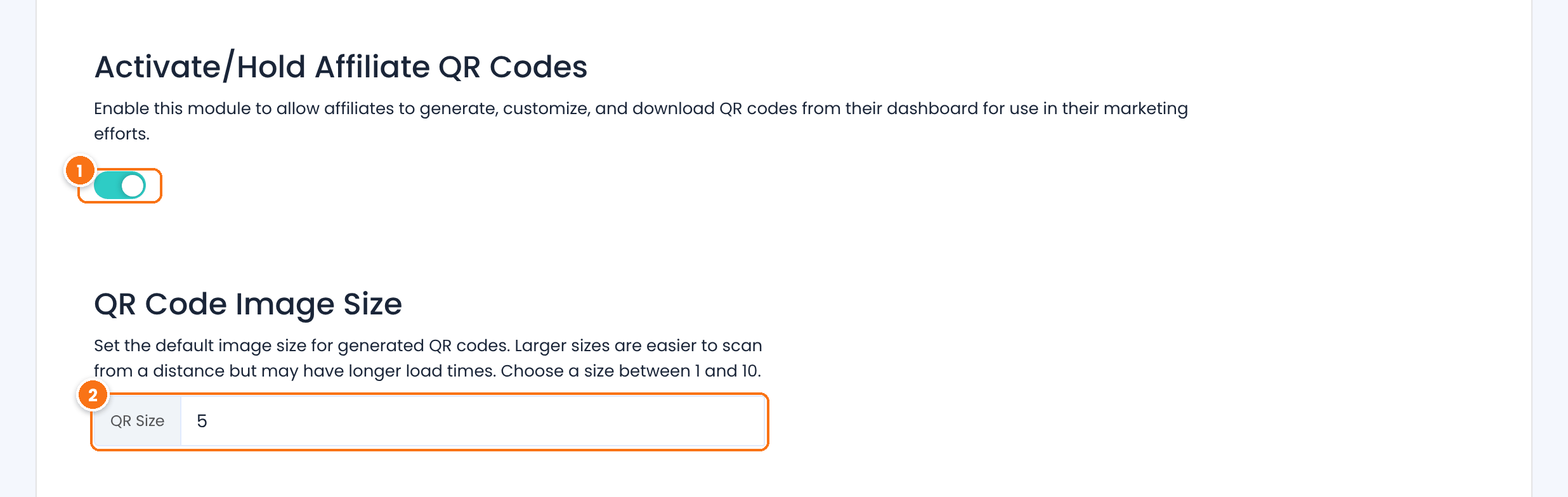
Shows a QR code next to the affiliate links in the Affiliate Portal.
Default: Off
The size of the QR code image, from 1 to 10. Larger codes are easier to scan from a distance, for example on a poster; smaller ones load faster.
Default: 5
Click Save Changes.
Where affiliates find their QR codes #
Affiliates open Marketing›Affiliate Links in the Affiliate Portal.
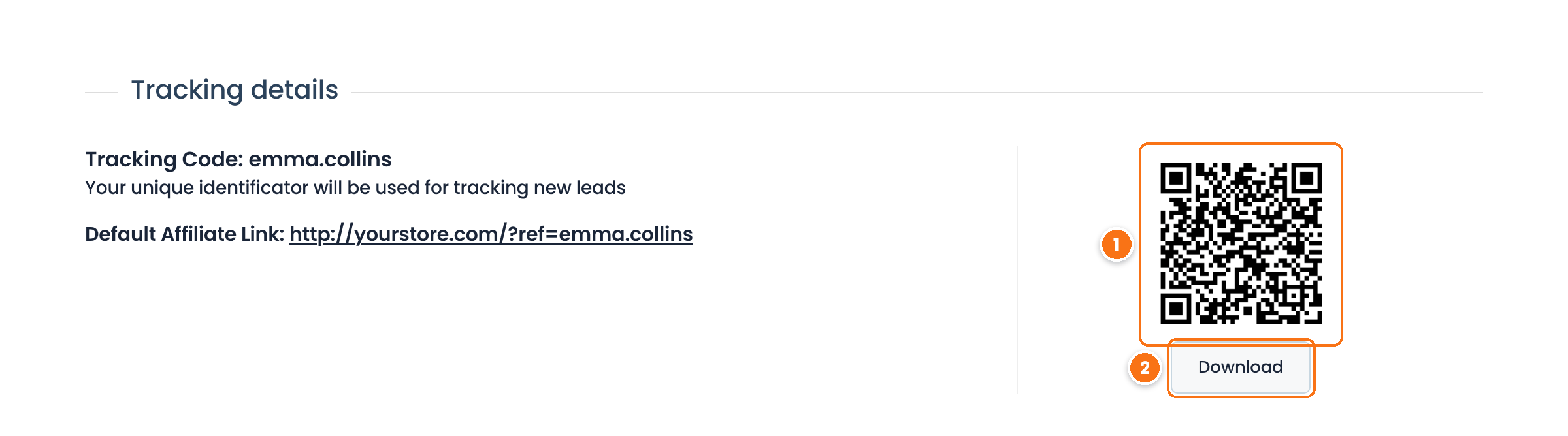
The QR code of the Default Affiliate Link, shown in Tracking details.
Saves the QR code as a PNG image, ready to add to a flyer or a design.
Affiliates also get a QR code for every link they create with the Affiliate Link Generator on the same tab, for example a link to a product page, and for their custom slug link if you use the Custom Affiliate Slug module.
Tip
Suggest affiliates test the printed size before a big print run: scan the code from the distance people will see it. If it is hard to scan, raise QR Size.
Test it #
- Log in to the Affiliate Portal as a test affiliate and open Marketing›Affiliate Links.
- Scan the QR code with your phone camera, using mobile data or a browser where you are not logged in.
- Check that your site opens, then find the visit in Ultimate Affiliate Pro›Clicks, credited to the test affiliate.
Frequently asked questions #
Do QR code visits count as clicks?
Yes. Scanning the code opens the affiliate link, so the visit is recorded as a click and later sales are credited to the affiliate.
Can affiliates make a QR code for a specific product?
Yes. They create the product link with the Affiliate Link Generator in Marketing, Affiliate Links, and a QR code appears for it.
What format is the QR code?
A PNG image. Affiliates download it with the Download button under the code.
Do I need a separate app or service?
No. Ultimate Affiliate Pro creates the QR codes on your site; there is no external service to set up.


