Affiliate plugin hooks and filters let you change how Ultimate Affiliate Pro works from your own code, without editing the plugin. Ultimate Affiliate Pro has hooks and filters for referrals, affiliates, payouts and forms. Actions run your code when something happens, such as a new referral. Filters let you change a value before the plugin uses it, such as whether a referral is saved.
Ultimate Affiliate Pro uses the standard WordPress Plugin API, so you attach code with add_action() and add_filter() as with any other plugin. To connect other apps over HTTP instead, see the REST API.
Before you start
- Basic PHP knowledge.
- A place for custom code: a child theme, a code snippets plugin or a must-use plugin (see below).
- A staging site to test your code before you add it to the live site.
Open the Filters & Hooks reference #
Go to Ultimate Affiliate Pro›Settings›Developers. In the Hooks & Filters card, click Open the reference.
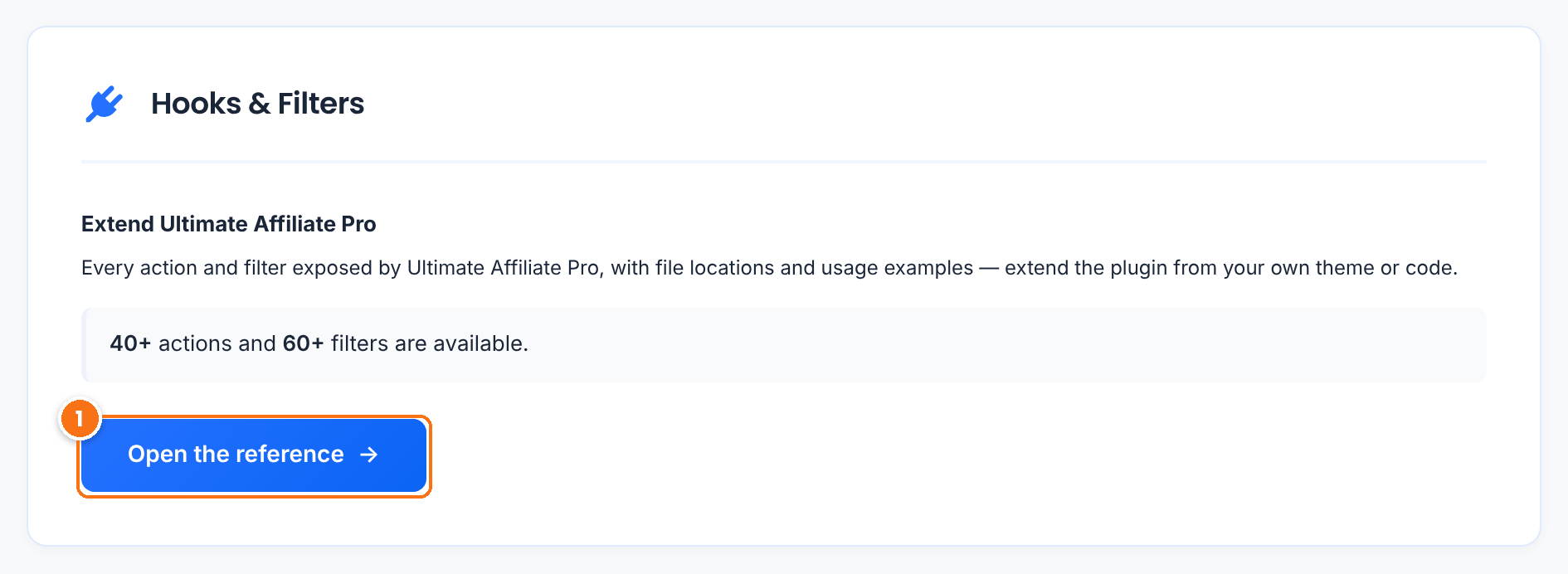
Opens the Filters & Hooks screen. You can also open it directly at wp-admin/admin.php?page=ultimate_affiliates_pro&tab=hooks.
The reference is built from the plugin code each time you open it, so it always matches the version you have installed.
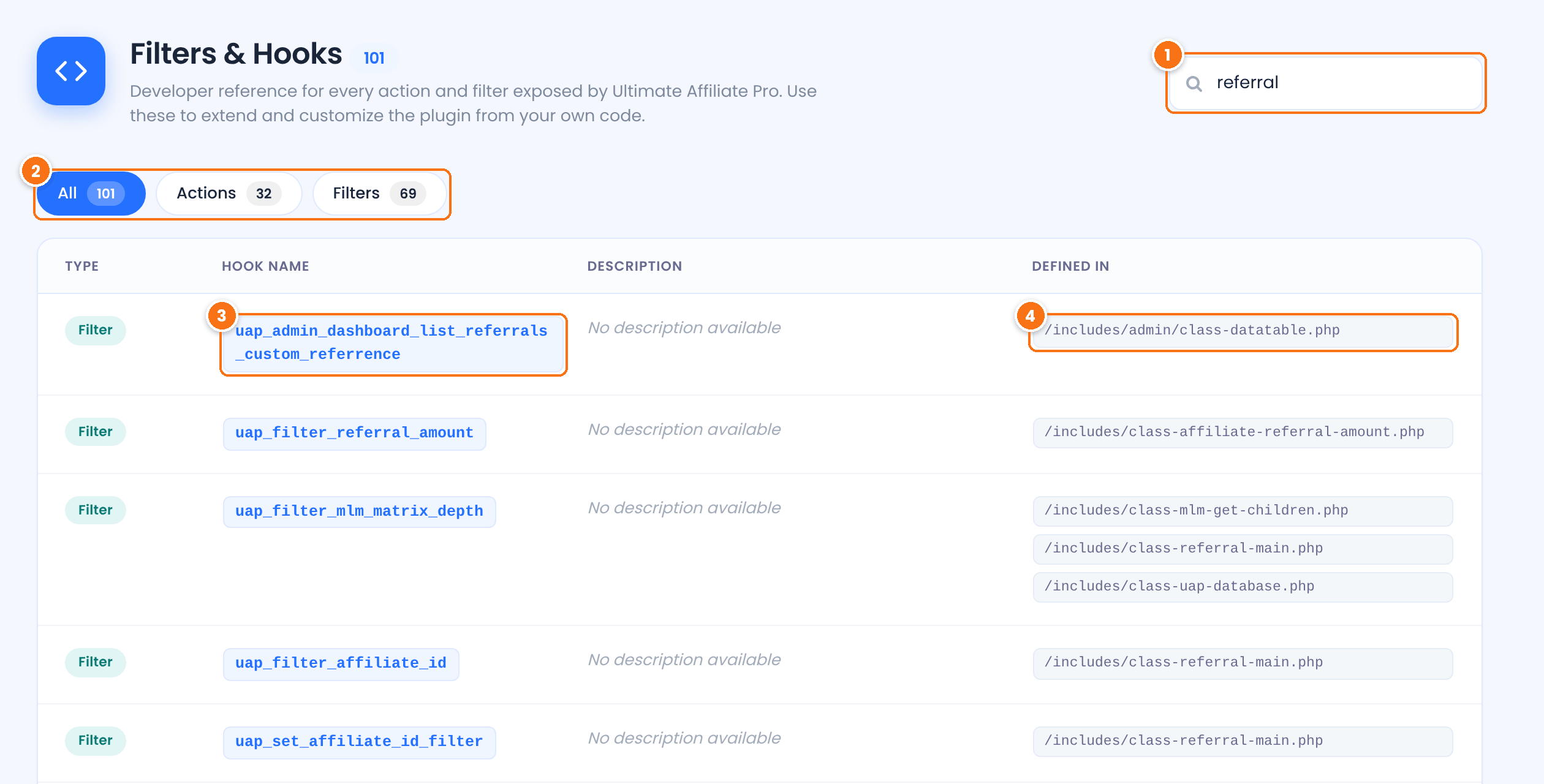
Filters the list by hook name, description or file name. Search for a word such as referral, payment or register.
Shows every hook, only actions or only filters. The numbers are the totals.
The name to use in add_action() or add_filter().
The plugin files that call the hook. Open them to see the parameters the hook passes and when it runs.
Choose where to add your code #
Never edit the plugin files. Updates replace them and your changes are lost. Use one of these instead:
- Child theme: add the code to
functions.phpof a child theme. It stays when the parent theme updates. - Code snippets plugin: add each snippet in a plugin made for custom code, so you can turn snippets on and off from the dashboard.
- Must-use plugin: save the code as a PHP file in
wp-content/mu-plugins/. It loads on every request and keeps working when you change themes.
Test on staging first
A PHP error in custom code can take the site down. Test new snippets on a staging copy, and keep FTP or file manager access to remove a snippet if needed. See PHP errors.
Useful affiliate plugin hooks and filters #
These are the hooks most often used in custom code. Parameters are listed in the order the hook passes them.
| Hook | Type | When it runs and what it passes |
|---|---|---|
uap_public_action_save_referral | Action | After a new referral is saved. Passes the referral as an array; inserted_id is the new referral ID. |
uap_action_referral_insert_from_main | Action | After a referral created by tracking (an order or signup) is saved. Passes the referral ID and the referral data. |
uap_filter_insert_referral | Filter | Before any referral is saved. Passes $stop (false) and the referral data. Return true to skip the referral. |
uap_filter_before_valid_referral | Filter | Before a tracked purchase is checked for a referral. Passes $is_valid (true), the affiliate ID and the customer user ID. Return false to give no referral. |
uap_save_affiliate_action | Action | After a user becomes an affiliate. Passes the WordPress user ID and the affiliate ID. |
uap_on_register_action | Action | After a user account is created through Ultimate Affiliate Pro, for example with the affiliate registration form. Passes the user ID. |
uap_on_update_action | Action | After a profile is saved with the Ultimate Affiliate Pro profile form, in the Affiliate Portal or in wp-admin. Passes the user ID. |
uap_action_insert_payment | Action | After a payout is created. Passes the payout ID and its status. |
uap_action_change_transaction_status | Action | After a payout changes status. Passes the payout ID and the new status: 0 Failed, 1 Pending, 2 Completed. |
uap_action_new_mlm_relation | Action | After an affiliate gets an MLM parent. Passes the parent affiliate ID and the affiliate ID. |
uap_register_form_before_submit_button | Action | Inside the registration form, before the submit button. Echo HTML to add content. |
uap_account_page_custom_tab_content | Filter | When the Affiliate Portal shows a custom tab. Passes the content and the tab slug. Return the HTML to show. |
Examples #
Log every new referral #
PHP
add_action( 'uap_public_action_save_referral', function ( $referral ) {
    error_log( sprintf(
        'New referral #%d for affiliate %d: %s %s',
        $referral['inserted_id'],
        $referral['affiliate_id'],
        $referral['amount'],
        $referral['currency']
    ) );
} );
Replace error_log() with your own code, for example a call to your CRM.
Skip referrals with no commission #
PHP
add_filter( 'uap_filter_insert_referral', function ( $stop, $referral ) {
    if ( (float) $referral['amount'] <= 0 ) {
        return true; // do not save this referral
    }
    return $stop;
}, 10, 2 );
Give no referrals for wholesale customers #
PHP
add_filter( 'uap_filter_before_valid_referral', function ( $is_valid, $affiliate_id, $user_id ) {
    $user = $user_id ? get_userdata( $user_id ) : false;
    if ( $user && in_array( 'wholesale_customer', (array) $user->roles, true ) ) {
        return false;
    }
    return $is_valid;
}, 10, 3 );
Change wholesale_customer to the role used on your site.
Add a note above the Register button #
PHP
add_action( 'uap_register_form_before_submit_button', function () {
    echo '<p>By joining, you agree to our affiliate terms.</p>';
} );
Run code when someone becomes an affiliate #
PHP
add_action( 'uap_save_affiliate_action', function ( $user_id, $affiliate_id ) {
    update_user_meta( $user_id, 'joined_affiliate_program', current_time( 'mysql' ) );
}, 10, 2 );
When a hook passes more than one value, set the last argument of add_action() or add_filter() to that number, as in the examples above.
Test it #
- Add the “Log every new referral” example on a staging site with
WP_DEBUG_LOGturned on. - Create a test referral. See Test your affiliate program.
- Open
wp-content/debug.logand check for the “New referral” line.
For a complete example that uses uap_account_page_custom_tab_content, see Add a custom tab to the Affiliate Portal. For more examples, such as auto-approving referrals or skipping bot clicks, see ready-to-use code snippets.
Frequently asked questions #
Where can I see all Ultimate Affiliate Pro hooks and filters?
Go to Ultimate Affiliate Pro, Settings, Developers and click Open the reference. The Filters & Hooks screen lists every action and filter with the files that use it.
Where should I put my custom code?
In a child theme functions.php file, a code snippets plugin or a must-use plugin. Do not edit the plugin files, because updates replace them.
What is the difference between an action and a filter?
An action runs your code at a certain moment and returns nothing. A filter receives a value, lets you change it and must return it.
How do I find the parameters of a hook?
Open the file shown in the Defined In column and search for the hook name. The values after the hook name in do_action() or apply_filters() are the parameters.
Will my code stay after I update the plugin?
Yes, as long as it is in a child theme, a snippets plugin or a must-use plugin, and not in the plugin folder.


