This overview of the Ultimate Affiliate Pro settings shows what each settings tab controls and where to find the options you need. Use it as a map: every section links to the guide that explains the options in detail.
All program-wide options live in Ultimate Affiliate Pro›Settings. Features you turn on or off, such as recurring commissions or PayPal payouts, live in Ultimate Affiliate Pro›Modules. If you are setting up the plugin for the first time, the quick start covers the settings that matter on day one.
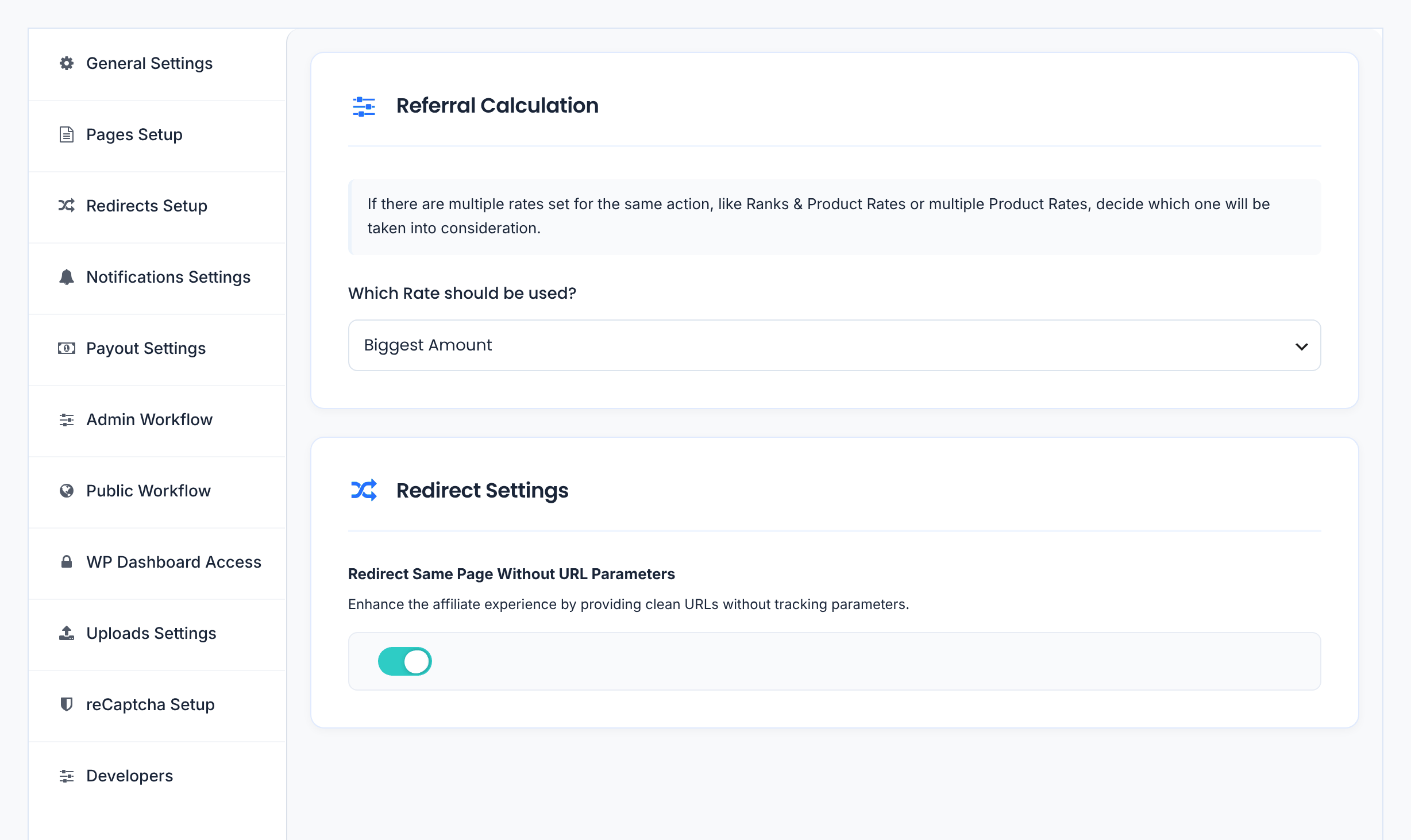
The tabs are on the left side of the Settings screen. Each tab has its own Save Changes button, so save before you switch tabs.
General Settings #
The core rules of your program, in this order on the screen:
Default: Biggest Amount
Default: On
URL Parameter Name, Base Affiliate Link, Affiliate Link Format, Search URL for Both Formats and the Affiliate Link URL Blacklist. See Affiliate referral links.
The Campaign URL Parameter Name used to track affiliate campaigns. See Campaigns.
Default: cmp
Default: 360 days
Currency, Symbol Position, Thousands Separator, Decimals Separator and Number of Decimals, used for every commission and payout. See Currencies.
- Exclude Shipping from Calculations and Exclude Taxes from Calculations: on by default, so commissions are calculated on the product amount.
- Save Zero Value Referrals: records referrals with no amount, for example free orders. On by default.
- Reject Commissions on Refund: rejects unpaid referrals when the order is refunded. On by default.
- New Customer Commissions Only: pays commission only on a customer’s first order. Off by default.
Pages Setup and Redirects Setup #
Which pages are your Registration Page, Login Page, Lost Password Page, Logout Page, Affiliate Portal and TOS Page. The plugin creates all of them except the Logout Page on activation; change them here if you build your own. See Set the default pages.
Where affiliates land after they log out, register, log in or reset their password, and where visitors are sent when they open a page they cannot use, for example the Affiliate Portal while logged out. See Redirects for affiliates.
Notifications Settings and Payout Settings #
The payout methods affiliates can choose (Stripe Payouts, PayPal Payouts, Wire Transfer and Store Credit) and the payout rules: Referral Grace Period Days (how many days an approved referral waits before it can be paid, 30 by default), Minimum Payout Amount and Disable Direct Deposit. See How affiliate payouts work.
Admin Workflow and Public Workflow #
- Update Frequency: how often affiliate ranks (daily by default) and payout statuses (twice a day by default) are updated.
- Keep Referral Status as Pending: referrals stay Pending until you approve them yourself, instead of changing to Approved when the order is completed.
- Disable IP Address Logging: stops saving visitor IP addresses with clicks, for stricter privacy rules.
- Show Dashboard Notifications for new affiliates and referrals, and Enable Usage Tracking, which shares anonymous technical data with us.
Access, uploads, reCAPTCHA and developer tools #
By default, only Administrators can open the WordPress admin dashboard; other logged-in users stay on the front end of your site. Turn on access for other WordPress roles here if they need it.
Accepted File Extensions, Maximum Upload File Size and Maximum Avatar File Size for files affiliates upload, such as profile pictures.
The reCAPTCHA Version and the Site Key and Secret Key that protect your affiliate forms from spam. See Add reCAPTCHA to affiliate forms.
Use Safe Mode on a staging site when you can
While Safe Mode is on, features from other plugins, such as your shop or page builder, are paused for every visitor. Turn it on for as short a time as possible, or test on a copy of your site.
Settings outside the Settings screen #
Other options have their own menu items under Ultimate Affiliate Pro:
Turn features on and off, such as Recurring Commissions, Multi-Level Marketing, PayPal Payouts or Pretty Affiliate Links. Most modules have their own settings page.
Turn on the plugins that create referrals, such as WooCommerce or a form plugin.
Commission rates for groups of affiliates and for specific products. See Ranks and Product rates.
Fields, messages, design and menu of the pages affiliates use. See Affiliate Portal settings.
The emails sent to affiliates and to you, one per event.
Export affiliates, referrals, clicks and payouts to CSV files, import affiliates and referrals from CSV files created by the plugin, and export or import your settings to copy them to another site.
Activate or revoke your license. See Manage your license.
Frequently asked questions #
Where do I change the referral link parameter?
In Ultimate Affiliate Pro, Settings, General Settings, section Affiliate Links: change URL Parameter Name and click Save Changes.
Where do I change the cookie duration?
In General Settings, section Cookie Settings, field Cookie Expiration (Days). The default is 360 days.
Why do commissions not include shipping or taxes?
Exclude Shipping from Calculations and Exclude Taxes from Calculations are on by default. Turn them off in General Settings, section Referral Calculation Exclusions, if you want to pay commission on the full order total.
Can I copy my settings to another site?
Yes. Use Ultimate Affiliate Pro, Export-Import to export the settings from one site and import them on the other.
I changed a setting but nothing happened. What should I check?
Make sure you clicked Save Changes on that tab before switching tabs. If you use a cache plugin, clear its cache so visitors see the new behavior.


