This guide explains how affiliate tracking works in Ultimate Affiliate Pro: what happens when a visitor opens a referral link, how long the affiliate stays credited, and which affiliate gets the commission when a visitor arrives from more than one. Tracking is on as soon as the plugin is active. The settings below let you fine-tune it.
Affiliates share affiliate referral links that carry their tracking code. The rest of the process runs on its own and works across every page of your site, with any of the supported affiliate tracking features.
Before you start
- Ultimate Affiliate Pro installed, with your license active.
- An integration that creates referrals from sales, such as WooCommerce, Easy Digital Downloads or Ultimate Membership Pro, enabled in Ultimate Affiliate Pro›Integrations.
- At least one approved affiliate, so you can test the flow.
How affiliate tracking works, from click to commission #
- 1. Click
- The visitor opens yourstore.com/shop/?ref=emma.collins
- 2. Visit recorded
- Ultimate Affiliate Pro finds Emma’s account and logs the visit in Clicks
- 3. Cookie saved
- The browser stores the
uap_referralcookie for 360 days - 4. Clean URL
- The visitor is redirected to yourstore.com/shop/, without ?ref=
- 5. Purchase
- The visitor browses other pages and orders days later
- 6. Referral
- The order creates a referral for Emma, linked to the visit
A few details make this reliable:
- Every page counts. The cookie belongs to your whole domain, so the visitor can land on a blog post and buy from the shop. Affiliates can link to any page of your site.
- One click per visitor. By default, the visit that sets the cookie is the one recorded. Returning visits from the same browser do not add duplicate clicks.
- Referrals follow the order. The referral is created with the order and its status follows the order status. The amount comes from the affiliate’s rank and your rates. See how commissions are calculated.
What the tracking cookie stores #
Ultimate Affiliate Pro sets one first-party cookie, uap_referral, on your own domain. It holds the affiliate ID, the campaign name (when the link has one), the ID of the recorded visit, a visitor identifier generated on the first visit, the time of the visit and the address of the referring website. It holds no name, email or payment data. To learn more about cookies in general, see the MDN guide to HTTP cookies. For consent banners and privacy settings, read cookie consent and affiliate tracking.
Set how long the cookie lasts #
Go to Ultimate Affiliate Pro›Settings›General Settings and scroll to Cookie Settings.
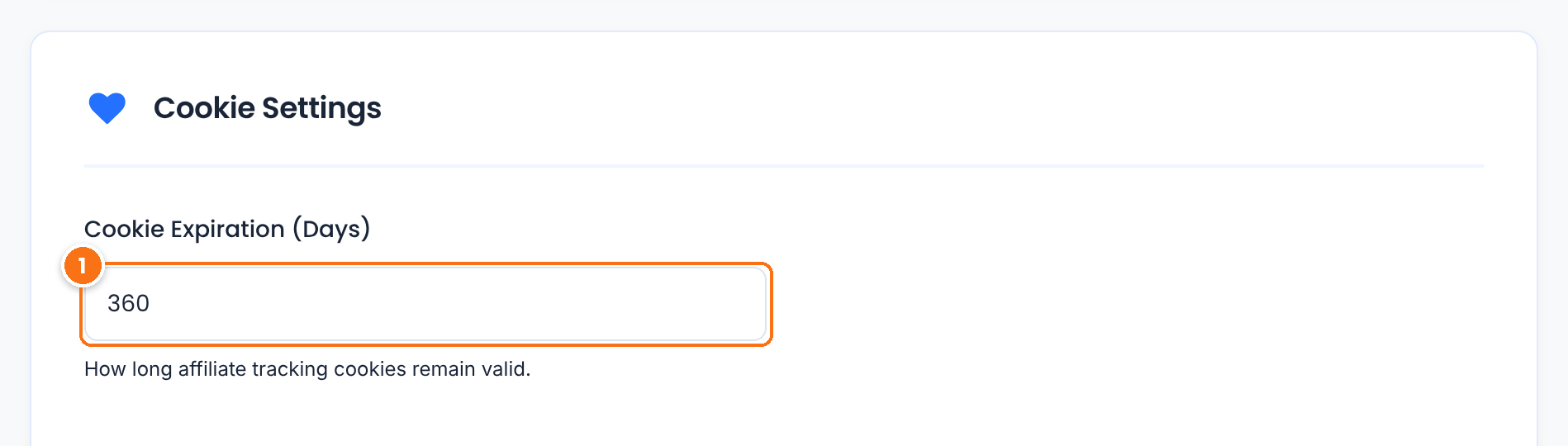
How many days the affiliate stays credited after the click. A visitor who buys within this window earns the affiliate a referral, even without clicking the link again. Typical values are 30, 60 or 90 days. Changes apply to new clicks.
Default: 360
Click Save Changes. On the same screen, the Affiliate Links section sets the URL parameter and the link format, and Redirect Same Page Without URL Parameters removes ?ref= from the address bar after the visit is recorded. See affiliate referral links.
Choose who gets credit: first or last affiliate #
By default, the first affiliate wins. While Emma’s cookie is active, a click on Liam’s link does not replace it, and the sale goes to Emma. If you prefer to reward the most recent affiliate, turn on the Credit Last Affiliate module: go to Ultimate Affiliate Pro›Modules and open Credit Last Affiliate.
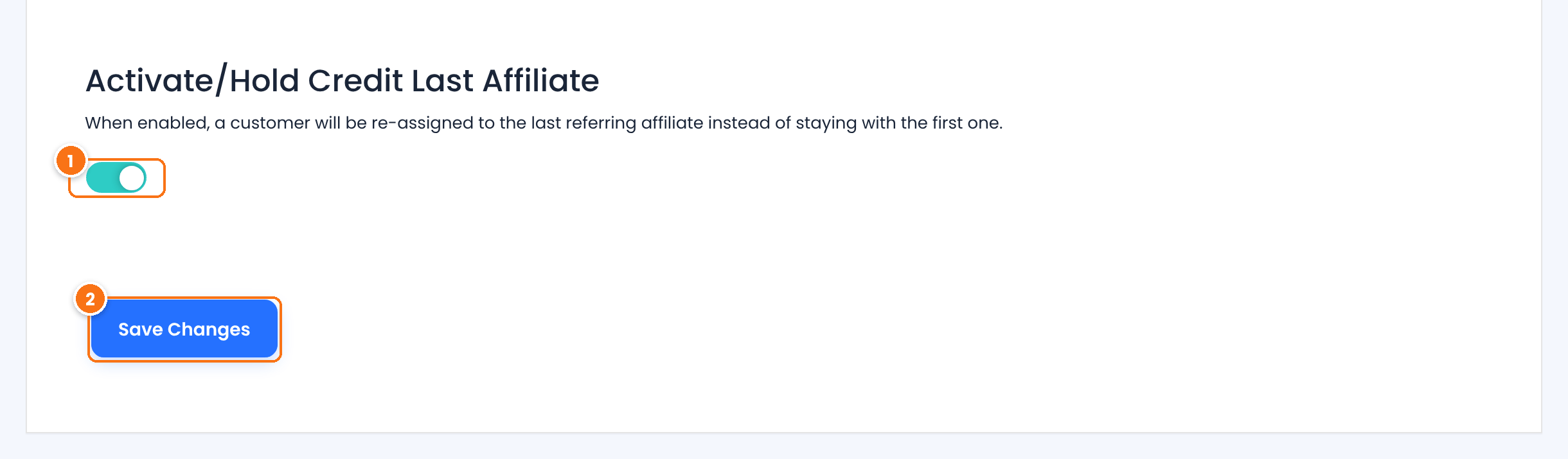
- Turn on Activate/Hold Credit Last Affiliate.
- Click Save Changes.
With the module on, every new click on a referral link replaces the cookie, and a customer already linked to an affiliate is reassigned to the latest one. The example shows who earns the commission in each case.
- Visitor clicks Emma’s link, then Liam’s link, then buys
- Default: Emma. Credit Last Affiliate on: Liam.
- Visitor clicks Emma’s link, then checks out with Liam’s coupon
- Liam: the coupon takes priority over the link.
- Affiliate buys through their own link
- No referral, in both cases.
An affiliate coupon used at checkout takes priority over the referral link cookie. See affiliate coupon tracking. To pay affiliates for their own purchases, use the Allow Self Referrals module.
Other ways a referral is tracked #
The referral link is the main method, and these modules add more. Turn them on in Ultimate Affiliate Pro›Modules.
Path-style links such as yourstore.com/ref/emma.collins. See friendly affiliate links and custom slugs.
Credits an affiliate for visitors coming from their website, through plain links without a tracking code. See direct link tracking.
Credits an affiliate when a customer uses their coupon, with no link and no cookie needed. See affiliate coupon tracking.
Links a customer to the affiliate after the first referral, so the affiliate earns on every later order, even after the cookie expires. See LifeTime Commissions.
Test it #
- Open a private browser window and paste a test affiliate’s referral link, for example
yourstore.com/?ref=emma.collins. - Open your browser’s developer tools, go to the storage or application panel and check that the
uap_referralcookie exists for your domain. - In Ultimate Affiliate Pro›Clicks, check that the visit appears with status Just Visit.
- Place a test order in the same window. In Referrals, check that it is credited to the affiliate. In Clicks, the visit now shows Converted.
Tip
Test while logged out, or with an account that is not the affiliate’s own. If your site uses page caching, exclude URLs that contain your referral parameter (ref by default) from the cache, so the first visit always reaches WordPress. If something does not show up, see referrals or clicks are not recorded.
Frequently asked questions #
Is the affiliate tracked across all pages of the site?
Yes. The affiliate is saved in a cookie for your whole domain. If the customer visits other pages and buys later, the affiliate still earns the commission, as long as the cookie has not expired.
How long is the affiliate credited after a click?
For the number of days set in Cookie Expiration (Days), in the Cookie Settings section of General Settings. The default is 360 days.
Which affiliate gets the commission if a visitor clicks two different links?
The first affiliate, by default. Turn on the Credit Last Affiliate module to credit the most recent one instead. An affiliate coupon used at checkout takes priority over the referral link cookie.
What happens if the customer clears cookies or switches devices?
The new browser has no cookie, so the order is not linked to a referral link. Coupons credit the affiliate on any device, and LifeTime Commissions keeps the customer linked to the affiliate after their first referred order.
Can affiliates earn commissions on their own purchases?
Not by default. A purchase made by the affiliate through their own link or coupon does not create a referral. Turn on the Allow Self Referrals module to change this.


