The Bitly integration gives your affiliates short Bitly affiliate links, such as bit.ly/4yStore7, next to their regular referral links. Short links are easier to share on social media, in emails, in chat apps and in print, and they still credit the right affiliate.
Ultimate Affiliate Pro creates the short link from the affiliate’s default affiliate referral link through your Bitly account. The visitor who opens the short link is redirected to the full link, so clicks and referrals are tracked as usual. Affiliates find their short link in the Affiliate Portal.
Before you start
- The Bitly Integration add-on is installed and active. See Pro Add-ons.
- A Bitly account. A free account is enough to create short links.
Open the Bitly ShortLink module #
Go to Ultimate Affiliate Pro›Modules and click the Bitly ShortLink card in the Links & Tracking group. The card shows Active once the module is turned on.
Get your Bitly access token #
Ultimate Affiliate Pro connects to Bitly with an access token, a private key of your Bitly account.
- Log in to your Bitly account.
- In the left sidebar, click Settings, then API.
- In the access token section, enter your Bitly password and click Generate token.
- Copy the token.
If you sign in to Bitly with Google or another single sign-on account, set a Bitly password first. For details, see the Bitly guide How do I find my OAuth access token?. Keep the token private, like a password.
Connect Bitly affiliate links to Ultimate Affiliate Pro #
On the Bitly ShortLink settings page, scroll below the introduction.
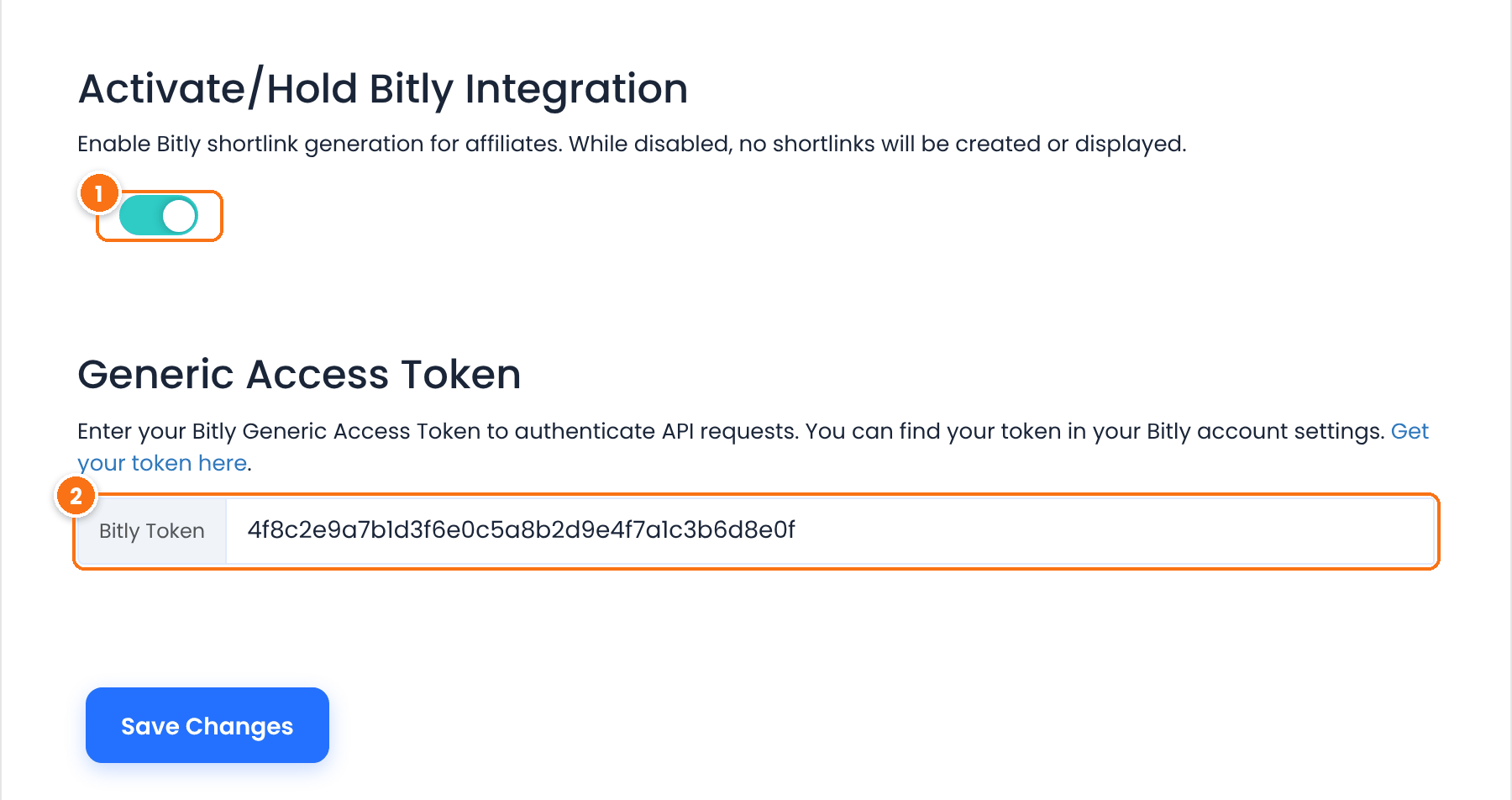
Turns short link generation on or off. While it is off, no short links are created or shown to affiliates.
Default: Off
Paste the Bitly access token in the Bitly Token field. The Get your token here link opens the Bitly guide.
Click Save Changes.
What affiliates see #
Affiliates open Marketing›Affiliate Links in the Affiliate Portal. A ShortLink section appears below their tracking details.
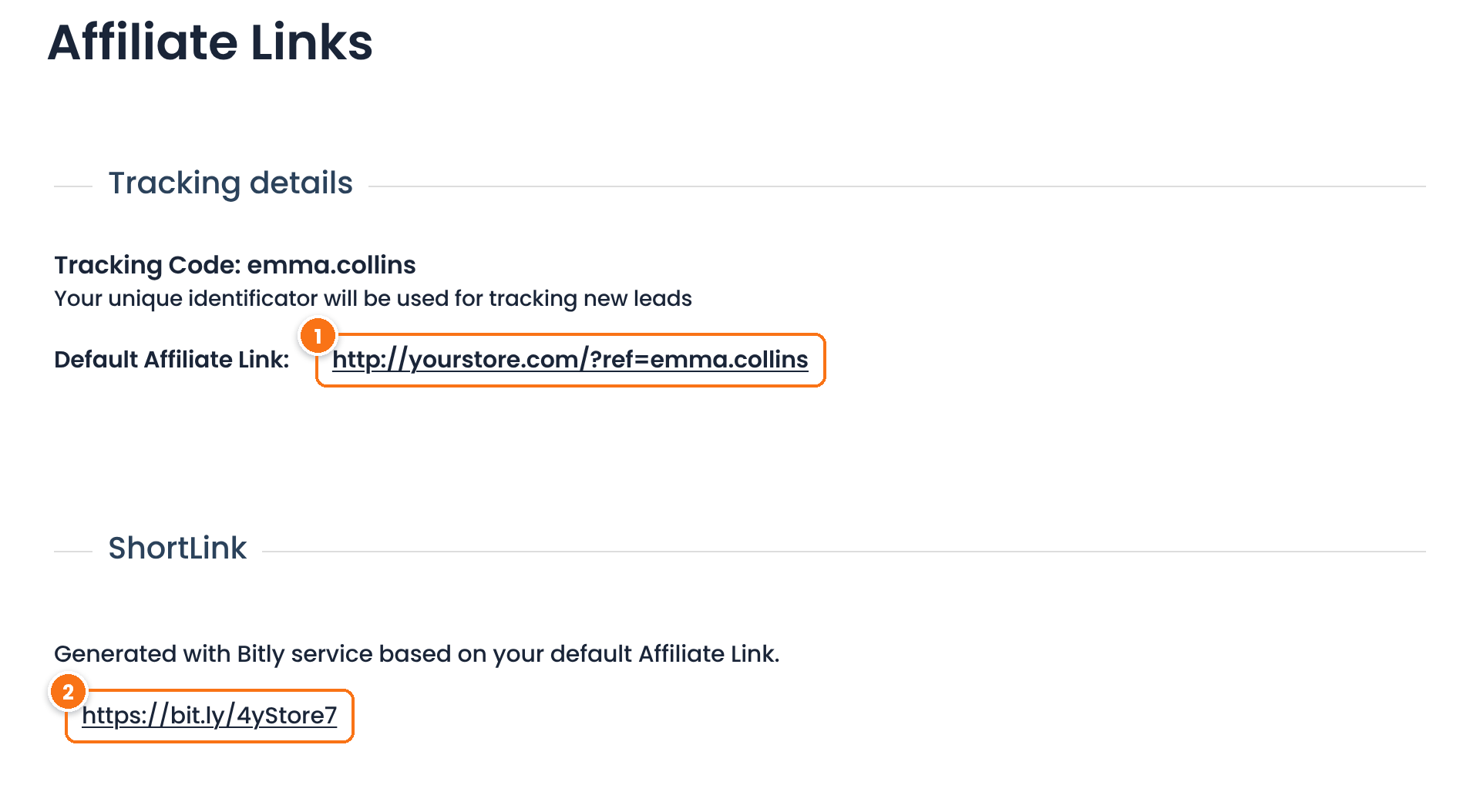
The full referral link of the affiliate, for example yourstore.com/?ref=emma.collins.
The Bitly version of the default affiliate link. It opens the same page and credits the same affiliate.
The short link is created the first time the affiliate opens the page and is saved to their account, so it stays the same every time they come back. It uses your referral link settings: the base link, the referral parameter name and the ID or username format.
Track clicks in two places
Ultimate Affiliate Pro records each visit as a click for the affiliate, as with any affiliate link. Your Bitly dashboard also counts the clicks on every short link, so you can compare the numbers.
Test it #
- Log in as an affiliate, for example
emma.collins, and open Marketing›Affiliate Links in the Affiliate Portal. - Check that the ShortLink section shows a
bit.lylink. - Open the short link in a private browser window. It redirects to your site with the referral parameter, for example
?ref=emma.collins. - In Ultimate Affiliate Pro›Clicks, check that the visit was recorded for the affiliate.
Frequently asked questions #
What is the Bitly integration for?
It gives every affiliate a short bit.ly version of their referral link, which is easier to share on social media, in messages and in print.
Where do affiliates find their Bitly link?
In the Affiliate Portal, under Marketing, Affiliate Links, in the ShortLink section.
Do short links still track referrals?
Yes. The short link redirects to the full affiliate link, so Ultimate Affiliate Pro records the click and credits the affiliate for referrals.
Do I need a paid Bitly plan?
No. A free Bitly account can create short links. The number of links you can create each month depends on your Bitly plan.
Which link is shortened?
The default affiliate link of each affiliate, built from your referral link settings.


