Ultimate Affiliate Pro is an affiliate plugin multisite networks can run on every site: you activate it once for the whole network, and every site gets its own affiliate program, with its own affiliates, commissions, settings and reports. This guide explains what is shared across the network, how tracking works with subdomains and separate domains, and which setup fits your sites.
A WordPress multisite affiliate setup is common when you run several stores, one site per country or brand, or a store and a separate marketing site on subdomains. Check the Requirements and compatibility first: they apply to every site of the network.
Before you start
- A WordPress Multisite network, with subdomains or subdirectories. See WordPress Multisite / Network on developer.wordpress.org.
- A Super Admin account, to manage plugins in My Sites›Network Admin›Plugins.
- Your Ultimate Affiliate Pro license key.
What is shared and what belongs to each site #
On a network, WordPress shares user accounts between all sites, while each site keeps its own content and settings. Ultimate Affiliate Pro follows the same model:
| Shared by the whole network | Separate for each site |
|---|---|
| WordPress user accounts: one login for all sites | Affiliate profiles, ranks and commission rates |
| Referrals, clicks, payouts and reports | |
| Settings, integrations, email notifications and pages | |
Database tables, with the site prefix, for example wp_2_uap_referrals |
In practice, every site runs an independent affiliate program. A sale on one site creates a referral only in the program of that site.
Activate Ultimate Affiliate Pro on the network #
Upload the plugin as described in Install and activate Ultimate Affiliate Pro, but from the network: go to My Sites›Network Admin›Plugins, find Ultimate Affiliate Pro and click Network Activate to use it on every site. To use it on one site only, leave it inactive in Network Admin and click Activate in the Plugins screen of that site.

Shown when the plugin is active on the whole network. Each site now has Ultimate Affiliate Pro in its admin menu.
Activate the license #
Go to Ultimate Affiliate Pro›Licensing, enter your License Key and click Activate the License.
Set up the affiliate program of each site #
Go to My Sites, hover the site and click Dashboard, then open Ultimate Affiliate Pro. Click Continue Setup and complete the setup wizard for that site: currency, affiliate pages, commission rates and integrations. Repeat for every site that runs an affiliate program, including sites you add to the network later.
- Use the same currency on sites whose results you compare.
- Connect each site to the plugin that sells on it, for example WooCommerce on the store site.
- Give each site its own affiliate pages: registration, login and the Affiliate Portal.
Affiliates and user accounts #
Affiliates are WordPress users, and on a network a user account works on every site. Being an affiliate, however, belongs to one site:
- Someone who joins the program of Site A logs in with the same account on Site B, but is not an affiliate there until they join the program of Site B.
- An affiliate of several sites has a separate profile on each one, with its own affiliate ID, rank, referrals and payouts.
- Each site shows its own affiliates in Ultimate Affiliate Pro›Affiliates.
Tracking across subdomains and domains #
Each site has its own affiliate program, so a referral is created in the program of the site where the sale happens. See How affiliate tracking works for how links and cookies credit a sale.
- A link to
shop.yourstore.comcredits sales made onshop.yourstore.com, in that site’s program. - Sites with their own domain, such as
yourstore.comandyourstore.de, keep separate tracking and separate affiliate programs.
Affiliate links point to the site where the sale happens. Affiliates find their links, with the right site address, in the Affiliate Portal of that site.
Subdomain Cookie Sharing #
When the sites of your network are subdomains of the same root domain, for example shop.yourstore.com and blog.yourstore.com, go to Ultimate Affiliate Pro›Settings›General Settings and check Cookie Settings.
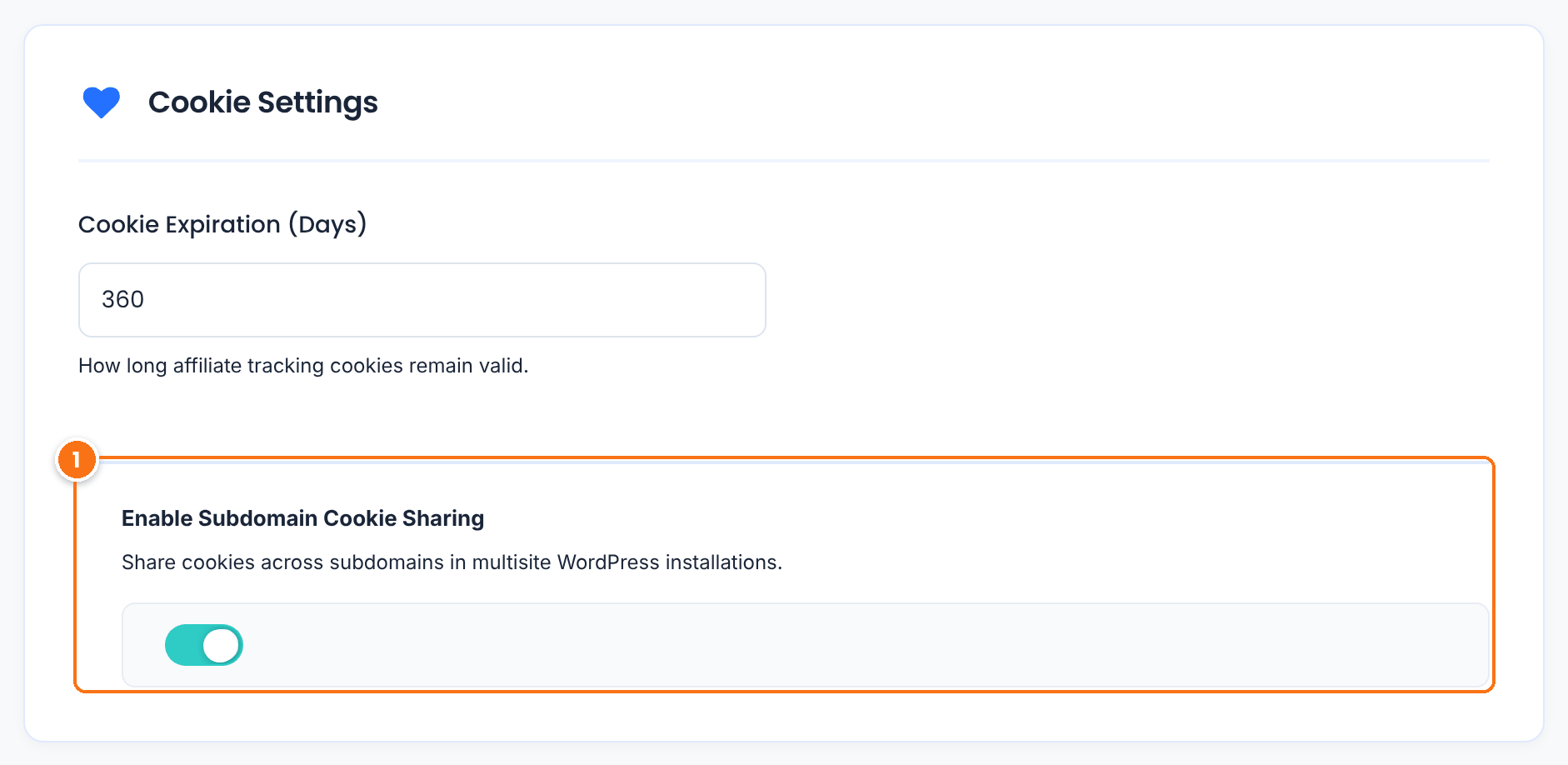
Share cookies across subdomains in multisite WordPress installations. Keep it on when your sites share a root domain on subdomains. If you change it, click Save Changes.
Default: On
WordPress multisite affiliate setups #
These setups cover most networks:
| Setup | How to set it up |
|---|---|
| One affiliate program per site, for example a store per country or brand | Network activate the plugin and set up each site. Affiliates join each program they want to promote, and each site pays its own commissions. |
Store on a subdomain, for example shop.yourstore.com, and a marketing site on yourstore.com | Run the affiliate program on the store site. Affiliates share links to the store, including to product pages. The marketing site can link to the store’s affiliate registration page in its menu. |
Affiliate area on its own subdomain, for example partners.yourstore.com | The affiliate area belongs to the site where the sales are tracked. Create the registration, login and Affiliate Portal pages on the store site, and point the menu links of partners.yourstore.com to them. |
Test it #
- On each site, go to Ultimate Affiliate Pro›Affiliates, open the actions menu of a test affiliate and click Affiliate Link to copy it.
- Open the link in a private browser window and place a test order on that site.
- Check that the referral appears in Ultimate Affiliate Pro›Referrals of that site.
- Open the same menu on another site of the network: the referral is not listed there.
Frequently asked questions #
Does Ultimate Affiliate Pro work with WordPress Multisite?
Yes. Network activate it from Network Admin, Plugins. Every site of the network gets its own affiliate program, with separate affiliates, referrals, payouts and settings.
Do affiliates need a separate account for each site?
No. A WordPress account works on every site of the network. Affiliates join the program of each site separately, and get a separate affiliate profile on each one.
Can one affiliate link track sales on several sites of the network?
No. Each site runs its own affiliate program, so a sale is credited in the program of the site where it happens. Affiliates use the link of each site they promote.
Where do I activate the license on a multisite network?
Go to Ultimate Affiliate Pro, Licensing, enter your License Key and click Activate the License.
Can I see the results of all sites together?
Each site has its own reports in Ultimate Affiliate Pro, Reports. Export the data of each site from Export-Import to combine it in a spreadsheet.


