An affiliate leaderboard shows your top affiliates on a public page of your site, with their avatar, name, earnings and number of referrals. You build it in Ultimate Affiliate Pro›Showcases›Top Affiliates with a visual shortcode generator and a live preview, then paste the shortcode on any page.
A leaderboard rewards your best partners with public recognition and shows new affiliates what is possible in your program. You choose who is listed, how they are ranked, which details are shown and how the list looks: a grid with pages or a slider. Affiliates show the picture they upload in their account; see Affiliate profile picture (avatar).
Before you start
- Ultimate Affiliate Pro installed and active, with a few affiliates.
- Some referrals recorded, so the ranking by earnings or referrals is meaningful.
- A page where the leaderboard will appear, for example Top Affiliates.
Open the Top Affiliates Showcase #
Go to Ultimate Affiliate Pro›Showcases›Top Affiliates. The page has two tabs: Shortcode Generator, where you build the leaderboard and copy its shortcode, and Additional Settings, with responsive columns and custom CSS. The generator options are not saved: they only build the shortcode. Everything you choose is stored in the shortcode itself.
Choose which affiliates are listed #
The Display Entries card sets how many affiliates appear and in which order.
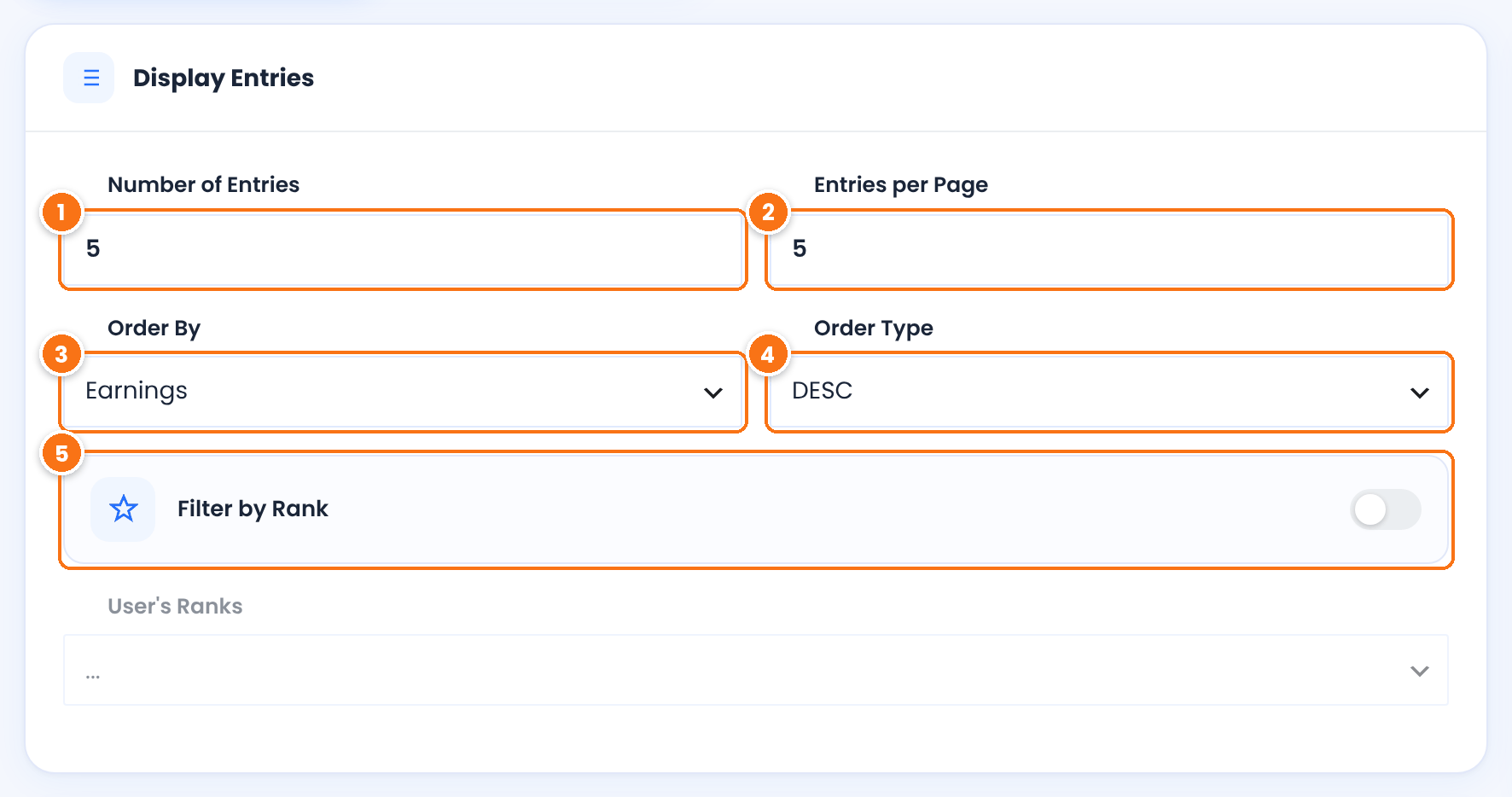
The maximum number of affiliates in the leaderboard. Enter 10 for a top 10.
Default: 24
How many affiliates appear on one page. When the leaderboard has more entries, page links appear above the list.
Default: 6
What the ranking is based on: Earnings (the total commission amount of the affiliate’s referrals), Referrals (number of referrals), Visits (clicks on the affiliate’s links), Register Date, UserName or E-mail Address.
Default: Earnings
Default: DESC
Lists only affiliates with certain ranks, for example a leaderboard for your Gold partners. When it is on, pick the ranks in User’s Ranks: choose a rank from the list to add it, and click the × on a rank to remove it. See Ranks: commission tiers for affiliates.
Default: Off
Set the theme and layout #
The Template & Layout card controls how each affiliate card looks.
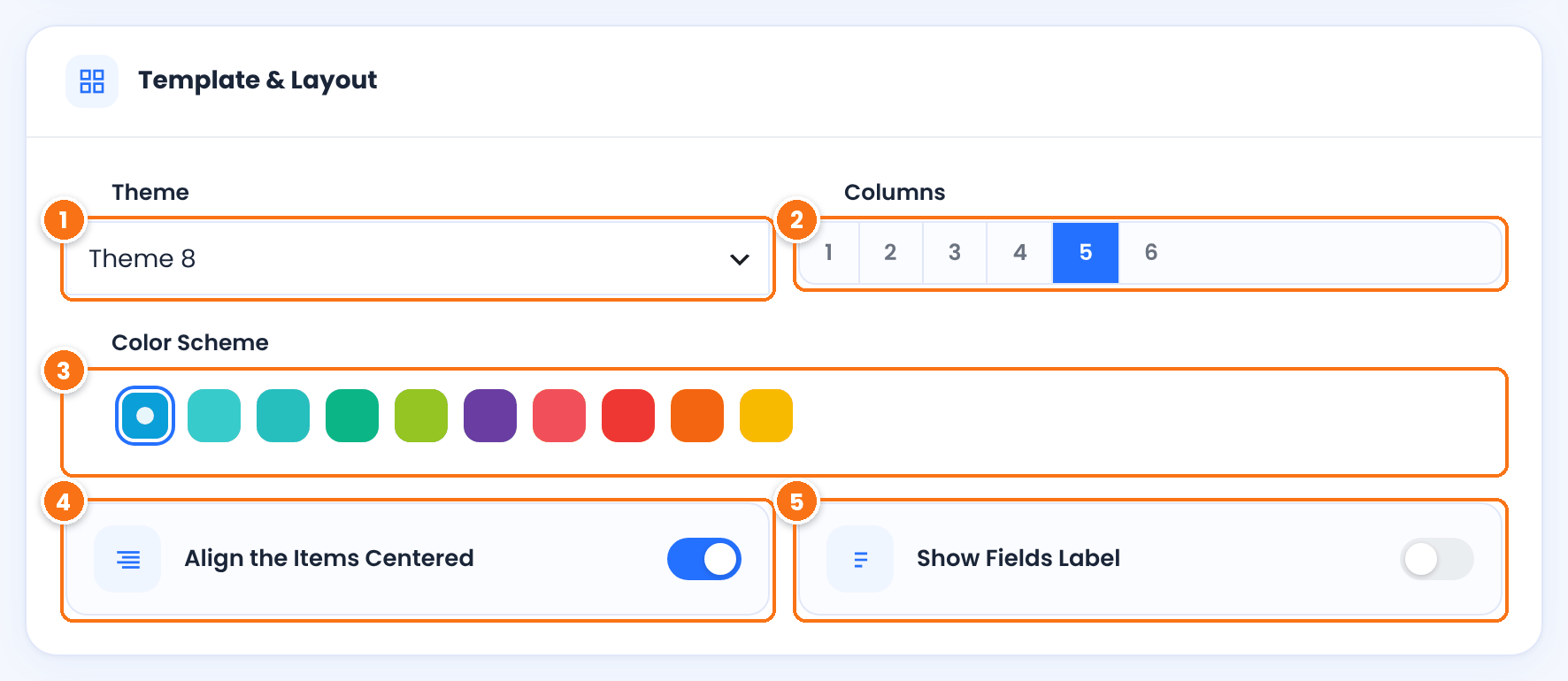
Ten card designs, Theme 1 to Theme 10, with square or round avatars and different name styles. Switch between them and watch the Live Preview on the right.
Default: Theme 1
How many affiliate cards appear in one row, from 1 to 6.
Default: 3
The accent color of the theme and of the slider controls. Click a color to select it.
Default: Blue
Centers the cards in each row.
Default: On
Shows the field name in front of extra profile fields, such as Website or Country.
Default: Off
Show the leaderboard as a slider #
Instead of a grid with pages, the leaderboard can rotate through the affiliates as a slider. Turn on Show as Slider in the Slider ShowCase card to see its options.
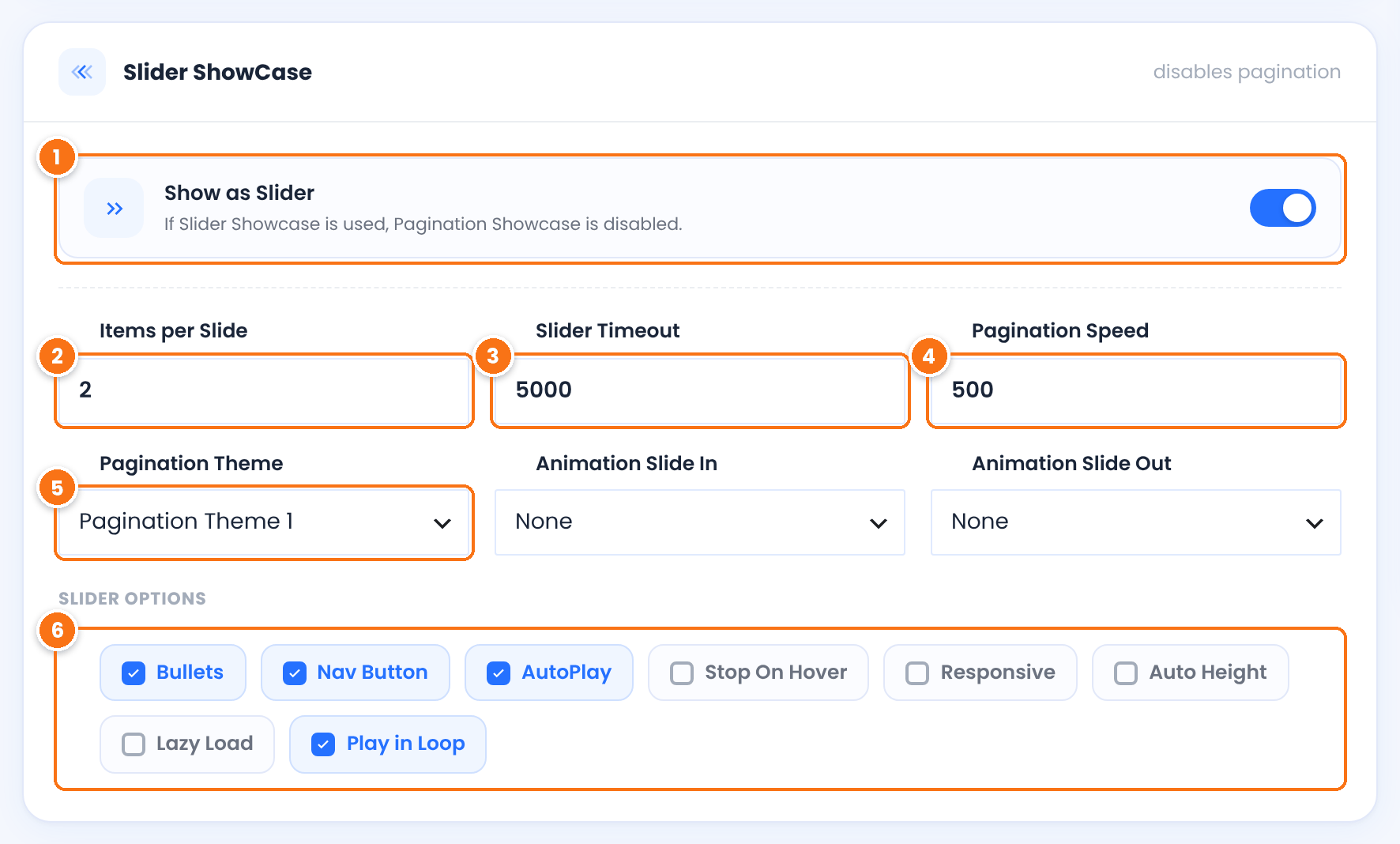
Shows the leaderboard as a slider. The slider includes all entries up to Number of Entries, so page links are not used.
Default: Off
How many affiliates appear on one slide. Set Columns to the same number so each slide is filled.
Default: 2
How long each slide stays visible with AutoPlay, in milliseconds. 5000 is 5 seconds.
Default: 5000
How fast the slider moves to the next slide, in milliseconds.
Default: 500
The style of the previous and next buttons: Pagination Theme 1, 2 or 3. Next to it, Animation Slide In and Animation Slide Out add an effect, such as fadeIn or zoomIn, when slides change.
Default: Pagination Theme 1, animations None
Default: Bullets, Nav Button, AutoPlay and Play in Loop
Pick the fields and copy the shortcode #
In Displayed User Fields, select what each card shows. The Generated Code card below updates with every change.
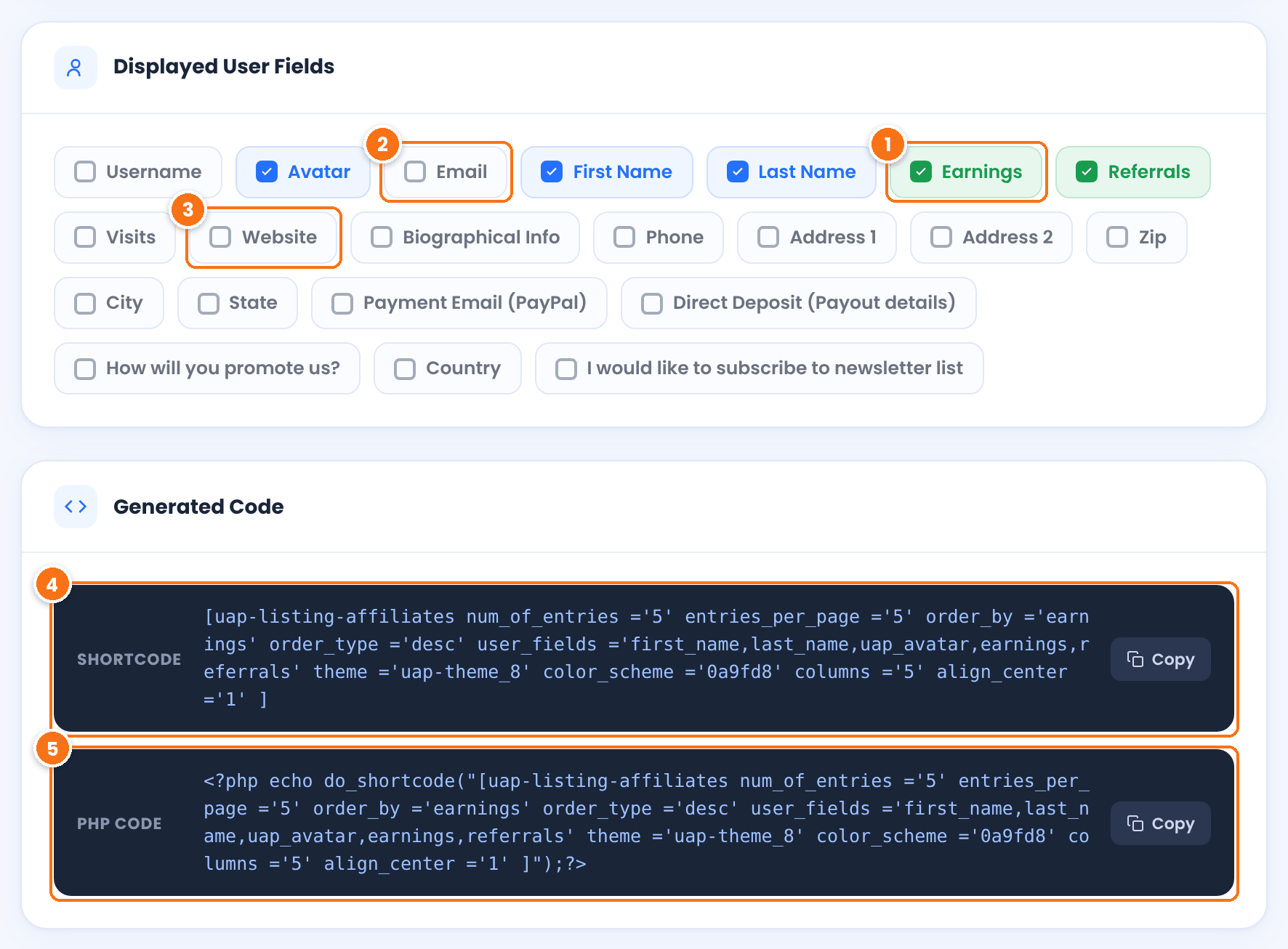
The affiliate’s total, shown as a badge, for example 482.50 USD Earnings. Referrals and Visits add the same kind of badge, for example 14 Referrals. Select the ones that match your Order By choice so visitors see why an affiliate is ranked first.
Selected by default together with Username. Clear both for a public page: the leaderboard is visible to every visitor.
Every field of your affiliate registration form is listed too, such as Website or Country. Select only fields that are meant to be public.
The shortcode to paste on a page. Click Copy, or Copy ShortCode in the bar at the bottom of the screen.
The same leaderboard for a theme template file, wrapped in do_shortcode().
The Live Preview next to the cards shows the leaderboard with your real affiliates, so you can check the result before you copy the code.
Set responsive columns and custom CSS #
Open the Additional Settings tab. Unlike the generator options, these settings are saved when you click Save Settings.
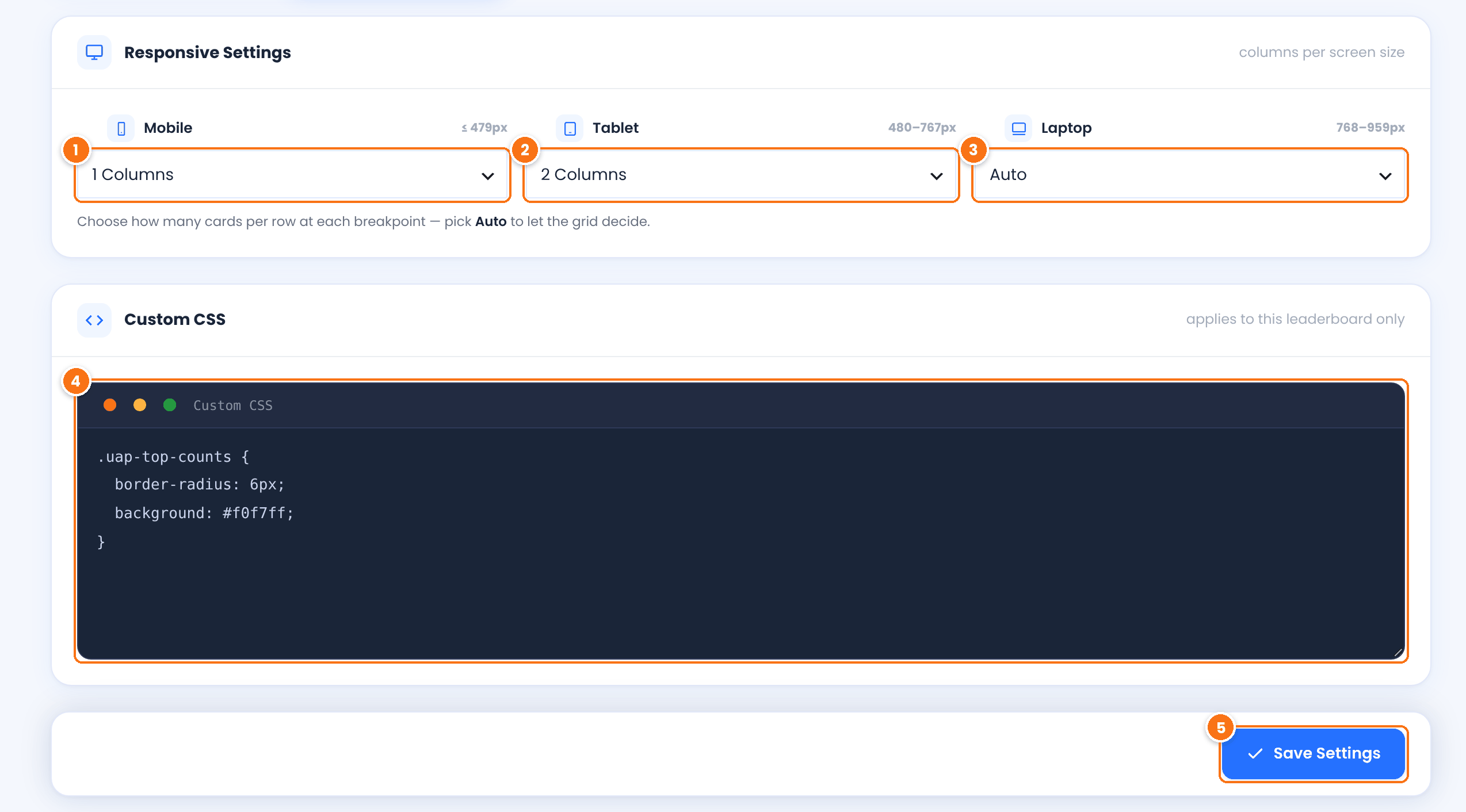
Cards per row on phones.
Default: 1 Columns
Cards per row on tablets.
Default: 2 Columns
Cards per row on small laptops. Auto keeps the Columns value of the shortcode. Wider screens always use that value.
Default: Auto
CSS rules for the leaderboard, for example to restyle the earnings and referrals badges (class uap-top-counts).
Saves the responsive columns and the custom CSS.
Add the affiliate leaderboard to a page #
Open the page in the block editor, add a Shortcode block and paste the shortcode you copied. Then click Publish or Update. With Elementor, Divi or another builder, use its shortcode element; see Page builders (Elementor, Divi, blocks).
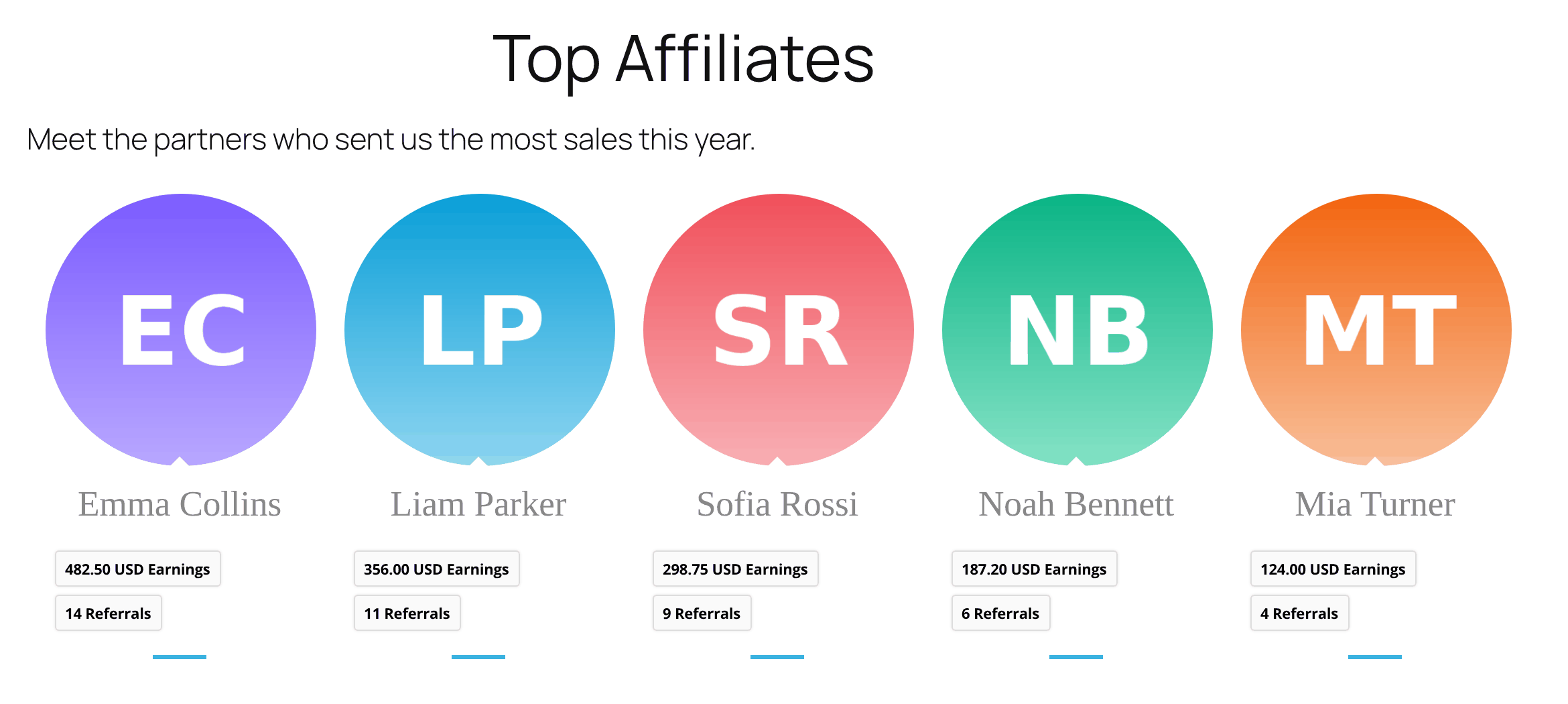
Example: top 5 affiliates by earnings
[uap-listing-affiliates num_of_entries ='5' entries_per_page ='5' order_by ='earnings' order_type ='desc' user_fields ='first_name,last_name,uap_avatar,earnings,referrals' theme ='uap-theme_8' color_scheme ='0a9fd8' columns ='5' align_center ='1' ]The WordPress guide to the Shortcode block explains how to add the block. This is the result on the page:
Shortcode attributes #
The generator writes these attributes. You can also edit them in the shortcode by hand, for example to change the number of entries later. Options you leave off in the generator are not written in the shortcode.
| Attribute | Values |
|---|---|
num_of_entries | Maximum number of affiliates, for example 10. |
entries_per_page | Affiliates per page, for example 5. |
order_by | earnings, referrals, visits, user_registered, user_login, user_email |
order_type | desc or asc |
filter_by_rank, ranks_in | filter_by_rank='1' with the rank IDs, separated by commas, for example ranks_in='3,2'. |
user_fields | Fields to show, separated by commas: user_login, uap_avatar, user_email, first_name, last_name, earnings, referrals, visits, or the name of a registration field. |
include_fields_label | 1 shows the labels of profile fields. |
theme | uap-theme_1 to uap-theme_10 |
columns | 1 to 6 |
color_scheme | Hex color without #, for example 0a9fd8. |
align_center | 1 centers the cards. |
slider_set | 1 shows a slider, with items_per_slide, speed, pagination_speed, pagination_theme (pag-theme1 to pag-theme3), animation_in, animation_out and the options bullets, nav_button, autoplay, stop_hover, responsive, autoheight, lazy_load, loop set to 1. |
Edit the shortcode with the generator
Build the shortcode in the generator and copy it, even when you only change one value. The generator always writes the theme attribute, which the leaderboard needs to display the cards, and avoids typing mistakes in the attribute values.
What the top affiliates leaderboard shows publicly #
Anyone who opens the page sees the leaderboard, logged in or not. Before you publish it:
- Clear Email and Username, which are selected by default. A username is also the login name of the account.
- Never show payout fields, such as Payment Email (PayPal) or Direct Deposit (Payout details), or contact fields such as phone and address.
- Tell affiliates in your program terms that top performers may appear on a public leaderboard, with their name, avatar and results. See Delete affiliates’ personal data (GDPR) for the privacy side of your program.
- Use Filter by Rank to list only the ranks whose affiliates agreed to be shown.
Top Affiliates on the admin dashboard #
You also see your top five affiliates in Ultimate Affiliate Pro›Dashboard, in the Top Affiliates panel. Only you and other admins see it.
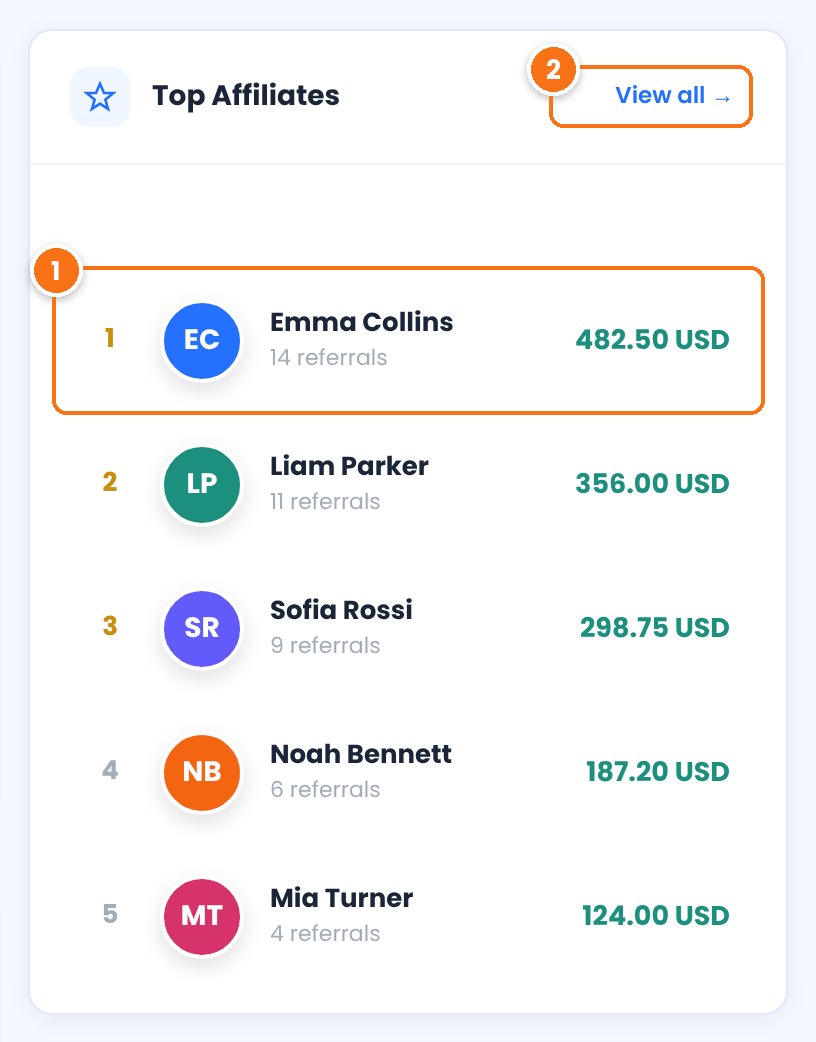
Position, name, number of referrals and the total amount of the affiliate’s referrals.
Opens the Top Affiliates Showcase, where you build the public leaderboard.
Test it #
- Open the page with the leaderboard in a private browser window, so you see it as a visitor.
- Check that the order matches your choice, for example the highest earnings first.
- Check that no email address, username or payout detail is visible.
- If the leaderboard has more entries than Entries per Page, click the page links above it.
- Resize the window or open the page on a phone, and check the columns per row.
Frequently asked questions #
How do I show a leaderboard of my top affiliates?
Go to Ultimate Affiliate Pro, Showcases, Top Affiliates. Choose the number of entries, the order, the theme and the fields, copy the generated uap-listing-affiliates shortcode and paste it in a Shortcode block on a page.
Can I rank affiliates by referrals instead of earnings?
Yes. Set Order By to Referrals. You can also rank them by visits, register date, username or email address.
Can I show only some affiliates?
Yes. Turn on Filter by Rank and pick the ranks to include. Use Number of Entries to limit the list, for example to a top 10.
Is the leaderboard visible to visitors who are not logged in?
Yes. Everyone who opens the page sees it. Select only public fields, and clear Email and Username, which are selected by default.
Do the generator settings change an existing leaderboard?
No. The generator only builds a new shortcode. To change a leaderboard, build it again, copy the new shortcode and replace the old one on the page.


