To manage affiliate referrals in Ultimate Affiliate Pro, open the Referrals screen. Every commission an affiliate earns is a referral there: you can approve or reject it, edit its amount, move it to another affiliate, add one by hand and cap how much a single referral can pay.
Referrals are created automatically from orders, signups and the other commission types you use. This page explains the statuses, the everyday actions and the Maximum Amount Rate module. How the amount is calculated is covered in How commissions are calculated.
Before you start
- Ultimate Affiliate Pro installed, with your license active.
- At least one referral, or a test affiliate to create one. See Affiliate referral links.
Referral statuses #
Each referral has two statuses: one for approval and one for payment.
- Means
- Waiting: the order is not complete yet, or you review referrals by hand
- Payable
- No
- Means
- The commission is confirmed, for example the order is Completed
- Payable
- Yes, while Unpaid
- Means
- Cancelled, failed or refunded order, or rejected by you
- Payable
- No
- Means
- The payment status, updated when you pay the affiliate
- Where
- Payout column
WooCommerce orders move referrals between Pending, Approved and Rejected automatically. To approve every referral yourself, turn on Keep Referral Status as Pending in Settings›Admin Workflow. Approved and Unpaid referrals are the ones you pay in Payouts. See Payout process.
Review referrals #
Go to Ultimate Affiliate Pro›Referrals.
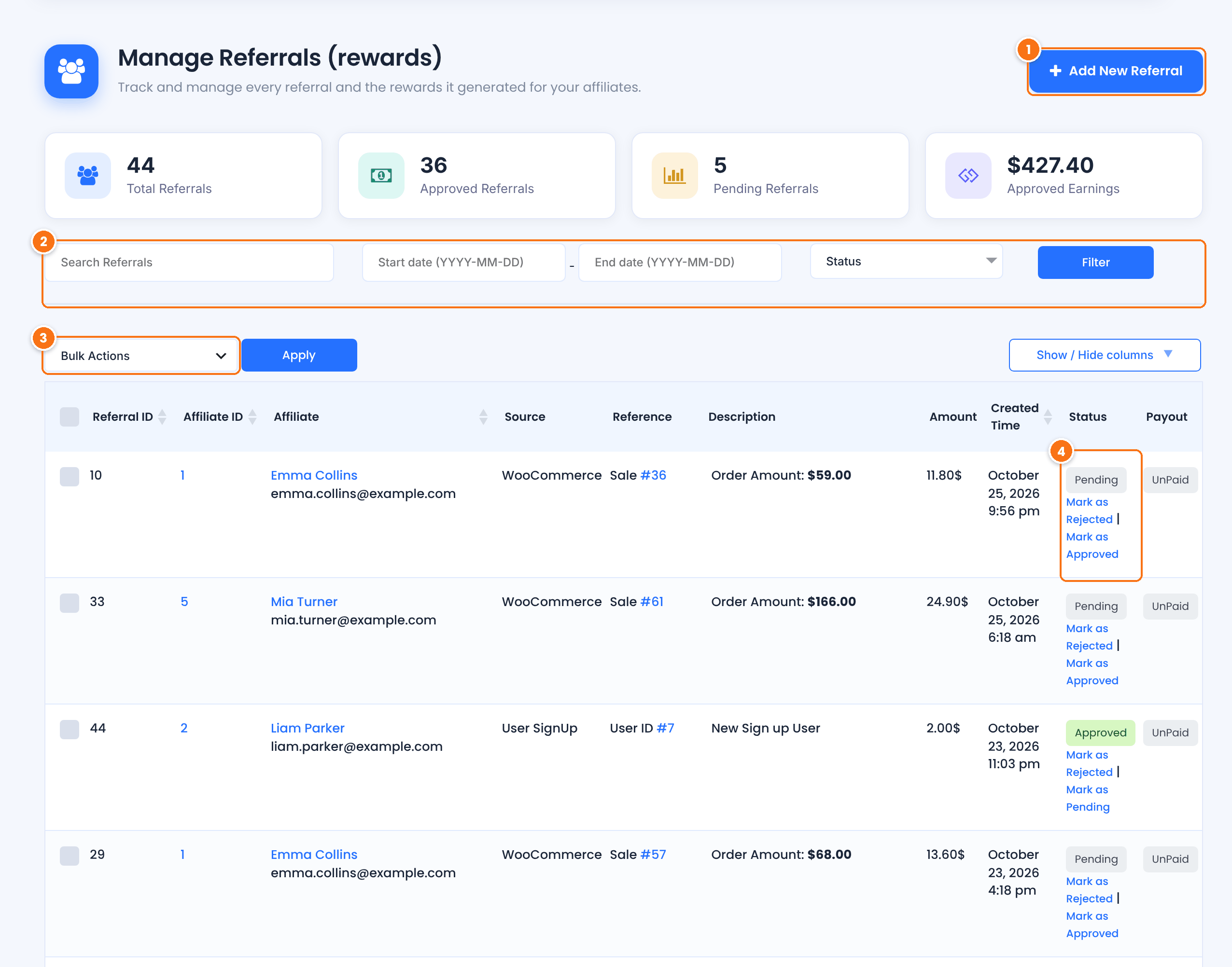
Creates a referral by hand. See step 3.
Type in Search Referrals to search the list, pick a Start date and End date in the format YYYY-MM-DD, choose one or more statuses or sources, then click Filter.
Select referrals with the checkboxes and choose Remove to delete them.
Shows the approval status. Click Mark as Approved, Mark as Rejected or Mark as Pending to change it in one click.
The cards at the top show the total number of referrals, how many are approved and pending, and the approved earnings. Use Show / Hide columns to choose the columns you see. The Reference column links to the order or the user that created the referral.
Edit or reassign a referral #
Hover a referral and click Edit. The editor groups the fields in cards.
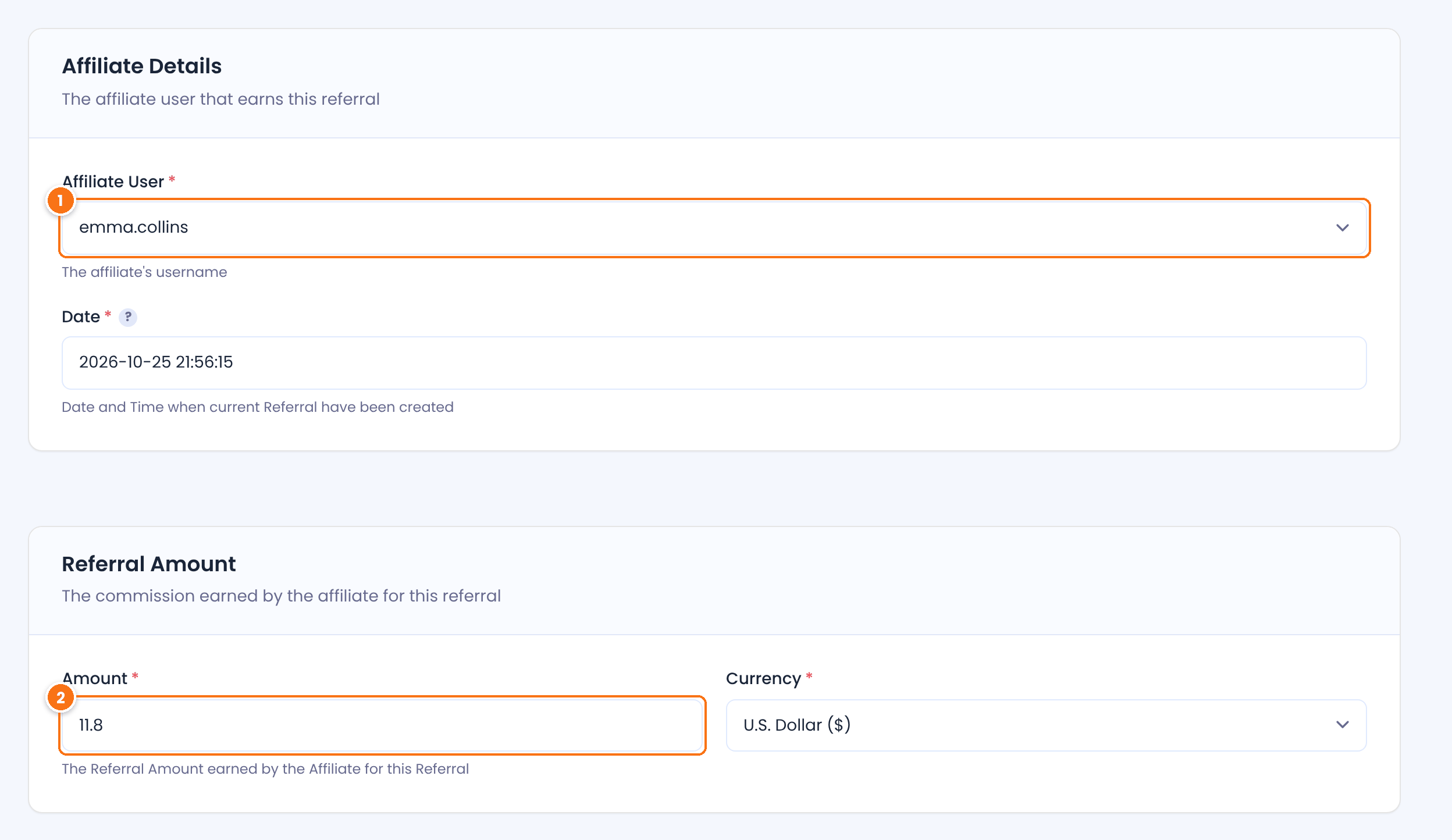
The affiliate who earns the referral. Pick another affiliate to reassign the commission, for example when a customer tells you who referred them.
The commission. Change it to correct a referral, for example after a partial refund.
Further down, the Referral Identificator card holds the Source, the Reference (usually the order ID) and Reference Details. Additional Details holds the Click ID, the Customer User ID, the affiliate’s campaign and a Description.
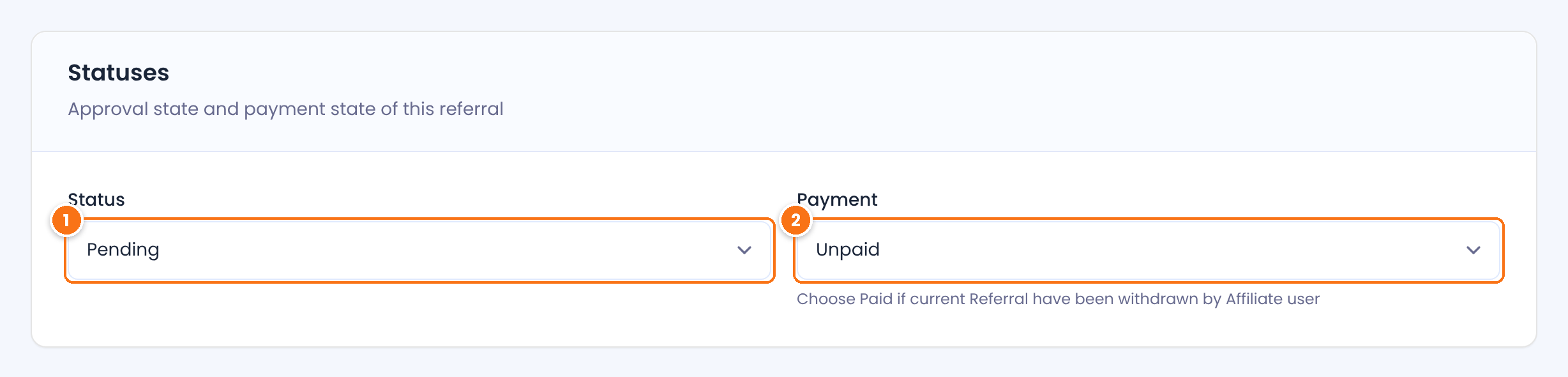
Pending, Approved or Rejected.
Default: Pending
Unpaid, Pending or Paid. Set Paid only for commissions you already paid outside Ultimate Affiliate Pro.
Default: Unpaid
Click Save Changes.
Tip
To move a customer’s future orders to another affiliate, and not only one referral, change the customer’s link in LifeTime Commissions. See Commissions on every future order of a referred customer.
Add a referral by hand #
Click Add New Referral at the top of the Referrals screen. Pick the Affiliate User, enter the Date and the Amount, and add a Source and Reference so you can find it later, for example phone order and the order number. Choose the status and click Save Changes.
Manual referrals are useful for offline sales, bonuses and corrections. To import many at once from a spreadsheet, see Import referrals via CSV.
Cap the commission per referral #
To limit how much one referral can pay, go to Ultimate Affiliate Pro›Modules and open Maximum Amount Rate.
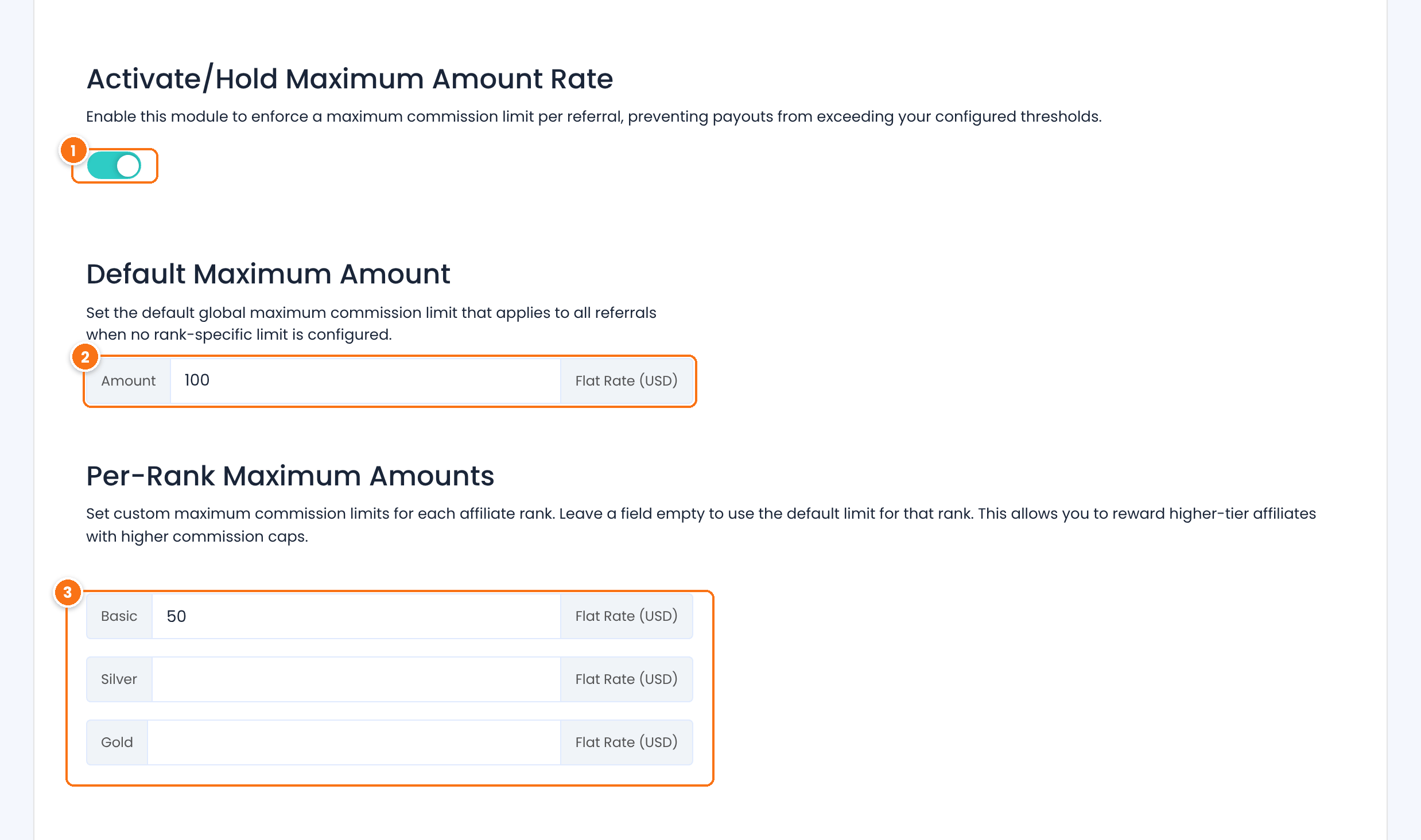
Caps every new referral at the limit below.
Default: Off
The default maximum for a single referral, in your currency. A referral above it is saved with this amount.
A different cap for each rank. Leave a rank empty to use the default maximum. Use higher caps for higher ranks.
Click Save Changes. The cap applies to referrals created after you save it, and to referrals you add or edit by hand.
Test it #
- Create a test referral with Add New Referral for a test affiliate, with an amount above your cap.
- Check that it is saved with the capped amount.
- Change its status with Mark as Approved, then edit it and pick another affiliate.
- Remove the test referral when you are done.
If referral dates look shifted by a few hours, check the site time zone. See Referral dates and time zone.
Frequently asked questions #
Why is a referral still Pending?
For WooCommerce, the referral is approved when the order is Completed. Orders that stay Processing or On hold keep the referral Pending. If Keep Referral Status as Pending is on, approve referrals by hand.
How do I give a sale to another affiliate?
Edit the referral and pick the new affiliate in Affiliate User, then save. To credit that affiliate for the customer’s future orders too, change the customer’s link in LifeTime Commissions.
What happens when an order is refunded?
With Reject Commissions on Refund turned on in General Settings, the referral becomes Rejected. For a partial refund, edit the referral and lower the amount.
Can affiliates see their referrals?
Yes. Affiliates see their referrals, amounts and statuses in the Affiliate Portal, in the Reports and Referrals sections.
Does Maximum Amount Rate change existing referrals?
No. The cap applies when a referral is saved, so existing referrals keep their amount until you edit and save them.


