Privacy laws such as the GDPR and the ePrivacy rules in the EU ask you to tell visitors about the cookies you use and, in many cases, to get their consent first. This guide covers affiliate cookie consent and GDPR for Ultimate Affiliate Pro: which cookie it sets, which data it stores, the privacy settings, and how to connect tracking to your cookie banner.
Read it together with how affiliate tracking works. Requirements differ between countries and between businesses, so check your own setup with a legal advisor. This guide explains the tools; it is not legal advice.
Before you start
- Ultimate Affiliate Pro installed, with your license active.
- A cookie consent plugin, if your visitors are in a region that requires one.
- A privacy policy page, set in Settings›Privacy in WordPress.
Cookies set by Ultimate Affiliate Pro #
All cookies are first-party: they belong to your own domain and are never shared with other websites. Visitors who do not arrive through an affiliate get no tracking cookie at all.
Purpose: remembers which affiliate referred the visitor, so the affiliate is credited for a later purchase. Stores the affiliate ID, the campaign, the ID of the recorded visit, a visitor identifier generated on the first visit, the time of the visit and the referring website. Set: when a visitor arrives through an affiliate. Duration: Cookie Expiration (Days) in General Settings, 360 days by default.
Purpose: prevents the same visitor from triggering a landing commission twice. Set: when a visitor triggers a landing commission. Duration: the Cookie Expiration Duration of that landing commission, in hours.
Two short-lived technical cookies may also appear: uapMedia, set for one hour on the affiliate registration page to secure file uploads, and a preference cookie that remembers when a logged-in affiliate closes the affiliate bar. Neither is used for tracking.
Data stored for each click #
When a visitor arrives through an affiliate, Ultimate Affiliate Pro saves a click in its database: the affiliate, the landing page, the referring website, the browser, the device type (web or mobile), the date, the campaign and the visitor’s IP address. When the visitor buys, the referral stores the order reference and, for logged-in customers, their user ID. You see this data in Clicks and Referrals.
Set the privacy options #
Go to Ultimate Affiliate Pro›Settings›Admin Workflow and scroll to Privacy & Data.
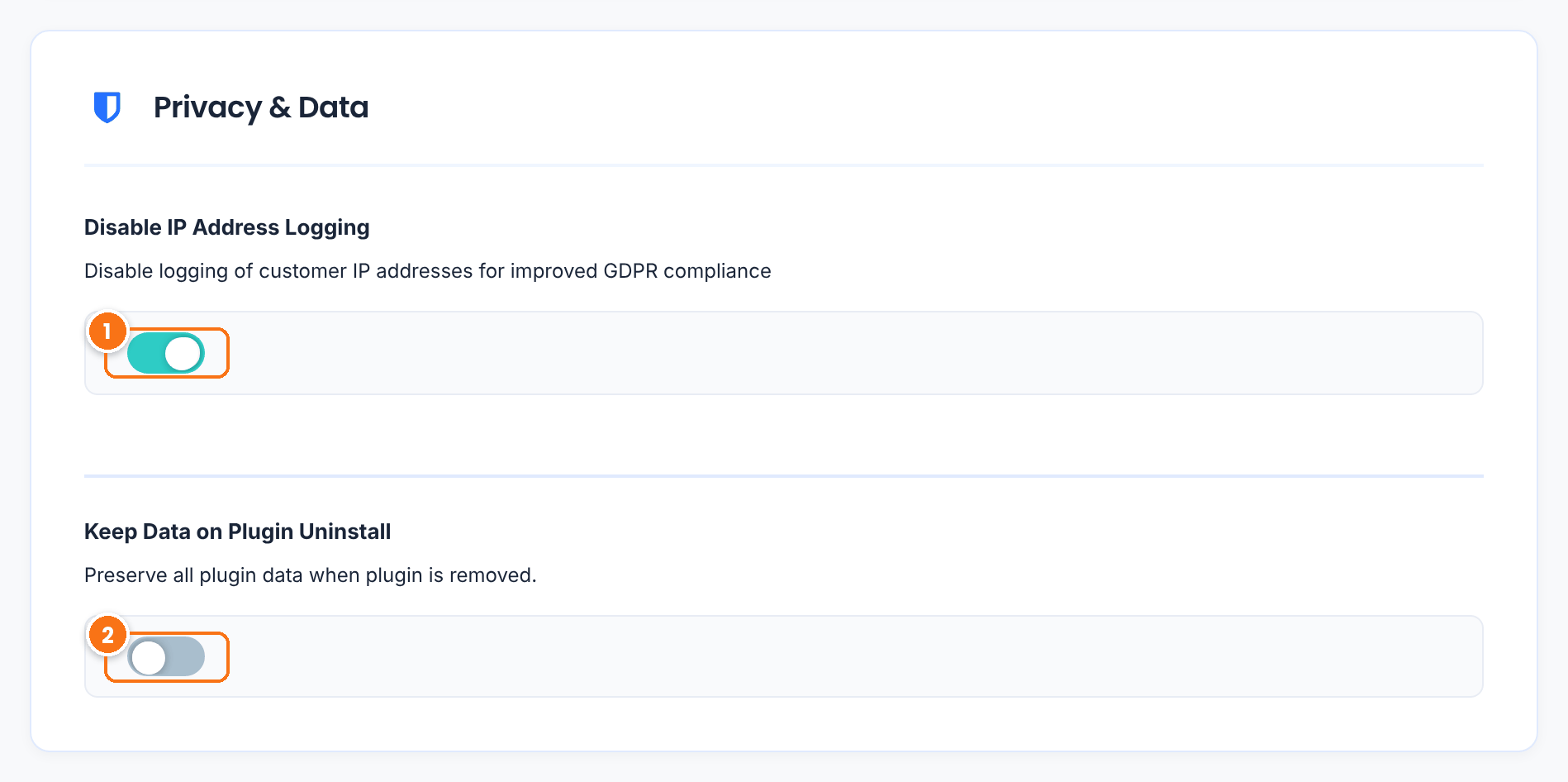
When on, new clicks are saved without the visitor’s IP address; Clicks shows a dash instead. Tracking and commissions work exactly the same. Leave it off if you need IP addresses, for example to review suspicious traffic.
Default: Off (IP addresses are stored)
When off, deleting Ultimate Affiliate Pro from the Plugins page also deletes its data, including clicks and referrals. Turn it on only if you plan to reinstall the plugin and keep your history.
Default: Off
Click Save Changes. To delete old clicks you no longer need, select them in Ultimate Affiliate Pro›Clicks and use Remove in Bulk Actions.
Declare the cookie in your consent banner #
Most cookie consent plugins have a cookie list, or a scanner that builds one. Add uap_referral with the details below, so visitors see it in your banner and cookie policy.
- Name
- uap_referral
- Provider
- Your own domain (first-party)
- Category
- Marketing, the category most sites use for affiliate tracking
- Purpose
- Records which affiliate partner referred the visitor, so the partner can be credited for a purchase
- Duration
- Your Cookie Expiration (Days), for example 30 days
Also mention the affiliate program in your privacy policy. WordPress helps you write the policy in Settings›Privacy; see the Privacy settings guide. A short paragraph is usually enough: when visitors arrive from a partner, a first-party cookie records the partner, and the visit (pages, browser, date and, unless disabled, IP address) is stored to pay partner commissions.
Track only after consent (developers) #
If your policy is to set marketing cookies only after the visitor agrees, connect tracking to your consent plugin through the WP Consent API. Many consent plugins support it, including Complianz, CookieYes and Cookiebot. The snippet below skips affiliate tracking for visitors who have not accepted marketing cookies. Add it to a small custom plugin or to your child theme’s functions.php.
Load affiliate tracking only with marketing consent
add_action( 'init', function () {
    // No consent plugin with the WP Consent API, or consent given: track as usual.
    if ( ! function_exists( 'wp_has_consent' ) || wp_has_consent( 'marketing' ) ) {
        return;
    }
    // Remove the Ultimate Affiliate Pro tracking callback for this request.
    global $wp_filter;
    if ( empty( $wp_filter['init']->callbacks[20] ) ) {
        return;
    }
    foreach ( $wp_filter['init']->callbacks[20] as $callback ) {
        $fn = $callback['function'];
        if ( is_array( $fn ) && is_object( $fn[0] ) && 'do_tracking' === $fn[1] ) {
            remove_action( 'init', $fn, 20 );
        }
    }
}, 15 );- With consent given, the snippet does nothing and tracking runs as usual.
- Without consent, no
uap_referralcookie is set and no click is recorded for that page view. - Once the visitor accepts and opens a page that still carries the referral link parameter, tracking starts for that visit.
Test the snippet on a staging site first: open a referral link with marketing cookies declined and check that no click appears in Clicks, then accept and check again.
Tip
Affiliate coupons credit the affiliate at checkout without any tracking cookie. Give affiliates coupon codes too, so they are credited even when visitors decline marketing cookies.
Answer data requests from affiliates #
Ultimate Affiliate Pro is connected to the WordPress personal data tools. In Tools›Export Personal Data, an export for an affiliate’s email address includes their Ultimate Affiliate Pro data: account details, campaigns, payments, rank history, coupons, reports and direct links. Tools›Erase Personal Data removes that data. See the WordPress guide to exporting personal data.
Frequently asked questions #
Does Ultimate Affiliate Pro use third-party cookies?
No. The tracking cookie, uap_referral, is a first-party cookie on your own domain. No data is sent to other websites.
Which consent category should the affiliate cookie use?
Most sites list it under Marketing, because it records which partner sent the visitor. Check the category with your legal advisor, as rules differ between countries.
Can I stop storing visitors’ IP addresses?
Yes. Turn on Disable IP Address Logging in Ultimate Affiliate Pro, Settings, Admin Workflow, section Privacy and Data. Tracking and commissions keep working without IP addresses.
How can affiliates be credited when visitors decline cookies?
Give affiliates coupon codes with the Static Coupons module. Coupons credit the affiliate at checkout without a cookie.
How long is the tracking cookie kept?
For the number of days in Cookie Expiration (Days), in the Cookie Settings section of General Settings. The default is 360 days; many programs use 30 to 90 days.


