The Events Calendar affiliate tracking rewards affiliates when a visitor they referred saves one of your events to their own calendar. Each interaction earns the affiliate a small commission, calculated from a reference value you set.
It suits event organizers, venues and communities that want affiliates to promote events and measure real interest, even before tickets are sold. The visitor is linked to the affiliate through an affiliate referral link.
Before you start
- The Events Calendar is installed and active, with published events.
- The The Events Calendar Tracking add-on is installed and active. See Pro Add-ons.
- Your affiliates have a rank with a commission rate. See Ranks.
What counts as an interaction #
The Events Calendar shows subscribe and add to calendar links on your events, for example Google Calendar, iCalendar or Outlook. When a referred visitor clicks one of these links, Ultimate Affiliate Pro creates a referral for the affiliate.
- Reference Commission value
- $5
- Affiliate rank
- Standard, 20%
- Referral
- $1, description “Summer Jazz Night Interaction”
The same visitor is counted once per event and affiliate, so clicking several calendar links of the same event does not create more referrals.
Turn on The Events Calendar affiliate integration #
Go to Ultimate Affiliate Pro›Integrations and find The Events Calendar card in the Events & Booking group.

Turns tracking for The Events Calendar on or off. The card shows Enabled while it is on.
Default: Off
Opens The Events Calendar Tracking settings.
Set the value and the referral status #
Click Configure on the card and scroll below the introduction.
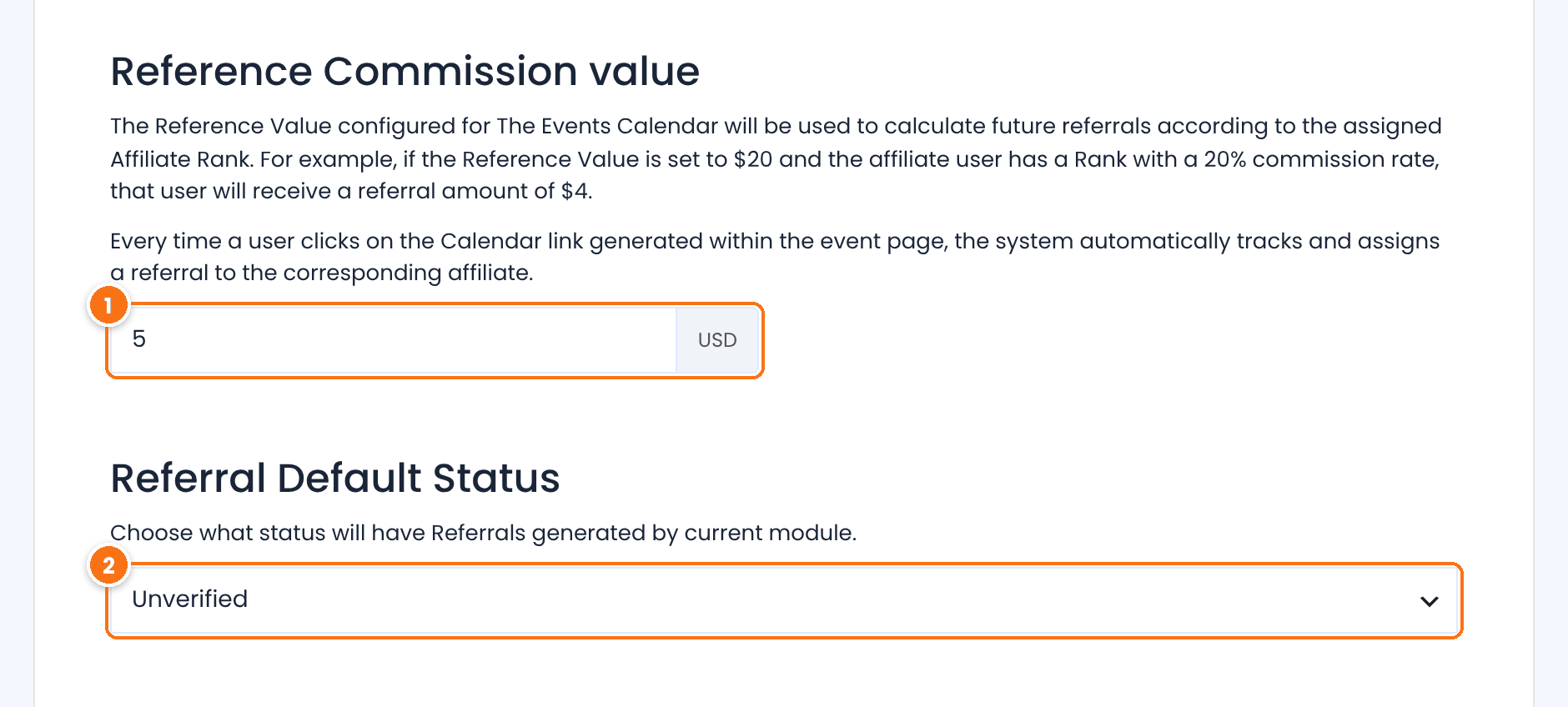
The base amount for each interaction, in your affiliate currency. The affiliate’s rank rate is applied to it. Set a value greater than 0, otherwise interactions do not earn a commission.
Default: 0
The status of new referrals.
- Unverified: the referral is saved as Pending and you approve it yourself.
- Verified: the referral is approved right away.
Default: Unverified
Click Save Changes at the bottom of the page.
Review the referrals #
Go to Ultimate Affiliate Pro›Referrals. Interactions appear with The Events Calendar as the source.
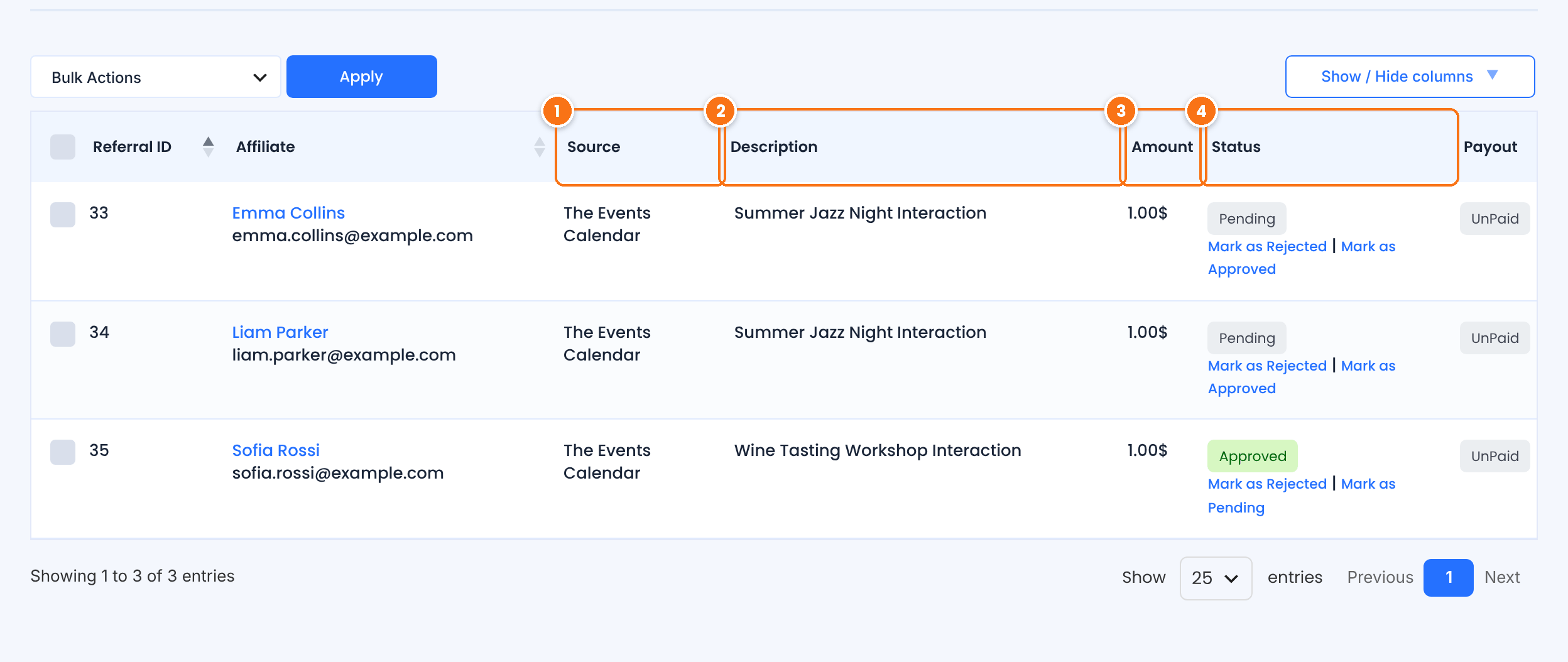
The event title followed by “Interaction”, so you can see which events affiliates promote best.
The reference value multiplied by the affiliate’s rank rate.
Test it #
- Open a private browser window and visit your site through an affiliate link, for example
yourstore.com/?ref=emma.collins. - In the same window, open an event and click one of its add to calendar links.
- In Ultimate Affiliate Pro›Referrals, check that a referral with the event name in the description was created for the affiliate.
For a full test routine, see Test your affiliate program. The Events Calendar is available on WordPress.org.
Frequently asked questions #
Which visitor action creates a referral?
A click on one of the subscribe or add to calendar links of an event, by a visitor who arrived through an affiliate link.
Can one visitor create several referrals for the same event?
No. A visitor counts once per event and affiliate. Interactions with different events create separate referrals.
Why are no referrals created?
Check that The Events Calendar card is enabled in Integrations and that the Reference Commission value is greater than 0. The visitor must open the affiliate link in the same browser first. See Referrals or clicks are not recorded.
Can referrals be approved automatically?
Yes. Set Referral Default Status to Verified.


