Affiliate rank by network growth promotes affiliates when they recruit enough new affiliates. The Rank Achievement – Network Growth add-on adds the MLM – Child Affiliates achievement type to your ranks, so an affiliate who brings in, for example, three sub-affiliates moves up to a higher rank automatically.
Ranks usually reward sales: a number of approved referrals or an amount earned. See Ranks: commission tiers for affiliates. In a multi-level program, recruiting partners matters too. This add-on lets you reward it with a better rate, a rank bonus or a new title, such as Team Leader.
Before you start
- The Rank Achievement – Network Growth add-on installed and active. See Pro Add-ons: what they are and how to install them.
- The Multi-Level Marketing module on, so affiliates have sub-affiliates. See Set up an MLM affiliate program.
- Your ranks created, with the new rank placed above the ranks it should follow.
- Basic
- 10%, default rank
- Silver
- 15%, after 10 approved referrals
- Gold
- 20%, after $1,000 earned
- Team Leader
- 25%, after recruiting 3 sub-affiliates
Turn on the add-on #
Go to Ultimate Affiliate Pro›Modules and open the Rank Achievement – Network Growth card.
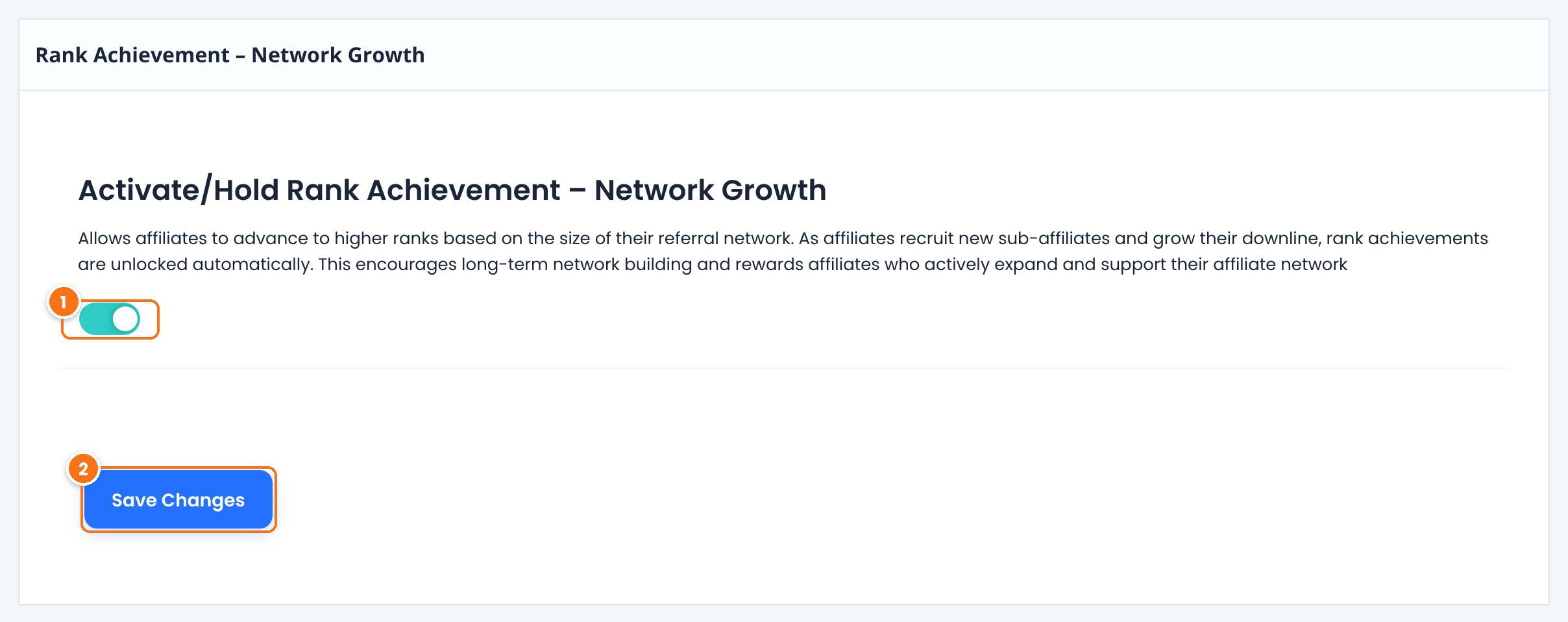
Adds the MLM – Child Affiliates achievement type to the rank editor and counts sub-affiliates when ranks are checked.
Default: Off
Saves the setting.
Add the network growth rule to a rank #
Go to Ultimate Affiliate Pro›Ranks and edit the rank, or click Add New Rank. Set its name, position and Rank Rate as usual, then scroll to Achievement Rules.
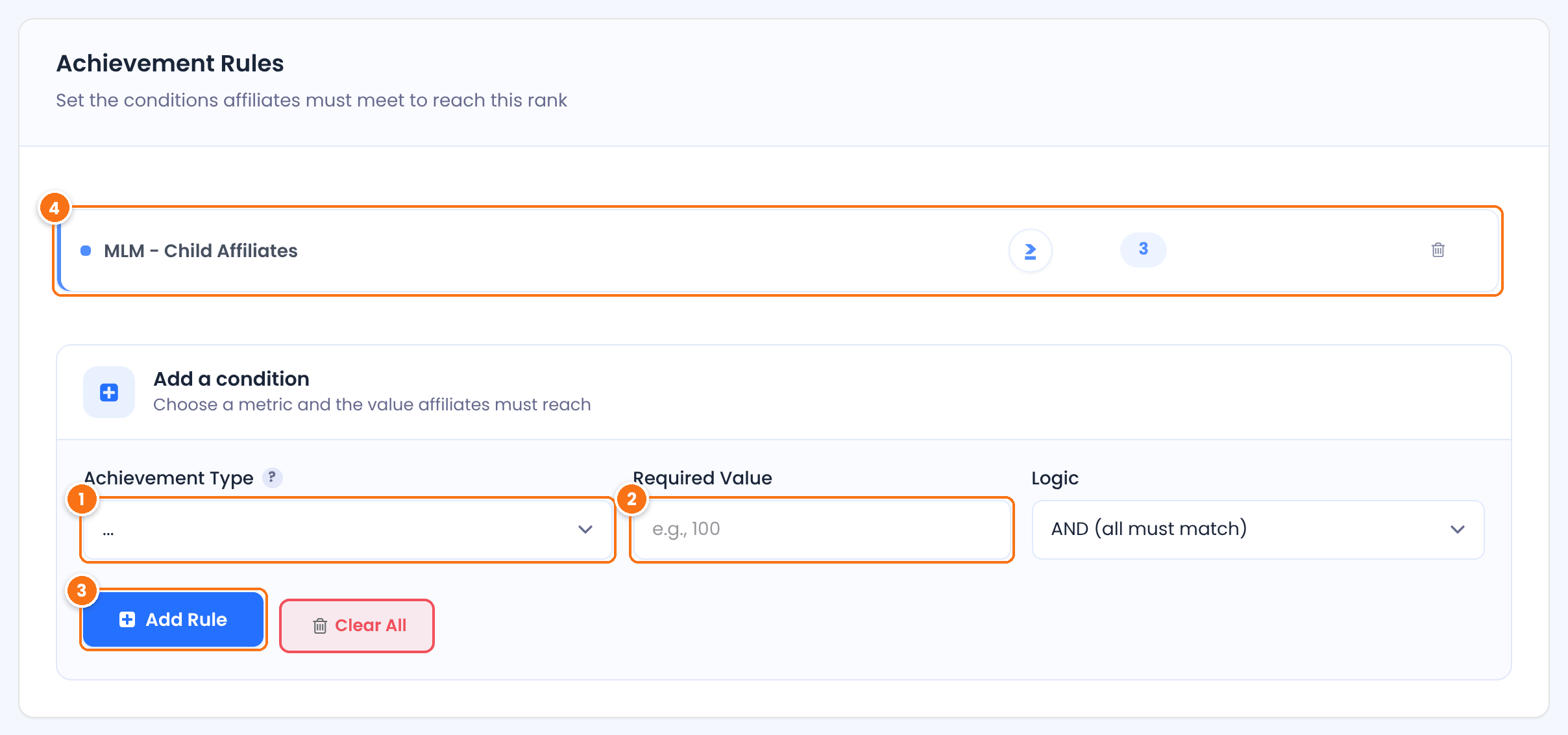
Choose MLM – Child Affiliates.
How many sub-affiliates the affiliate needs, for example 3. The goal is met when the affiliate has this many or more.
Adds the rule to the rank.
The rule as saved: MLM – Child Affiliates, at least 3.
Click Save Changes at the bottom of the rank editor.
Combine recruiting with sales
Add a second rule with the Logic field, for example MLM – Child Affiliates at least 3 AND Total Earnings at least $500. The affiliate then needs both a team and their own sales to move up.
Who counts as a sub-affiliate #
- Only direct sub-affiliates count: affiliates whose MLM parent is the affiliate. Affiliates further down the tree, such as the sub-affiliates of a sub-affiliate, do not.
- Sub-affiliates join an affiliate’s team when they register through that affiliate’s link, or when you assign the parent yourself. See Assign or change an MLM parent.
- The count is checked each time ranks are updated, together with the other rules of the rank.
Let ranks update #
Ultimate Affiliate Pro checks ranks in the background, at the Update Affiliates Rank Interval set in Ultimate Affiliate Pro›Settings›Admin Workflow: Hourly, Every 12 hours or Daily. When an affiliate reaches the number of sub-affiliates, they move up to the rank, and the rank change emails are sent if they are on. The update checks affiliates who have at least one approved referral. Ranks are reached in the order of their position, so an affiliate reaches Team Leader after meeting the rules of the ranks below it.
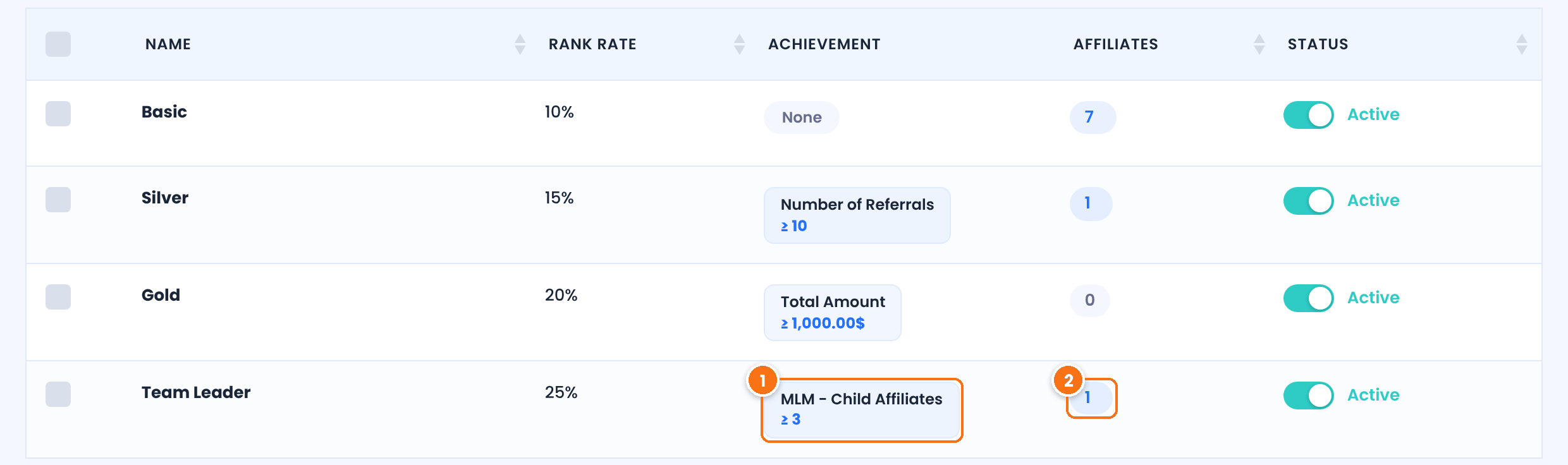
The rule of the rank, here MLM – Child Affiliates at least 3.
How many affiliates are in the rank now.
To also pay a one-time bonus when an affiliate reaches the rank, use Ranks Bonus. See the bonus section in Ranks.
Test it #
- Pick a test affiliate who already holds the rank just below Team Leader (Gold in the example) and has at least one approved referral, for example Emma.
- Assign three affiliates to Emma as their MLM parent.
- Wait for the next rank update, or set Update Affiliates Rank Interval to Hourly while you test.
- Open Ultimate Affiliate Pro›Affiliates: Emma is in the Team Leader rank.
Frequently asked questions #
What is a network growth rank?
A rank that affiliates reach by recruiting other affiliates. The add-on counts each affiliate’s direct sub-affiliates and promotes them when they reach the number you set.
Do sub-affiliates of sub-affiliates count?
No. Only direct sub-affiliates, whose MLM parent is the affiliate, are counted.
Can I combine recruiting with sales goals?
Yes. Add more achievement rules to the rank and join them with AND or OR in the Logic field.
When are affiliates promoted?
At the next automatic rank update. Set how often it runs in Ultimate Affiliate Pro, Settings, Admin Workflow, Update Affiliates Rank Interval.
Do I need the MLM module?
Yes. Sub-affiliates come from the Multi-Level Marketing module, so turn it on before you use this achievement type.


