An affiliate manager role lets a team member run your affiliate program without full administrator access. The Affiliate Manager add-on adds the UAP – Manager WordPress role and lets you choose which Ultimate Affiliate Pro tabs managers can open, such as Affiliates, Referrals and Payouts.
Affiliate managers approve new affiliates, check referrals, send payouts and answer affiliate questions. With this add-on they do it from the Ultimate Affiliate Pro dashboard, while the rest of your site settings, plugins and store stay out of reach. To learn more about roles in general, see Roles and Capabilities in the WordPress documentation.
Before you start
- The Affiliate Manager add-on installed and active. See Pro Add-ons: what they are and how to install them.
- A WordPress user for each manager, or their email address to create one.
Turn on Affiliate Manager and choose the tabs #
Go to Ultimate Affiliate Pro›Modules and open the Affiliate Manager card.
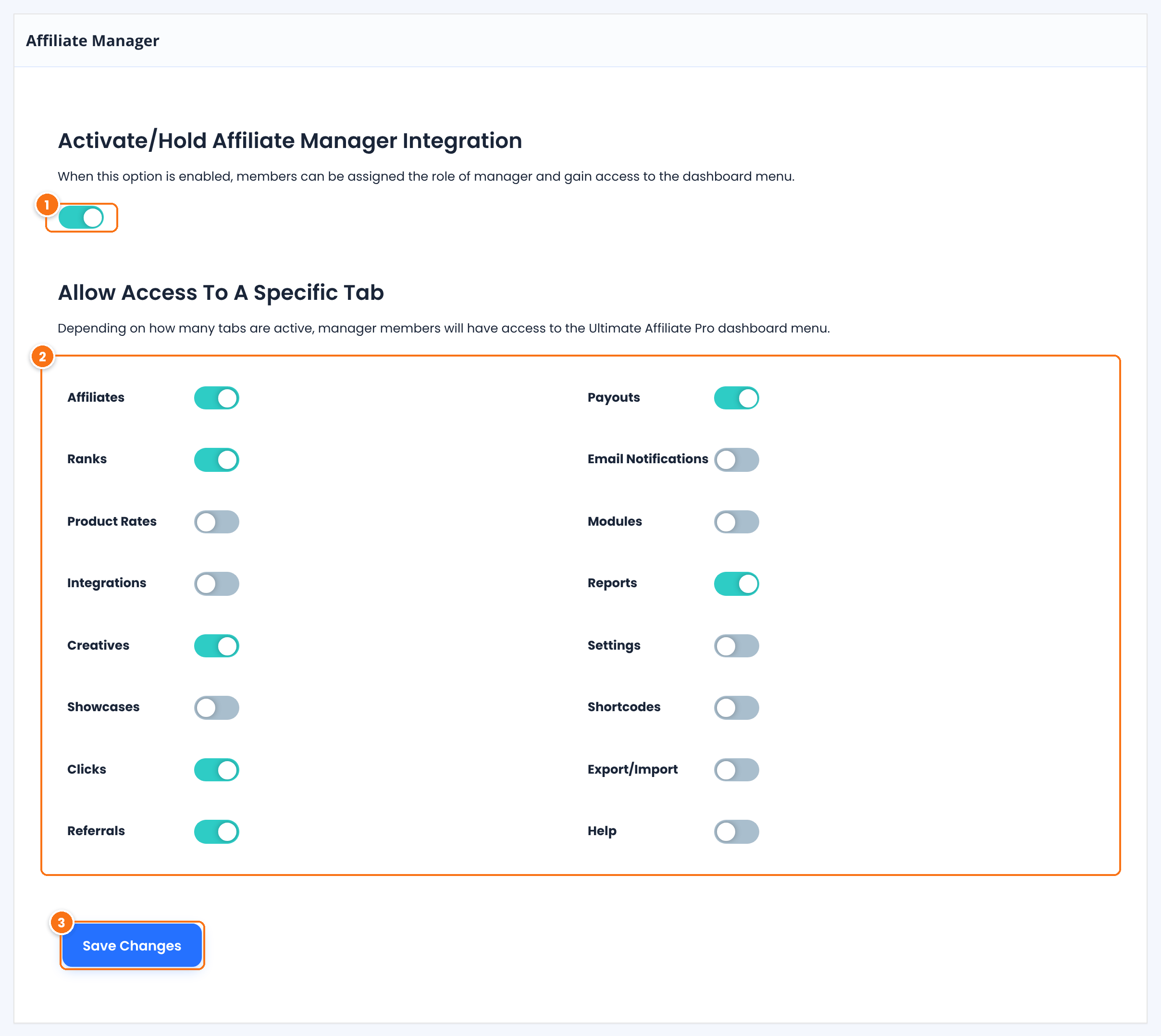
Turns the add-on on. When you save with it on, the UAP – Manager role is created in WordPress. When you save with it off, the role is removed.
Default: Off
One switch for each tab of the Ultimate Affiliate Pro dashboard: Affiliates, Ranks, Product Rates, Integrations, Creatives, Showcases, Clicks, Referrals, Payouts, Email Notifications, Modules, Reports, Settings, Shortcodes, Export/Import and Help. Managers see only the tabs that are on.
Default: Affiliates, Ranks, Showcases, Email Notifications, Modules and Shortcodes
Saves the settings and creates the role.
Give only what the job needs
For a manager who handles affiliates and payments, turn on Affiliates, Creatives, Clicks, Referrals, Payouts and Reports. Keep Settings, Integrations and Modules for administrators, because they change how the whole program works.
Let managers open the WordPress dashboard #
Ultimate Affiliate Pro keeps every role except Administrator out of the WordPress dashboard by default. Go to Ultimate Affiliate Pro›Settings›WP Dashboard Access, turn on UAP – Manager and click Save Changes.
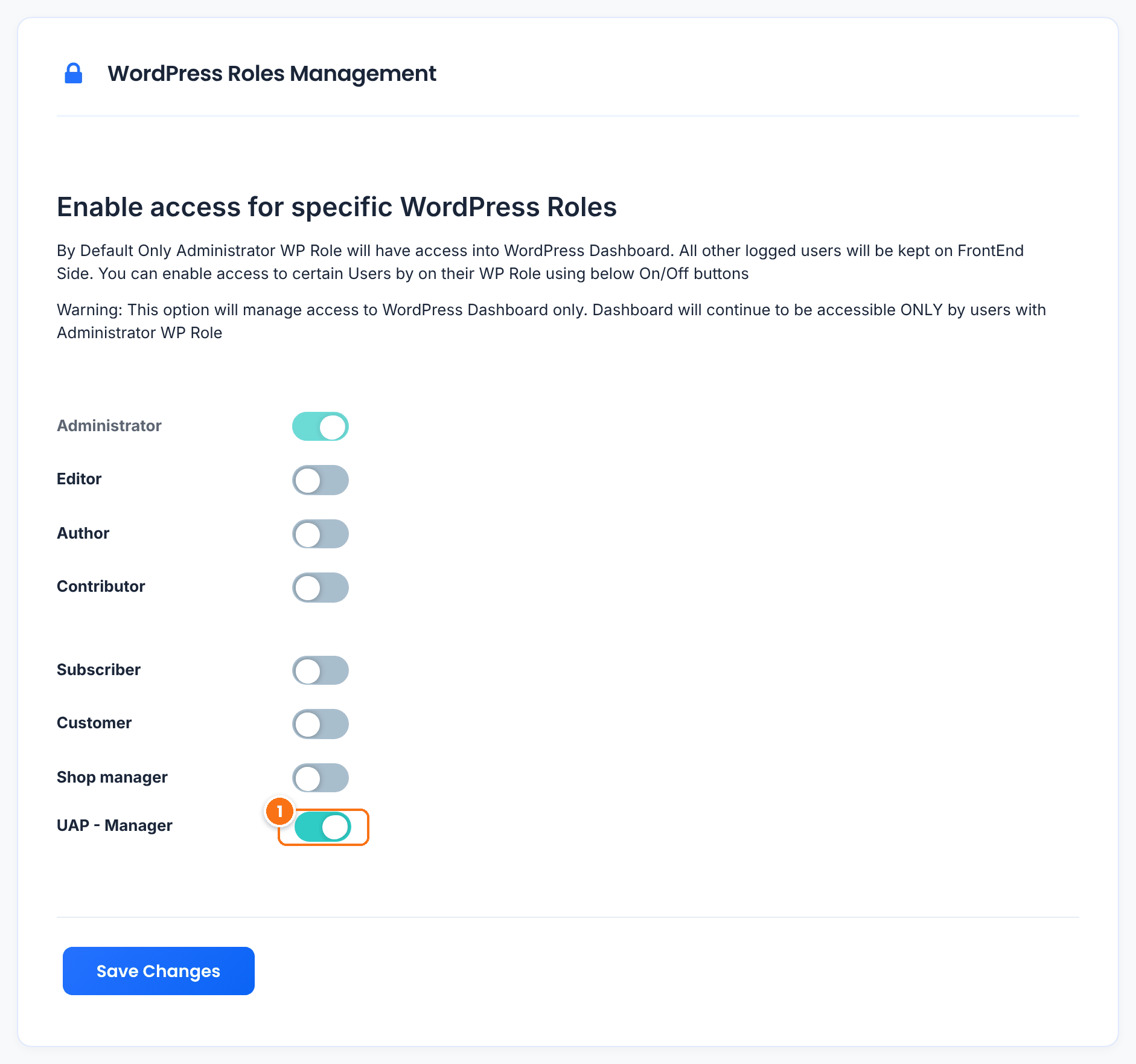
Lets users with the manager role open wp-admin. Without it, they are sent to your homepage when they log in. See Redirects and wp-admin access for affiliates.
Give a user the manager role #
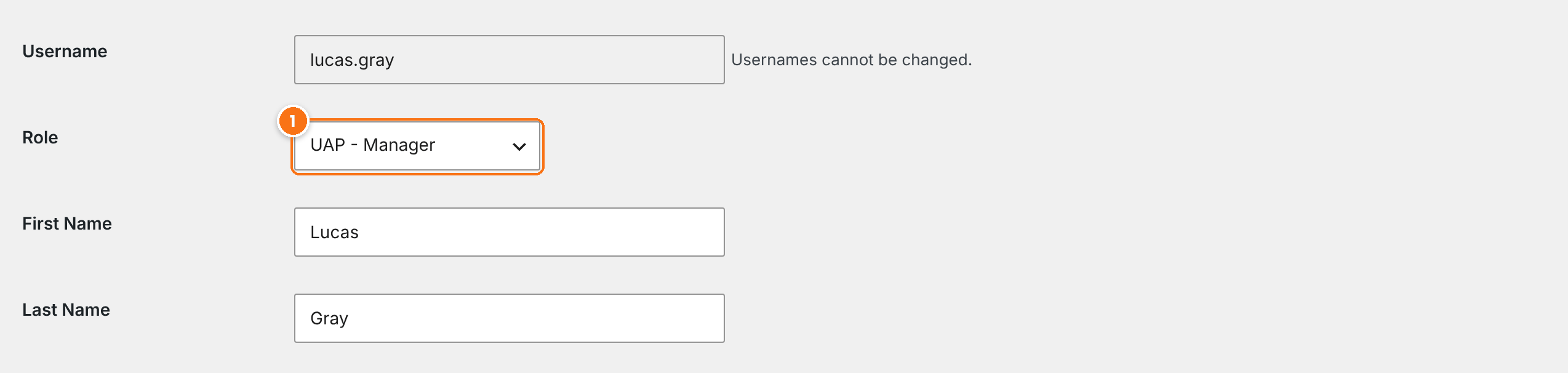
Go to Users›All Users and edit the user, or click Add User to create one. Set Role to UAP – Manager and click Update User.
The manager role can also write posts
Besides the affiliate dashboard, UAP – Manager can also create, edit and publish their own posts. Give the role only to people you trust with content on your site.
What managers see #
When the manager logs in, they see Ultimate Affiliate Pro in the WordPress menu with only the tabs you allowed.
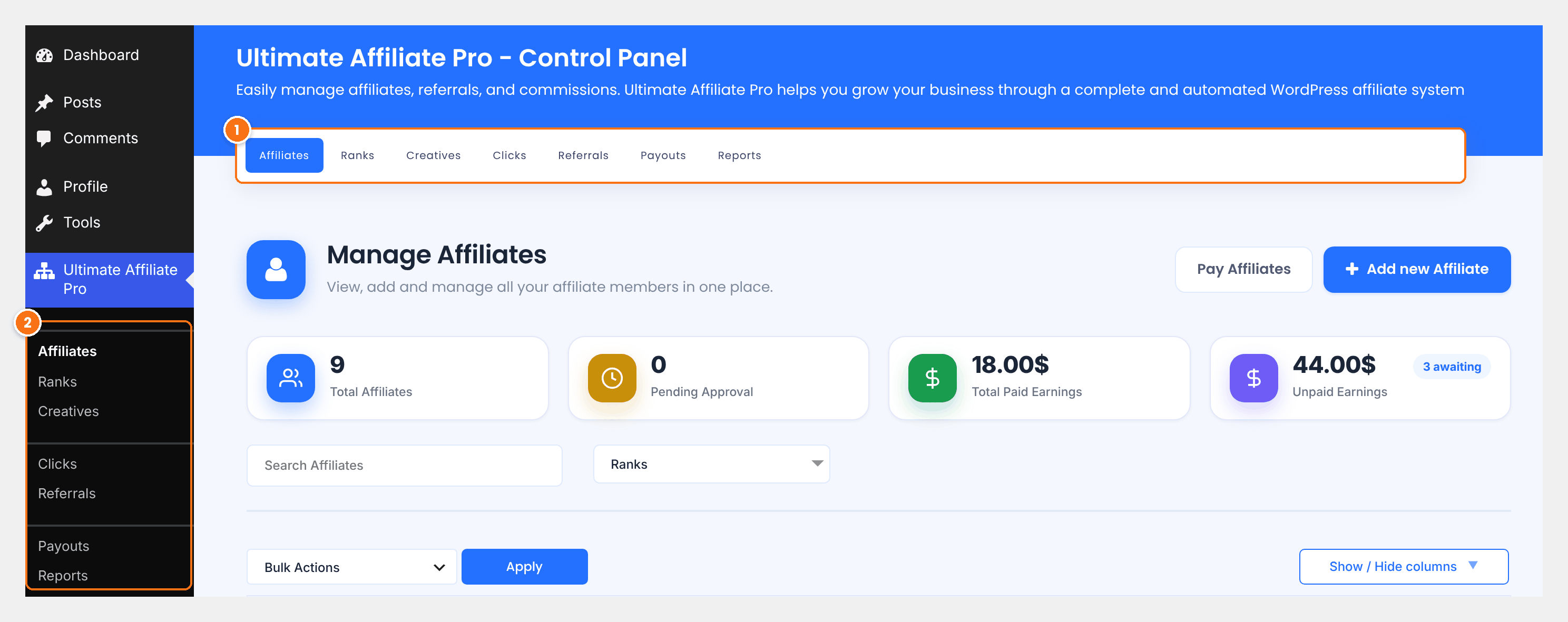
Only the tabs turned on in Allow Access To A Specific Tab.
The same tabs in the WordPress menu. Tabs that are off are hidden, and their pages cannot be opened by the manager.
Managers work in the allowed tabs just like an administrator: they can approve affiliates, change referral statuses and create payouts. Administrators always see every tab.
Test it #
- Create a test user, for example
lucas.gray, with the UAP – Manager role. - Log in as that user in a private browser window and open Ultimate Affiliate Pro›Affiliates.
- Check that only the allowed tabs are visible, and that WordPress settings and plugins are not.
Frequently asked questions #
What can an affiliate manager do?
Everything in the Ultimate Affiliate Pro tabs you allow, such as approving affiliates, managing referrals and paying affiliates. Tabs that are off stay hidden.
Why is my manager sent to the homepage after login?
The UAP – Manager role is not allowed in the WordPress dashboard yet. Turn it on in Ultimate Affiliate Pro, Settings, WP Dashboard Access.
How do I give someone the manager role?
Edit the user in Users, All Users and set Role to UAP – Manager, then click Update User.
Can managers change the plugin settings?
Only if you turn on the Settings tab for managers. Keep it off to let only administrators change settings.
Can I have more than one affiliate manager?
Yes. Give the UAP – Manager role to every user who should manage the program. They all see the same tabs.


