Campaigns add affiliate campaign tracking to your program: affiliates add a campaign name to a referral link, such as newsletter or instagram, and see how many clicks and referrals each channel brings. Campaigns are private to each affiliate and need no setup from you.
A campaign is a label added to an affiliate referral link. It does not change who gets credit or how much they earn. It only splits the affiliate’s results by channel, so they can put more effort where it pays off.
Before you start
- Ultimate Affiliate Pro installed, with your license active.
- The Campaigns and Campaign Reports tabs turned on in Ultimate Affiliate Pro›Showcases›Affiliate Portal. Both are on by default.
How a campaign link looks #
- Standard link
- yourstore.com/shop/?ref=emma.collins&cmp=newsletter
- Pretty link
- yourstore.com/shop/ref/emma.collins/cmp/newsletter
- Saved with the visit
- Affiliate Emma Collins, campaign newsletter
- Saved with the referral
- Campaign newsletter
The campaign is stored in the tracking cookie with the affiliate, so a sale made days later is still attributed to the right campaign.
Change the campaign parameter #
Go to Ultimate Affiliate Pro›Settings›General Settings and scroll to Campaign Settings.
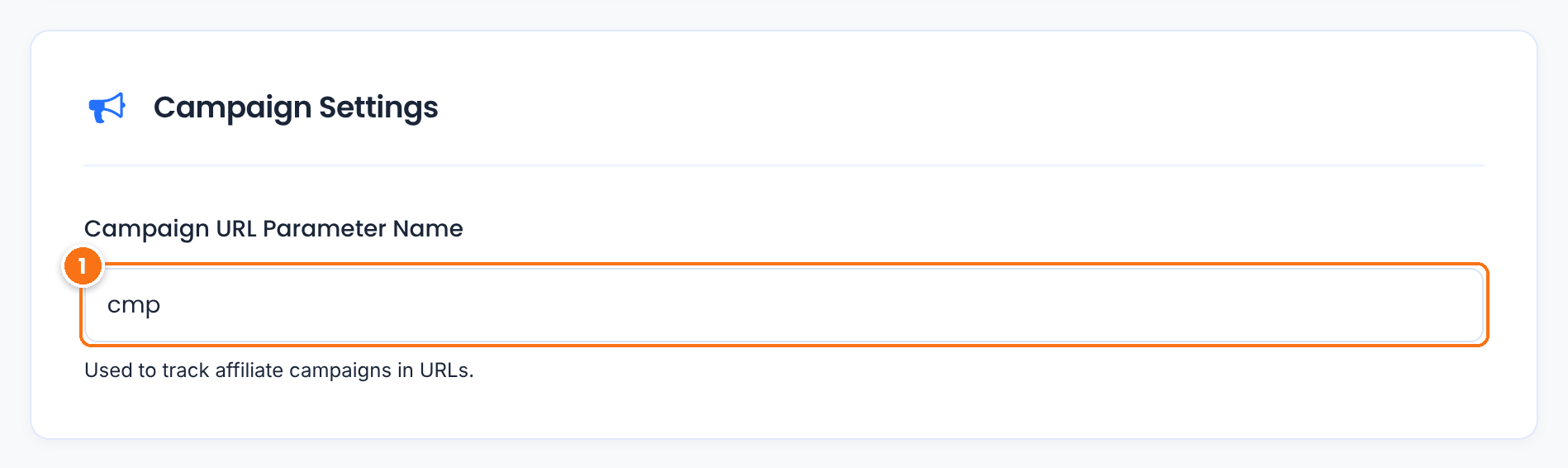
The name that comes before the campaign in links, as in &cmp=newsletter. Keep it short and different from your referral parameter. If you change it, links already shared with the old name are still credited to the affiliate, without the campaign.
Default: cmp
Click Save Changes at the bottom of the page.
Affiliates create campaigns #
In the Affiliate Portal, the affiliate opens Marketing›Campaigns.
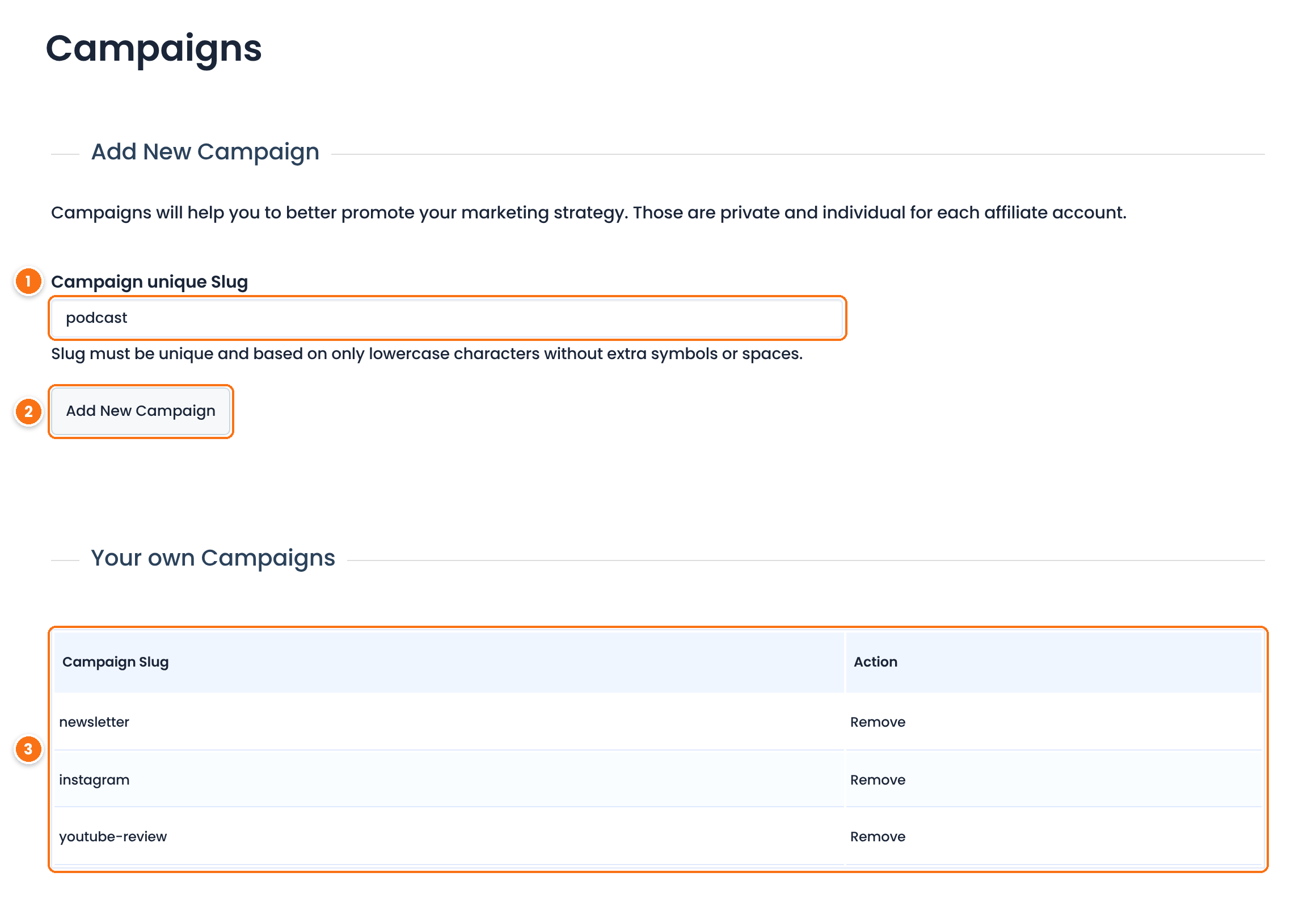
- The affiliate types a name in Campaign unique Slug, such as
podcast. Letters, numbers, hyphens and underscores are kept; spaces and other characters are removed. - They click Add New Campaign.
- The campaign appears in Your own Campaigns, where they can Remove it later.
Affiliates add the campaign to their links #
In Marketing›Affiliate Links, the affiliate picks the campaign in the Campaign dropdown of the Affiliate Link Generator, enters a page URL and clicks Generate Link. The new link carries the campaign. They can also type &cmp=podcast at the end of any referral link themselves.
Read the campaign reports #
Affiliates see their results in Reports›Campaign Reports.
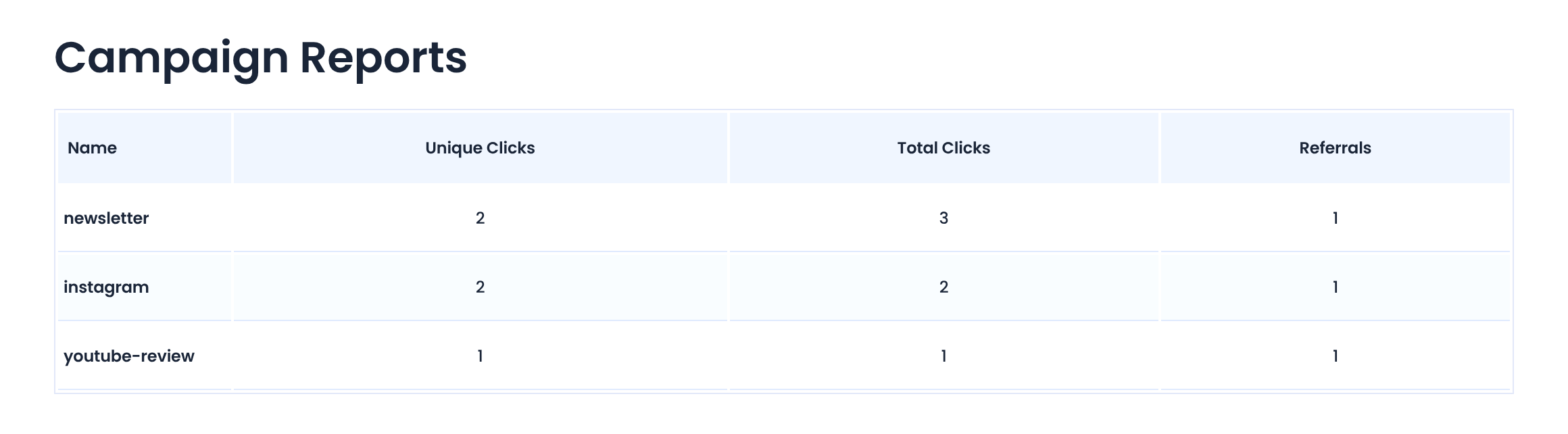
Different visitors who arrived through the campaign.
All visits recorded with the campaign.
Referrals that came from the campaign. Compare it with the clicks to find the channel that converts best.
As an admin, you see the same numbers in the affiliate’s profile: click the affiliate’s name in Ultimate Affiliate Pro›Affiliates or in Clicks.
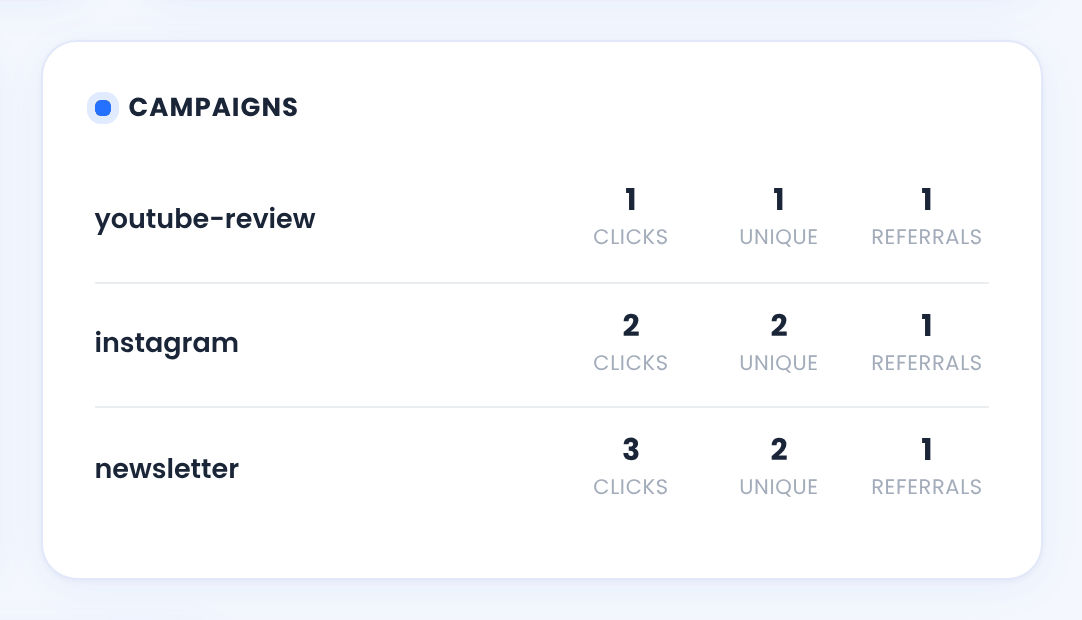
Each referral also keeps its campaign, which you see when you open the referral in Ultimate Affiliate Pro›Referrals.
Test it #
- As a test affiliate, create a campaign named
testin Marketing›Campaigns. - Generate a link with that campaign and open it in a private browser window.
- Back in the Affiliate Portal, check that Campaign Reports shows one click for
test.
Tip
Encourage affiliates to create the campaign before they share links with it, and to use one campaign per channel: newsletter, instagram, youtube. Campaign Reports counts clicks for campaigns that exist in the affiliate’s list.
Frequently asked questions #
What are campaigns for?
They let affiliates compare channels. By adding a campaign name to their referral links, affiliates see which newsletter, social network or video brings the most clicks and referrals.
Do I need to set anything up as an admin?
No. Campaigns work out of the box. You only choose the campaign URL parameter, cmp by default, and decide whether the Campaigns tabs are shown in the Affiliate Portal.
Can affiliates see each other’s campaigns?
No. Each affiliate has a private list of campaigns. Two affiliates can use the same campaign name without mixing their results.
Do campaigns change the commission?
No. Commissions follow the affiliate’s rank and your rates. The campaign is only a label for reporting.
Do campaigns work with pretty links?
Yes. With Pretty Affiliate Links on, the campaign is added as a path segment, as in yourstore.com/ref/emma.collins/cmp/newsletter.


