The Exchange Rate add-on converts referral amounts when your store and Ultimate Affiliate Pro use different currencies. You set an affiliate commission exchange rate for each currency pair, and every new referral from that currency is converted automatically.
Ultimate Affiliate Pro stores every referral in the currency set in Ultimate Affiliate Pro›Settings›General Settings. If your store sells in euros and your affiliate program runs in US dollars, a €20 commission would otherwise be stored as $20. The add-on multiplies it by the rate you set. For stores that sell in several currencies through a currency switcher, see Currencies and multi-currency stores.
Before you start
- Ultimate Affiliate Pro installed and active (install guide).
- Sales tracked through WooCommerce, Easy Digital Downloads or Ultimate Membership Pro.
- The current exchange rate for each currency pair.
Install the Exchange Rate add-on #
- Download the Exchange Rate zip file from your account on ultimateaffiliate.pro.
- In your WordPress admin, go to Plugins›Add Plugin and click Upload Plugin.
- Choose the zip file, click Install Now, then Activate Plugin.
The add-on now has its own card in Ultimate Affiliate Pro›Modules. See Pro add-ons: what they are and how to install them for the full process.
Turn on the conversion #
Go to Ultimate Affiliate Pro›Modules›Exchange Rate.
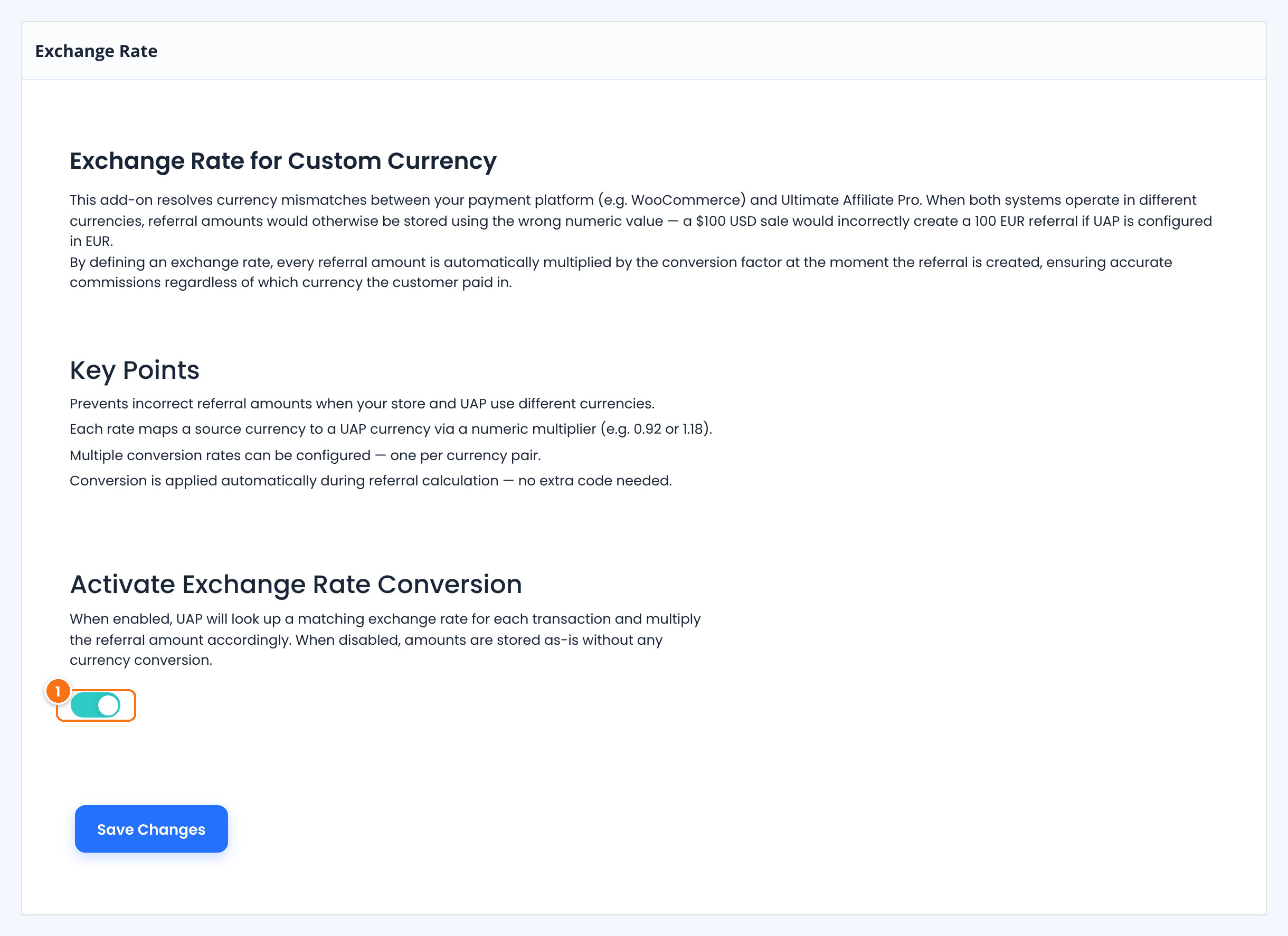
When on, each new referral from a currency other than your Ultimate Affiliate Pro currency is converted with the matching rate. When off, amounts are stored as they are.
Default: Off
Click Save Changes.
Add a conversion rate #
Scroll to Define a New Exchange Rate on the same screen. The formula reads: Source Currency = Rate × UAP Currency, that is, one unit of the source currency equals Rate units of your Ultimate Affiliate Pro currency.
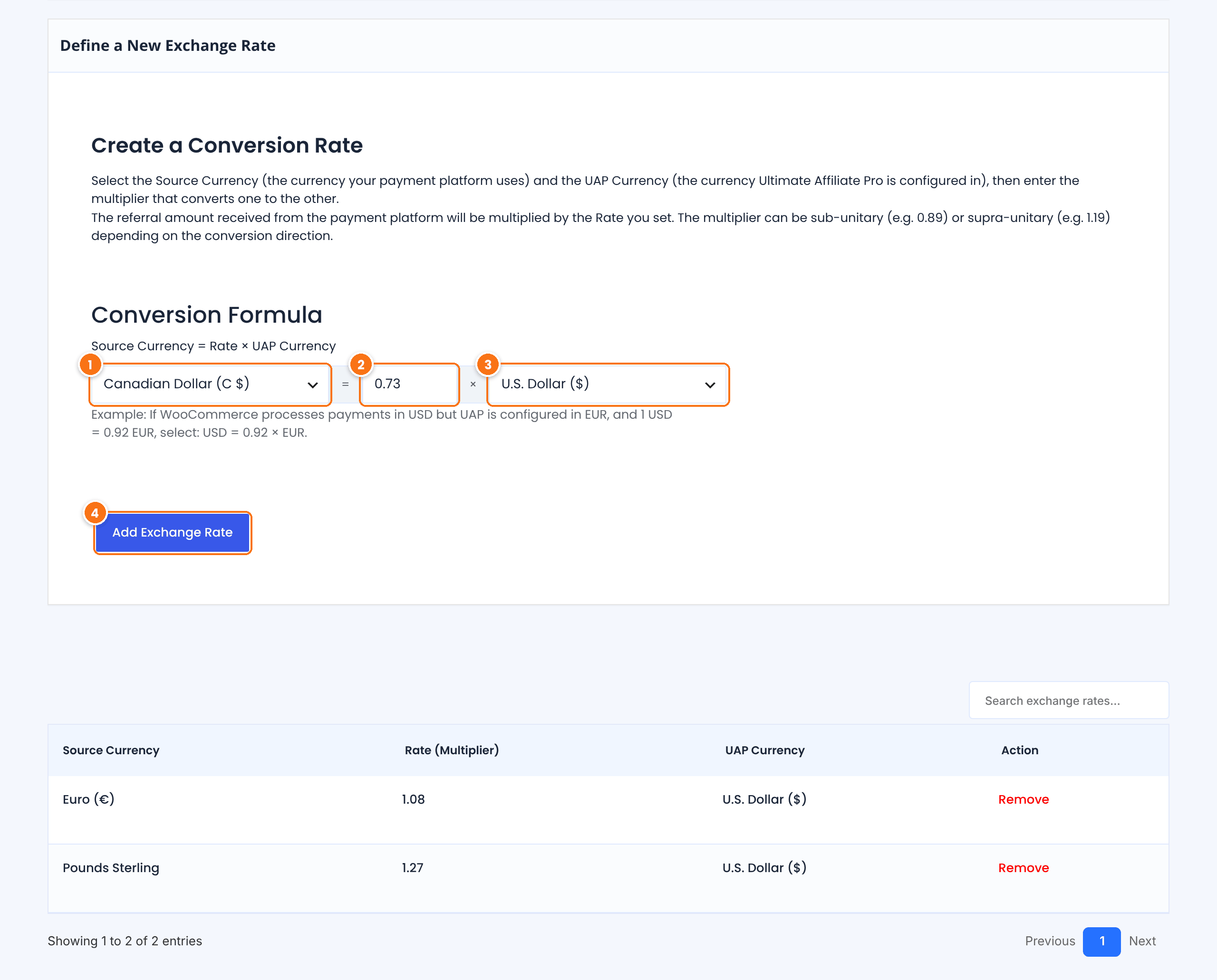
The currency your store or payment plugin uses.
How many units of your Ultimate Affiliate Pro currency equal one unit of the source currency. It can be below 1, for example 0.73, or above 1, for example 1.08. Enter a value greater than 0.
The currency of your affiliate program, as set in Settings › General Settings.
Saves the rate. It appears in the list below.
- Rate
Euro (€) = 1.08 × U.S. Dollar ($)- Commission in the order currency
- €20.00
- Referral stored
- $21.60
Keep your rates up to date #
Rates are fixed values that you control. Check them regularly, for example monthly, against your bank or an official source such as the European Central Bank reference rates.
- To change a rate, add the same currency pair again with the new value. It replaces the old one.
- To delete a rate, click Remove in the list.
- Use the search box above the list to find a pair.
- A new rate applies to new referrals. Existing referrals keep their amounts.
Frequently asked questions #
Which referrals are converted?
Referrals from WooCommerce, Easy Digital Downloads and Ultimate Membership Pro, when the order currency differs from your Ultimate Affiliate Pro currency.
Can I add more than one rate?
Yes. Add one rate for each currency your store uses. Each pair is listed separately.
Does it update rates automatically?
No. You set and update each rate yourself, so commissions stay predictable.
What if the order is already in my Ultimate Affiliate Pro currency?
Nothing changes. The amount is stored as it is.


