An MLM sponsor, or parent, is the affiliate one level above another affiliate in your Multi-Level Marketing network. The sponsor earns MLM commissions on the referrals of their sub-affiliates. Most affiliates get a sponsor automatically when they sign up through an affiliate link; you can also assign or change the sponsor of any affiliate yourself.
Assign a sponsor by hand when an affiliate joined before you turned on MLM, signed up without a link, or should belong to another team. For background on two-tier programs, see affiliate marketing on Wikipedia. To set up the module first, read Set up an MLM affiliate program.
Before you start
- The Multi-Level Marketing module turned on in Ultimate Affiliate Pro›Modules. The sponsor field appears only when it is on.
- The username of the affiliate who will be the sponsor.
Open the affiliate #
Go to Ultimate Affiliate Pro›Affiliates, find the affiliate, open the actions menu of the row and click Edit. See Manage affiliates for the list and its filters.
Choose the MLM sponsor #
Scroll to Multi-Level Marketing (MLM) Setup, near the end of the form.

Start typing the sponsor’s username and pick them from the list. The field shows the current sponsor, if the affiliate has one.
Click Save Changes at the bottom of the page.
The change applies right away. The affiliate moves under the new sponsor together with their own sub-affiliates, and MLM commissions on future referrals follow the new network. MLM referrals already created stay with the affiliates who earned them.
Tip
With The Force Matrix Plan or Binary Plan, a sponsor can only have a limited number of direct sub-affiliates. If the sponsor you pick is full, the affiliate is placed in the first free spot in that sponsor’s downline. See MLM structures.
Remove a sponsor #
To take an affiliate out of a network, delete the username from Select a Parent for this Affiliate and save. The affiliate becomes a top-level affiliate; their own sub-affiliates stay under them.
Check the network #
Go to Ultimate Affiliate Pro›Modules, open Multi-Level Marketing and scroll to Search MLM Relations.
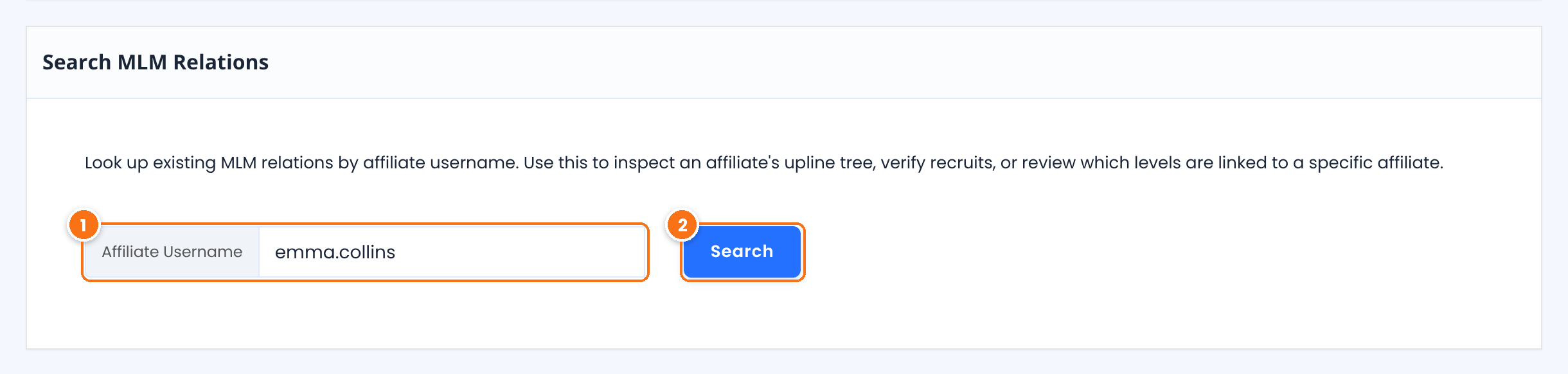
Type the username of the sponsor, or of any affiliate in the network.
Opens the MLM Matrix page with the affiliate, their sponsor and their whole downline, by level. You can also open it from the affiliate’s actions menu in Affiliates, with MLM Matrix.
Test it #
- Edit a test affiliate and select another affiliate as their parent. Save.
- Search the sponsor in Search MLM Relations and check that the test affiliate appears at level 1.
- Create or approve a referral for the test affiliate and check that the sponsor received an MLM referral in Referrals.
Frequently asked questions #
Can an affiliate have more than one sponsor?
No. Each affiliate has one parent. Their parent’s own parent is their level 2, and so on.
Why don’t I see the MLM field on the edit screen?
The field appears only when the Multi-Level Marketing module is on. Turn it on in Ultimate Affiliate Pro, Modules.
Can affiliates choose their own sponsor?
Affiliates get the sponsor whose affiliate link they used before signing up. To change it later, edit the affiliate as shown above.
Does changing a sponsor move the money already earned?
No. Existing MLM referrals stay with the affiliates who earned them. Only future referrals use the new network.
Can I set the sponsor when I add a new affiliate?
Yes. The same field is on the Add New affiliate screen when the module is on.


