Your customers are often your best promoters. Ultimate Affiliate Pro gives you several ways to make existing customers affiliates without a second account: automatically for every new user, with a one-click button, from the WordPress user profile, or in bulk.
In every case the affiliate keeps the same WordPress account, email and password they already use on your store. Their affiliate account is added on top. To build a separate sign-up page for new people, see Set up the registration, login and password pages.
Before you start
- Ultimate Affiliate Pro installed, with your license active.
- An Affiliate Portal page, where new affiliates land after they join.
- A default rank for new affiliates, so they start with a commission rate. See Ranks.
Ways to make existing customers affiliates #
- Every new user, automatically
- Auto-Enroll Users as Affiliates (step 1)
- Customers who choose to join
- Become an Affiliate button (step 2) or the registration form while logged in
- One user, by you
- Convert to Affiliate in the WordPress user profile (step 3)
- Many existing users at once
- Mass Affiliate Conversion add-on (step 4)
Enroll every new user automatically #
Go to Ultimate Affiliate Pro›Settings›General Settings and find the Affiliate Registration card.
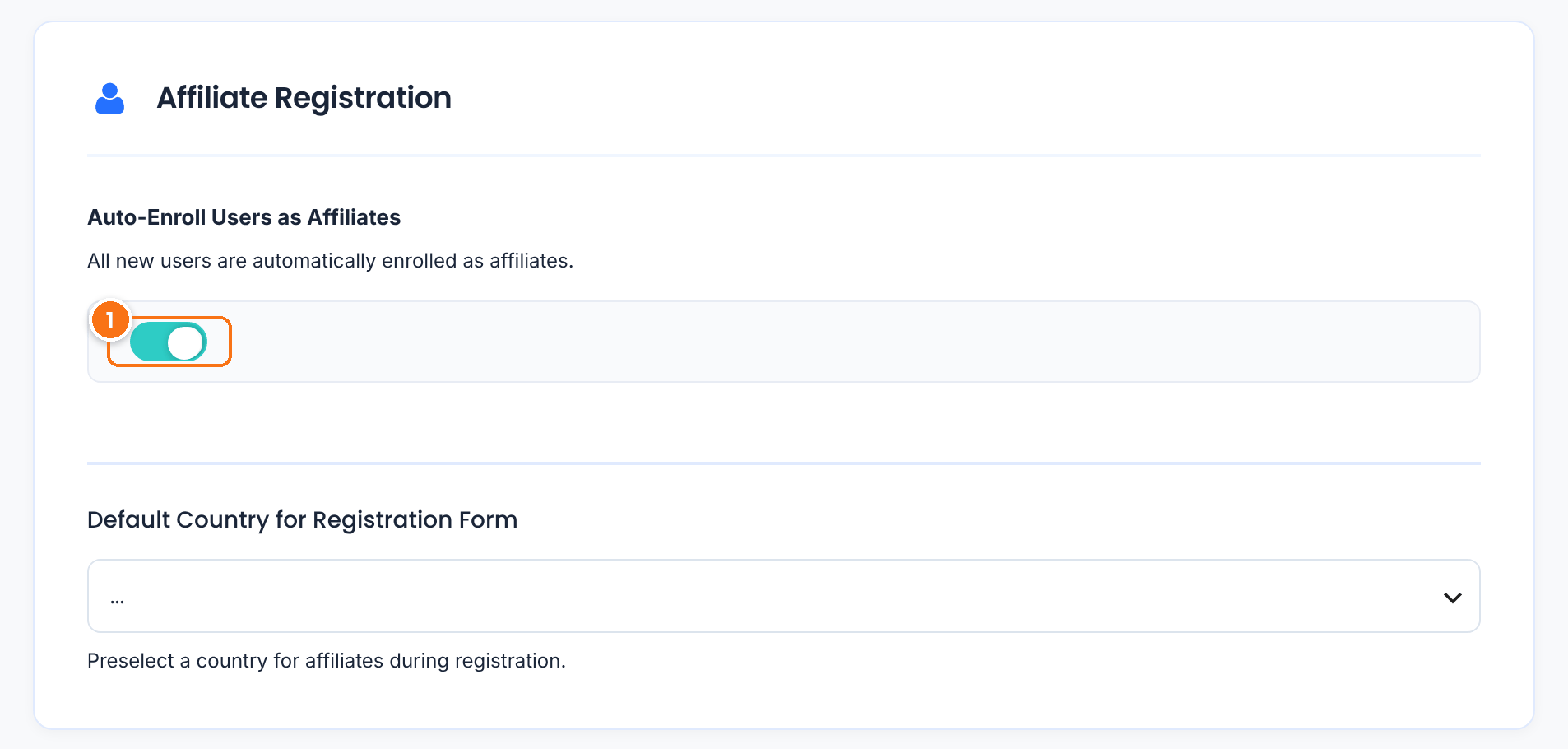
Every user who creates an account on your site from now on also becomes an affiliate, with the default rank. This covers accounts created at WooCommerce checkout, on the My Account page, by a membership plugin or in Users›Add New. Users who already had an account before you turned it on are not changed; use steps 2 to 4 for them.
Default: Off
Click Save Changes. Affiliates added this way are active right away; they do not go through the approval set for the registration form.
Add a Become an Affiliate button #
Create a page for customers, for example “Join Our Affiliate Program”, and add this shortcode to it:
[uap-user-become-affiliate]

- The customer clicks Become an Affiliate. Their account becomes an affiliate account with the default rank, the welcome emails are sent and the Affiliate Portal opens.
The button appears only to logged-in users who are not affiliates yet. Visitors who are not logged in, and existing affiliates, see nothing, so you can add your own text around it for them. Link to the page from your customer emails or the My Account menu.
Tip
On WooCommerce stores, the WooCommerce Account Page Integration module adds an Affiliate tab to My Account. Customers who are not affiliates see this same button there by default. See Affiliate area in WooCommerce and BuddyPress accounts.
Customers can also use the registration form. When they open it while logged in, their username, name and email are filled in and locked, and the password fields are hidden. They complete the remaining fields, such as how they will promote you, and submit. If a customer sees “email already in use” on the form, ask them to log in first, then open the registration page.
Convert one user from the dashboard #
Go to Users›All Users, open the user and scroll to the Ultimate Affiliate Pro section at the bottom of the profile.
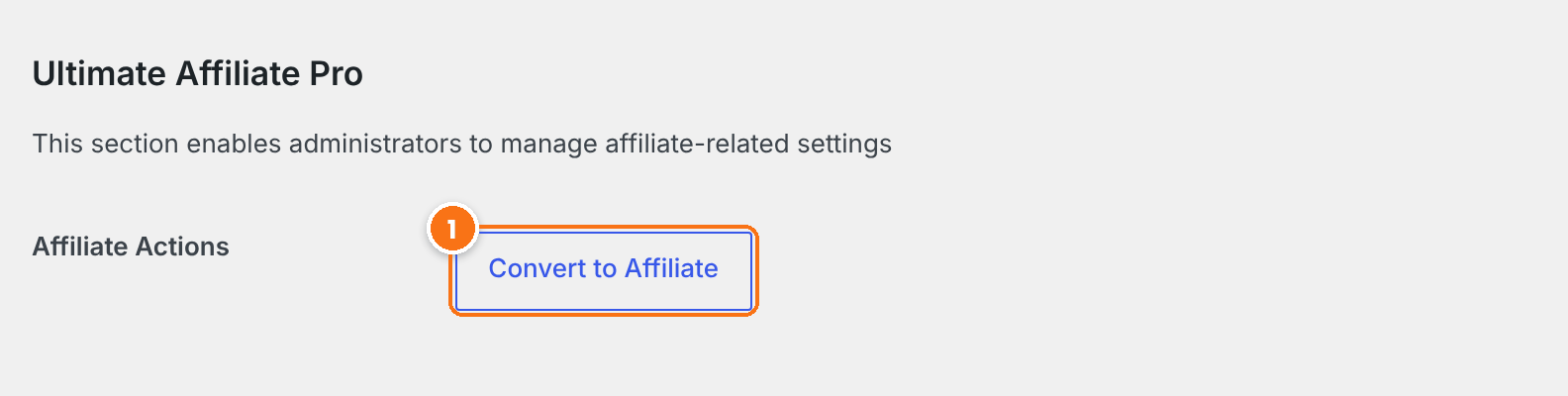
- Click Convert to Affiliate. The user becomes an affiliate with the default rank, without leaving the page.
For an existing affiliate the button reads Revert from Affiliate Program, which removes the affiliate account and keeps the WordPress user. Administrator accounts cannot be converted.
Convert many users at once #
The Mass Affiliate Conversion Pro add-on converts every user of the WordPress roles you choose, for example all customers, in one step. After you install it, open it from Ultimate Affiliate Pro›Modules, tick the roles and click Convert Selected to Affiliates. Users who are already affiliates are skipped, each new affiliate gets the default rank, and the welcome emails are sent. Administrators are never included.
Test it #
- Log in as a test customer who is not an affiliate yet and open your Become an Affiliate page.
- Click the button and check that the Affiliate Portal opens with the customer’s affiliate link.
- In Ultimate Affiliate Pro›Affiliates, check that the customer is listed with the default rank.
Frequently asked questions #
A customer gets “email already in use” on the registration form. What should they do?
Ask them to log in with their customer account first, then open the registration page or your Become an Affiliate page. Their existing account becomes an affiliate account.
Do customers need a second login for the Affiliate Portal?
No. Affiliates use the same WordPress username or email and password as their customer account.
Does Auto-Enroll Users as Affiliates convert my existing customers?
No. It applies to accounts created after you turn it on. Use the Become an Affiliate button, the user profile or the Mass Affiliate Conversion add-on for existing users.
Can I make users pay before they become affiliates?
Yes. With the Pay to become Affiliate module, users become affiliates after they buy a product you choose. See Charge affiliates to join your program.
Which rank do converted users get?
The Default Rank for new Affiliates, set in Showcases, Registration Form, Register Showcase. You can change any affiliate’s rank later in the Affiliates list.


